8 min read

Two-Way Texting for CharmHealth | Skip the Portal

Two-Way Texting for CharmHealth | Skip the Portal
💡 Two-way HIPAA-compliant texting for CharmHealth EHR practices moves patient conversations out of a portal patients ignore and into the text thread they actually read.    

Curogram adds a patient-facing text line to CharmHealth, so patients confirm visits, request refills, and ask questions by replying to a normal text — no portal login, no password reset, no one-time codes. 

Every message syncs back to the CharmHealth chart, so your front desk works from one inbox instead of three.

Comparable practices that switched to two-way SMS cut inbound calls by 24% while keeping every thread HIPAA-compliant.


Your front desk reaches for the phone before the first patient walks in.

One caller never finished signing up for the portal. Another forgot a portal password during the last visit and simply gave up. A third only wants to confirm whether a prescription refill is ready.

It sounds like an ordinary Monday, but it is really a slow and costly leak.

Every one of those calls began as a simple message that should have answered itself. The practical fix is two-way HIPAA-compliant texting for CharmHealth EHR practices, and it works without replacing the EHR you rely on.

First, though, it helps to see why the portal keeps failing your patients.

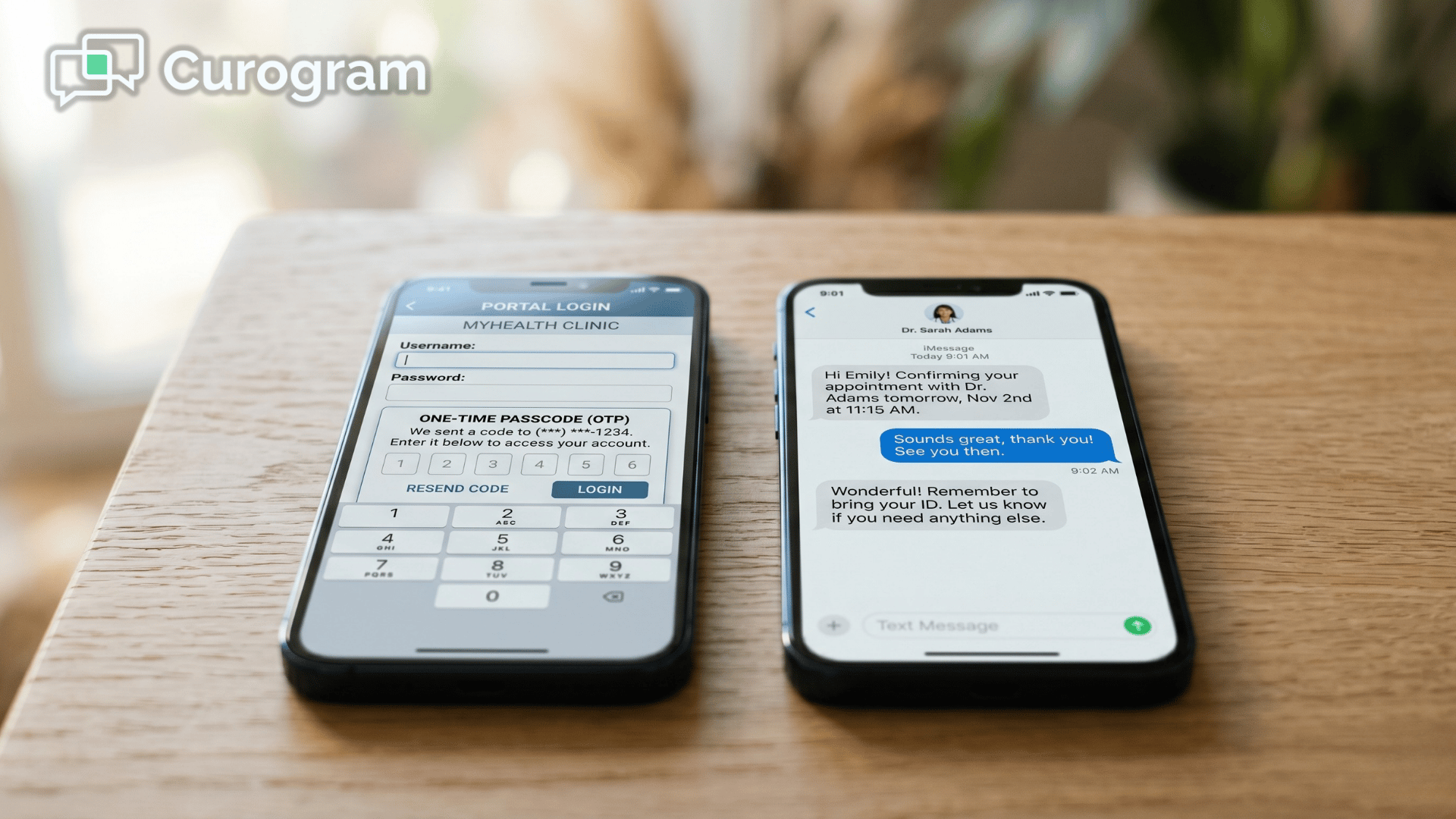
In a typical CharmHealth communication workflow, patient messaging lives inside the Patient Portal. That portal asks for an account, a login, and sometimes a one-time code before anyone can read a word.

So patients quietly stop checking it, and your staff fall back to calling them. The lean practice you built starts losing its mornings to a manual call list.

Here is the part worth sitting with. Your patients are not ignoring you. They are ignoring the login.

That difference matters, because it changes what you should actually fix.

A louder portal reminder will not help, since patients have already decided the portal asks too much of them.

What does help is meeting them in the one channel they read all day, which is text. This guide explains why portal-only messaging quietly drains your front desk, and how reliable CharmHealth patient texting finally closes that gap.

You will see what the broken workflow really costs. You will also learn how a direct text line works right alongside CharmHealth.

And you will see what the results look like once messaging no longer depends on a password.

The Hidden Bottleneck Costing You Every Morning

CharmHealth is genuinely strong where it counts. It handles clinical documentation, scheduling, and billing inside one affordable system. That is exactly why so many lean and integrative practices choose it.

Where the Trouble Begins

The friction shows up in one place:

Patient messaging. Those conversations run through the Patient Portal.

And the portal asks patients to create an account and log in before they can read or reply.

Walk the workflow and the leak becomes obvious:

  • A patient gets a portal invite and never registers, or registers once and forgets the password.
  • Staff give up waiting and fall back to phone calls.
  • Even the secured-text route makes the patient click a link, enter a one-time code good for only two hours, and confirm a date of birth.
  • By then, a thirty-second confirmation has become a voicemail, a callback, and a note to try again tomorrow.

That last step is the quiet killer. You are adding hoops to a message most patients would have answered instantly by text.

The Real Daily Cost

The result is predictable. Front desks field 80 or more inbound calls a day for tasks that should be self-serve. Meanwhile, portal engagement sits in the single digits while SMS open rates reach 98%.

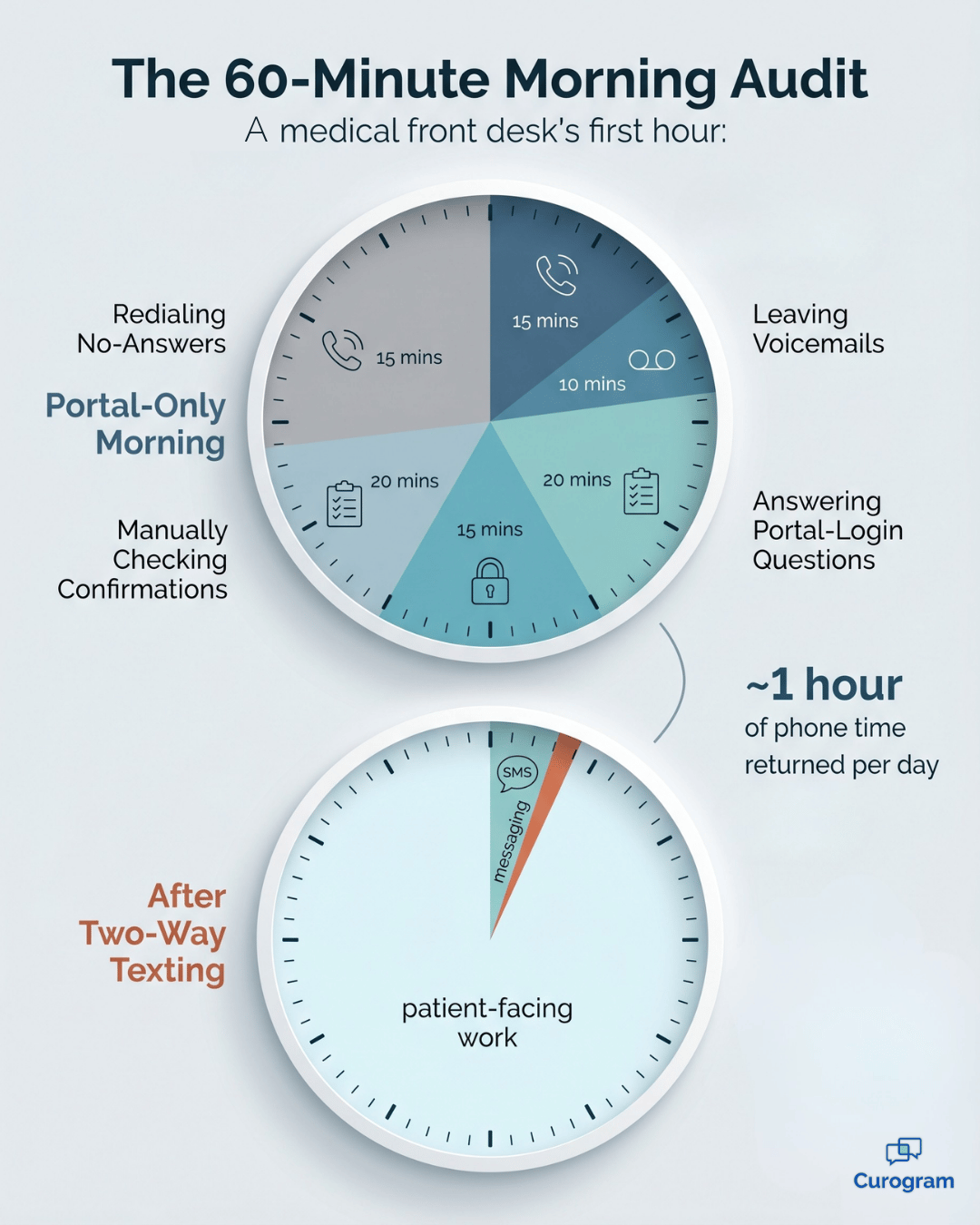
For your team, that gap is not abstract. It is the first hour of every morning lost to a manual call list, dialing patients just to ask who confirmed. For the Practice Manager, it feels like paying for an affordable EHR and then losing the very time the EHR was supposed to save.

The system can document a visit beautifully, but it cannot tell you who actually plans to show up. That is the true cost of the portal login bottleneck. It is not merely a clunky screen, but a daily tax on the people who keep your schedule full.

Infographic comparing a front desk's first hour before and after two-way patient texting

The Direct Line: A Text Patients Actually Read

Here is the shift that changes everything. Instead of dragging patients into a portal, you meet them where they already are.

Curogram is the direct line. It is a patient-facing SMS platform that lets patients text your practice from their own phone. There is no portal and no app download, so patients simply reply in the same messaging app they already use for everything else.

The feature doing the work is two-way texting, and it stays simple on both ends. It is fully HIPAA-compliant, and it supports both templated and free-text replies.

Here is what that actually gives your practice:

  • A dedicated line patients can text directly from their own phone, with no portal account and no app download required.
  • One shared inbox where your entire front desk can see every incoming message, so nothing slips quietly through the cracks.
  • Replies that sync automatically back to the CharmHealth chart, so your staff never re-key a conversation.

To see why this matters, compare the two routes side by side.

Step CharmHealth portal messaging Curogram two-way texting
Get started Create an account and accept the invite Nothing to set up; just reply to a text
Open a message Log in, and reset the password if needed Tap the text like any other
Verify identity One-time code plus date of birth Already on the patient's own phone
Reply Inside the portal interface Standard SMS app
Where it lands Portal inbox Shared team inbox, synced to the chart

That comparison is the heart of the CharmHealth portal messaging vs texting question. One route adds steps. The other removes them.

This is what makes Curogram a clean CharmHealth Two-Way Text add-on alternative. The native add-on lives inside the EHR and still relies on links, codes, and date-of-birth checks. Curogram is built for true patient SMS without portal login from the very first message.

Worried about the clinical record?

Conversations and confirmations sync back to CharmHealth through its FHIR API and API Program. Curogram's team handles the questionnaire, license agreement, and sandbox setup. That usually takes one to two weeks, so your staff never double-enter a thing.

For relationship-driven, integrative, and primary care practices, this feels more personal, not less. A real text thread reads like a human, not a login screen. The automation simply means patients reach a person faster, with HIPAA-compliant SMS for CharmHealth running quietly in the background.

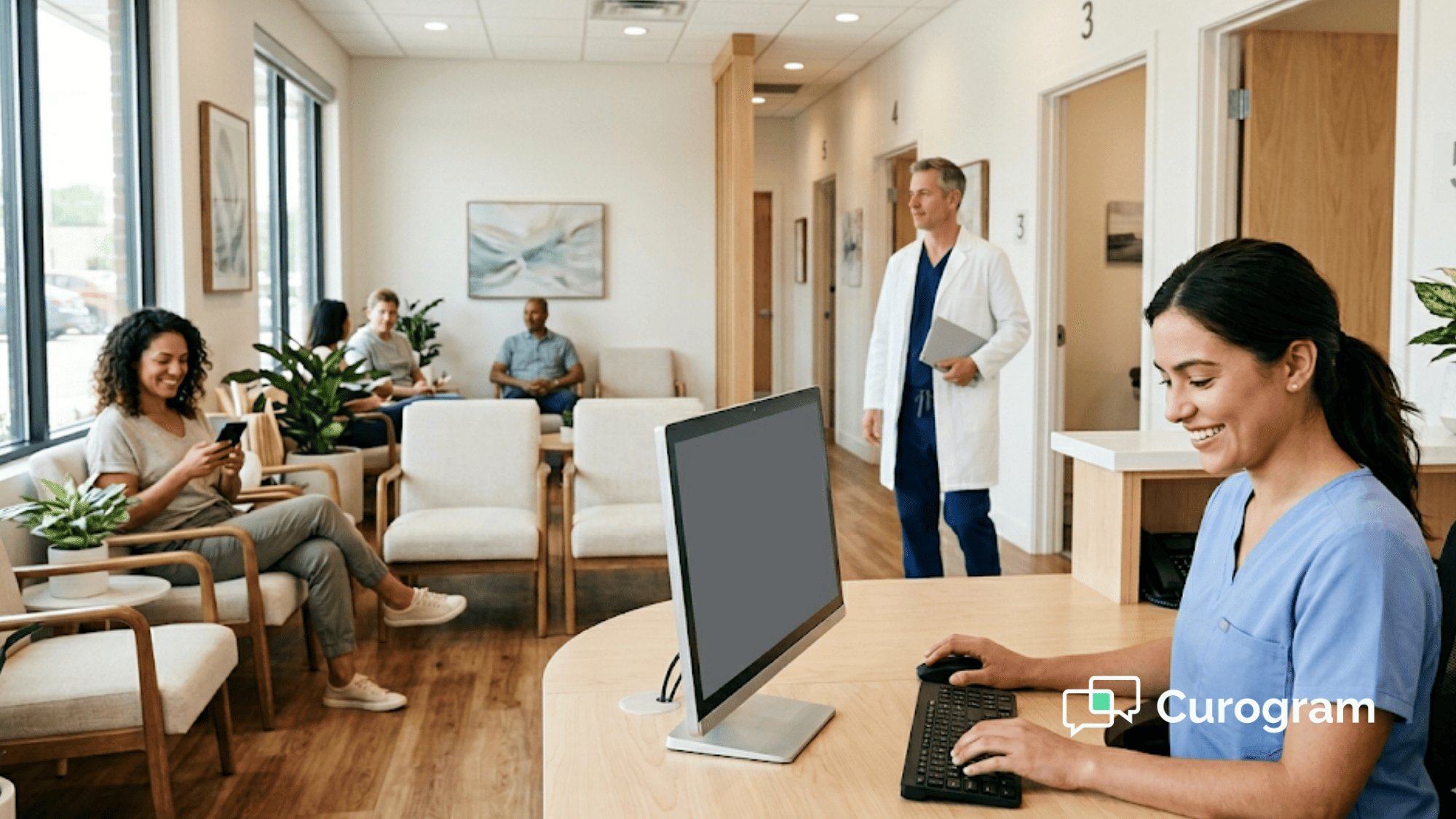
Clinic staff member assisting a patient face to face in a bright reception area

The Payoff: A Morning Without the Call List

So what actually changes once the login disappears? The numbers tell a clear story.

24% fewer inbound calls.

A comparable multi-site practice cut its inbound call volume by nearly a quarter after moving to two-way SMS. That is roughly one in every four calls that simply stopped coming in.


No-shows fell from 14.26% to 4.91%.

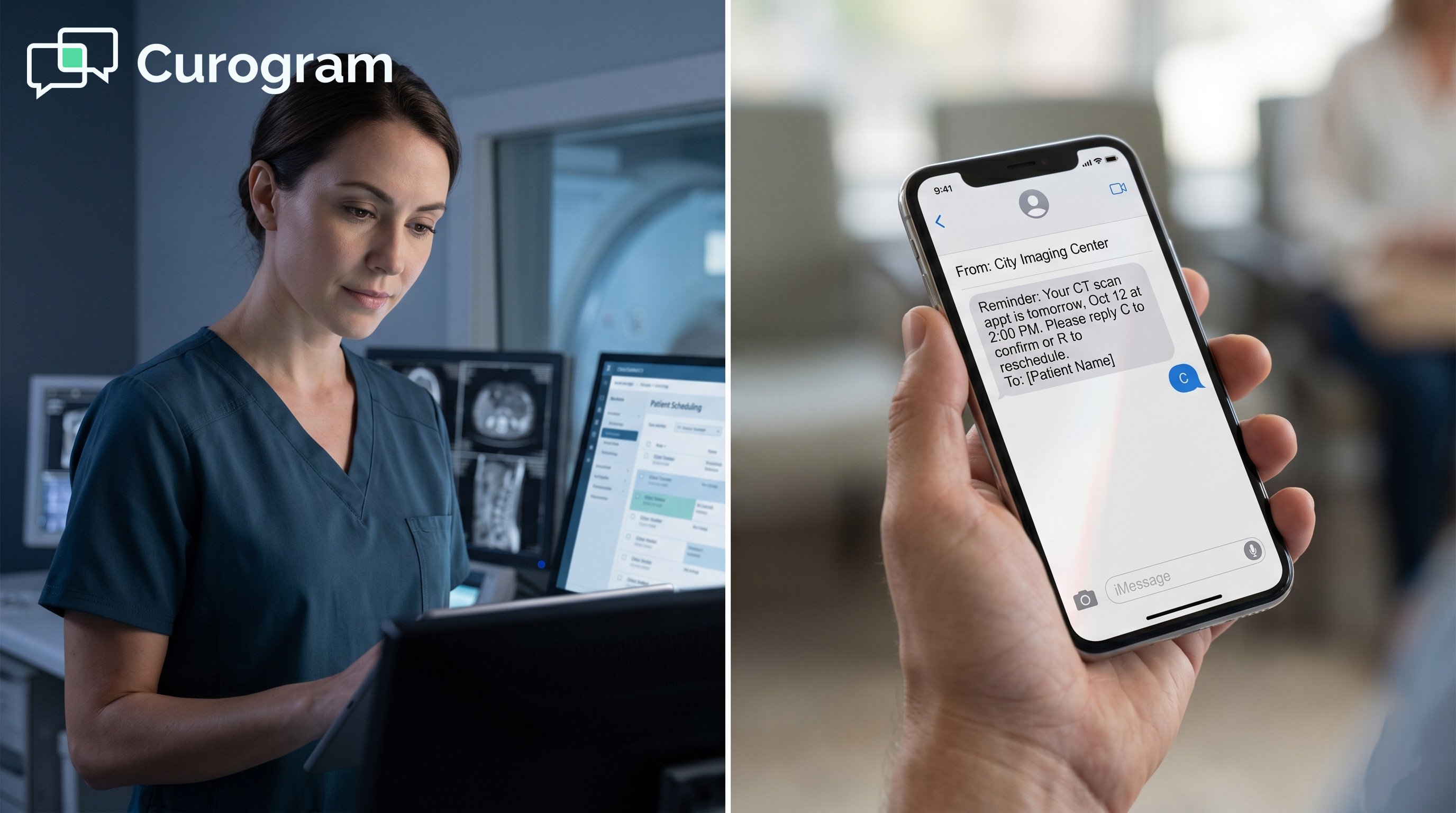
A comparable practice paired texting with automated SMS reminders and confirmations and cut its no-show rate by about two-thirds. Fewer empty slots means a fuller, more predictable schedule.


98% SMS open rate.

Nearly every text gets read, usually within minutes. Portal engagement, by contrast, sits in the single digits. The channel choice basically answers itself.

Now translate those figures into a real morning. Say your front desk handles around 200 calls a day. A 24% drop removes about 48 of them. That returns close to a full hour of phone time to your team every single day.

Run that same gain across a month and the picture sharpens.

Timeframe Calls removed (at 24%) Approx. staff time saved
Per day ~48 calls ~1 hour
Per week ~240 calls ~5 hours
Per month ~1,000 calls ~20 hours

For your team, that is roughly half a work week reclaimed every month. The morning call list does not just shrink. It disappears.

This is the portal-free conversation in action. Messaging stops depending on a login, and your staff stop chasing it.

The role shift is the best part. Front desk teams move from switchboard operators to real patient coordinators. They spend their energy on the people in the building, not on a dial list. And the patients simply answer that first text.

More Than a Confirmation: What Patients Really Text You About

Confirmations are just the front door. Once patients have a real text line, they start using it for all the small tasks that used to tie up your phones.

Think about this. Most of your daily calls are not complicated, but they are quick questions that only feel big because they arrive by phone, one slow call at a time.

Here is where a direct text line quietly pays for itself.

Refills Without the Phone Tag

A patient texts to ask whether they can get their refill. Your team sees the message in the shared inbox, checks quickly with the provider, and texts back the moment it is ready.

There is no voicemail to return, no callback to chase, and no sticky note lost somewhere under a keyboard.

Pre-Visit Questions and Intake

Patients constantly ask the same quick questions before a visit, like whether they need to fast, where they should park, or whether you can resend their forms. Answered by text, those questions take seconds instead of stretching into a five-minute phone call.

You can also send digital intake forms the same way, so the paperwork is finished before the patient ever sits down.

Recall and Reactivation

Some patients simply drift away over time. They fully intend to book that follow-up appointment, then life gets busy and the visit quietly slips off the calendar.

A short, friendly text brings them back far more reliably than a mailed postcard nobody reads. For a primary care or integrative practice, that is recovered revenue hiding in plain sight.

Quick Balance and Payment Nudges

A mailed statement sits in a pile for days and often gets ignored completely, while a text with a payment link tends to get read within minutes.

Imagine clearing just 10 small balances a week this way.

At an average of $75 each, that adds up to $750 a week, or roughly $39,000 a year, recovered with almost no added staff effort. For your team, that is real money that used to quietly slip away.

Close the Portal Gap Without Touching Your Clinical Core

Here is where it all lands.

True two-way texting closes the portal gap without changing CharmHealth's clinical core. You never migrate, and you never retrain your providers. You simply add the one channel patients already use, then let it write back to the chart they already trust.

Think of it as a clean division of labor. CharmHealth is built for your clinical record. Curogram is built for their everyday conversation.

The two are much stronger together than either one is alone. One system documents the visit. The other makes sure the visit actually happens.

Every day on portal-only messaging is another morning handed back to the call list. It is another patient who meant to confirm but never logged in. It is yet another staff hour spent dialing patients instead of helping people.

The math here is hard to argue with. Say texting prevents just two or three no-shows a month at roughly $200 a visit. It has already paid for itself, and it replaces the add-ons you pay for right now.

So imagine the lighter, calmer version of your front desk. The phones are noticeably quieter. The schedule is fuller. Your team answers everyone from one shared inbox instead of juggling three.

That is not a distant someday goal. It is a one-to-two-week setup, handled mostly by Curogram's team.

Ready to see it running on your own workflow? Schedule a Demo and we will map your current portal and texting setup against everything Curogram consolidates. You will see which messages move to text, which add-ons fall away, and what your mornings look like once the login is gone.


Frequently Asked Questions

Is Curogram's texting HIPAA-compliant?

Yes. Curogram is HIPAA-compliant, operates under a signed BAA, and runs on SOC 2-certified infrastructure with encryption and access controls. It works alongside CharmHealth, so your clinical data security stays exactly as it is today. For background on patient communication rules, the HHS HIPAA guidance is a helpful reference.

We already have CharmHealth's Two-Way Text add-on. How is this different, and will we double-enter?

CharmHealth's native add-on lives inside the EHR's messaging interface and routes secured messages through a link, a one-time code, and a date-of-birth step. Curogram is patient-facing, so patients simply reply in their normal SMS app, and threads write back to CharmHealth automatically. Your staff never re-key a conversation.

Do patients need an app or portal login, and how does opt-out work?

No app and no portal login, just standard SMS. Patients opt in and can text STOP to opt out at any time, which keeps your outreach aligned with TCPA consent rules.

How long does setup take, and what does it need from our team?

Most practices are live in about one to two weeks. Curogram's team handles the heavy lifting, including the questionnaire, the license agreement, and the sandbox setup through CharmHealth's FHIR API and API Program. Your staff mostly review the message templates and then go live. There is no new hardware and no drawn-out IT project.

Will this just add another bill on top of our CharmHealth costs?

Usually it replaces more than it adds. Two-way texting can take over the work of add-ons you already pay for, including the native Two-Way Text feature, so part of the cost is offset from day one. It also wins back staff hours that used to vanish into phone tag. For your team, fewer no-shows and a lighter phone load often mean the tool pays for itself instead of becoming one more line item.


HIPAA-Compliant Two-Way Texting for Opus EHR Behavioral Health

HIPAA-Compliant Two-Way Texting for Opus EHR Behavioral Health

💡 HIPAA-compliant two-way texting for Opus EHR behavioral health practices adds a steady SMS layer next to Opus. It does not replace the EHR. It...

Read More
HIPAA-Compliant 2-Way Texting for StreamlineMD Imaging Centers

HIPAA-Compliant 2-Way Texting for StreamlineMD Imaging Centers

💡 Imaging centers that use StreamlineMD often have a gap in patient communication. The platform handles clinical data well, but it relies on a...

Read More
Patient Texting, No Portal Login | CharmHealth

Patient Texting, No Portal Login | CharmHealth

💡 Patient texting without portal login for CharmHealth practices removes the biggest reason patients go quiet: the login screen. Curogram texts...

Read More