
 Mira Gwehn Revilla
- A CharmHealth secured text sends a link, then a one-time passcode that dies after two hours, then a date-of-birth check.
- A Curogram text shows the words right away: “Tuesday at 2 PM with Dr. Reyes. Reply C to confirm.”
- Patients need no Charm Patient Portal account, no Charm mPHR app, and no password.
- Replies, refill questions, and STOP opt-outs land in one thread your staff can see.
- Based on our internal data, Atlas Medical Center cut no-shows from 14.20% to 4.91% in three months with automated text reminders.
A CharmHealth secured message reaches your patient as a link. Tapping it opens a screen that asks for a one-time passcode, and that code works for two hours. Next comes a date-of-birth check. Only then does the patient see the sentence you sent: “Your appointment is Tuesday at 2 PM.”
That’s three hurdles to read seven words.
CharmHealth built the flow to protect health information, which is a fair goal. Its cost falls on the patient, who has to prove who they are three ways before reading a routine note. Each gate is a place where a busy person stops. Every stop becomes a call to your front desk or an empty slot on the schedule.
Our view is plain. Routine practice messages should read like any other text, and texting CharmHealth patients without portal login is how a CharmHealth practice gets there. Curogram is the tool that does it, and it runs next to the EHR you already use.
Your patients’ phones are ready for this. Pew Research Center’s 2026 survey found that 98% of US adults own a cellphone. Among adults 65 and older, 96% own one, but only 79% own a smartphone. A plain text reaches all of them.
An app download leaves out about one in five older patients before the first message is sent.
Practices that make the switch see it on the schedule. Based on our internal data, Atlas Medical Center dropped its no-show rate from 14.20% to 4.91% in three months after moving reminders to Curogram’s two-way texts.
For primary care, integrative medicine, and behavioral health practices on CharmHealth, that kind of change starts with one readable text.
The OTP Obstacle Course
CharmHealth’s Two-Way Text feature sits behind its Text/Voice Notifications add-on. When staff send a secured message, what reaches the patient’s phone is a link to it.
There’s a sound reason for that design. A text can sit on a lock screen, and a lock screen can be seen by a spouse, a coworker, or a stranger on the bus. Gating the content keeps protected health information off that screen.
Trouble starts with where the work lands. Every check in the flow asks something of the patient: open this, type that, confirm this. Your staff send one message and move on. The patient does all the proving.
You pay for the add-on, the feature is turned on in Settings, and it works as built. Patients still don’t finish the steps. That’s the add-on trap from the patient’s side: a paid tool that sits idle because the people it serves won’t walk through it.
Three Hurdles Between a Text and a Sentence
CharmHealth’s own help article for secured two-way texts lays out the patient’s path:
- A text arrives holding only a link.
- Tapping it opens a page that asks for a one-time passcode.
- The passcode comes in a separate message and stays valid for two hours. After that, the patient taps “Resend” and starts over.
- Next, a page asks for a date of birth.
- Your message finally appears, along with the thread history.
Five screens for “Your appointment is Tuesday at 2 PM.” Each one is a chance to quit. Since the content stays hidden until the last screen, a patient can’t even judge whether the effort is worth it.
The 2-Hour Window Meets a Work Shift
Timing is where the flow breaks most often. Say your front desk sends a pre-visit note at 9:15 AM. A warehouse worker, a nurse on a 12-hour shift, or a teacher in front of 28 kids won’t touch a phone until lunch.
By 12:30, the code is dead. The patient taps the link, gets asked for a code they can’t find, and has to request a new one. Many won’t. They’ll call you at 4:45 to ask what the message said, right when your staff are closing out the day.
That call costs more than the text saved. Your staff pull the chart, confirm the caller’s identity, and read the message aloud. So the patient proves who they are anyway, with a person on the line and your queue backing up behind them.
How Wide the Engagement Gap Runs
Most patients can reach a portal. According to ONC’s 2024 data brief,77% of people were offered online access to their records, and 65% used it at least once that year.
Once a year works for checking lab results. A reminder that matters on Tuesday needs to be seen by Saturday, and that’s where SMS vs patient portal engagement splits. People visit a portal on purpose, while they glance at texts dozens of times a day.
|
Channel |
What the patient must have |
What it takes to read one note |
|
Charm Patient Portal |
Account, username, password |
Log in, find the message |
|
Charm mPHR app |
Smartphone, app download, login |
Open app, sign in, find the message |
|
Secured Two-Way Text |
Phone, the passcode text, date of birth |
Link, code, DOB, then read |
|
Direct SMS |
Any phone |
Read it |
When a reminder goes unread, the cost shows up as a no-show. Atlas Medical Center’s rate sat at 14.20% before it changed how it sent reminders, based on our internal data. At an illustrative $200 per visit, a practice seeing 400 visits a month at that rate loses about 57 visits, or $11,400.
Three Patients Who Quit at the Gate
A retired bookkeeper keeps her passwords on a sticky note in the kitchen drawer. The passcode isn’t on it. She reads “You have a new secure message,” shrugs, and waits for someone to call.
For a patient in therapy, the problem is discretion. He wanted a quiet text he could answer from his desk without anyone noticing. A login screen with his birth date on it, opened in an open-plan office, is the opposite.
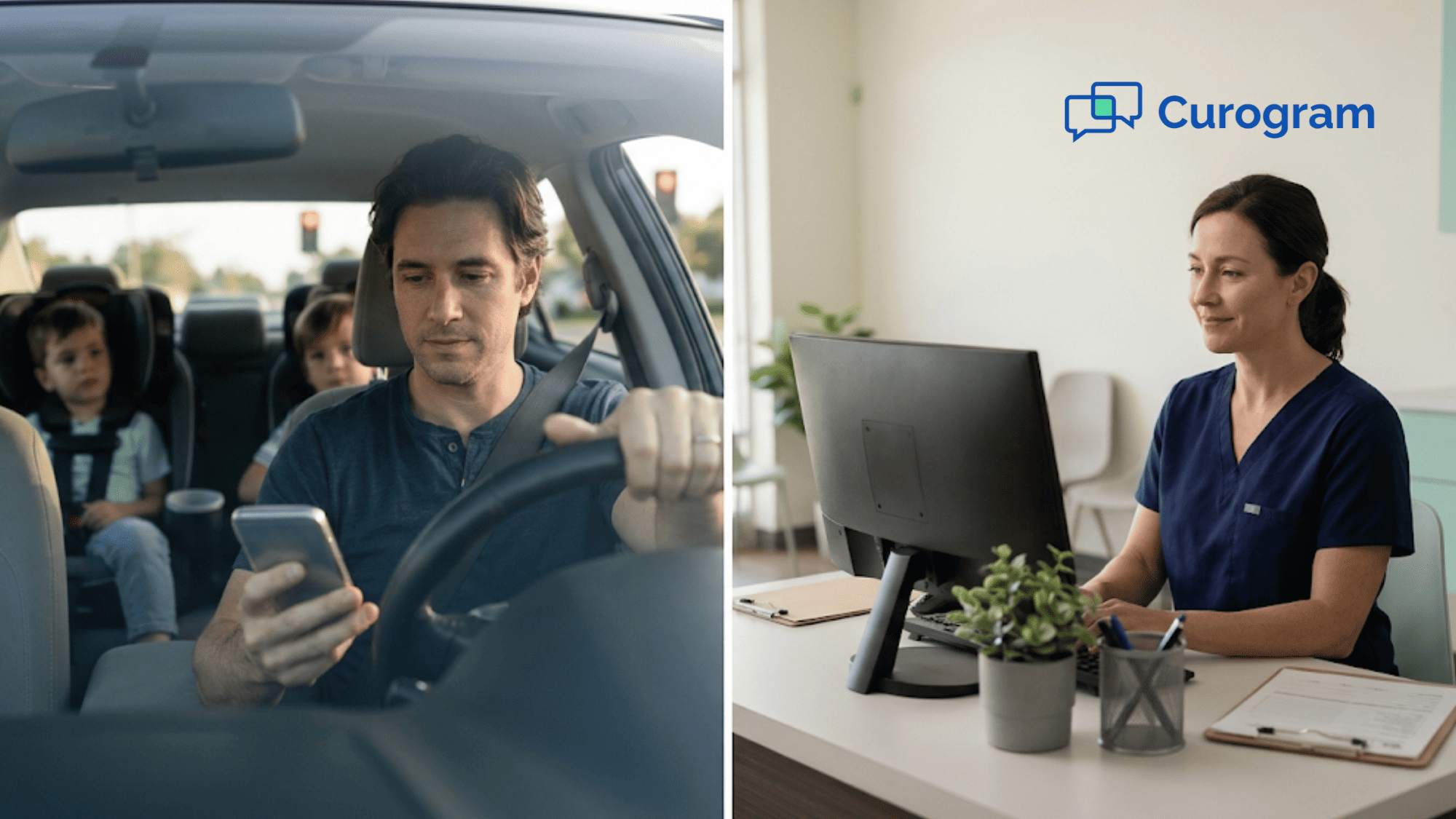
Then there’s the dad at a red light with two kids in the back seat. He had eight seconds. That’s enough to read “Tuesday at 2, reply C” and type one letter. It’s nowhere near enough for a link, a code, and a date of birth, so the reminder waits, and then it expires.
A Text That Shows the Words
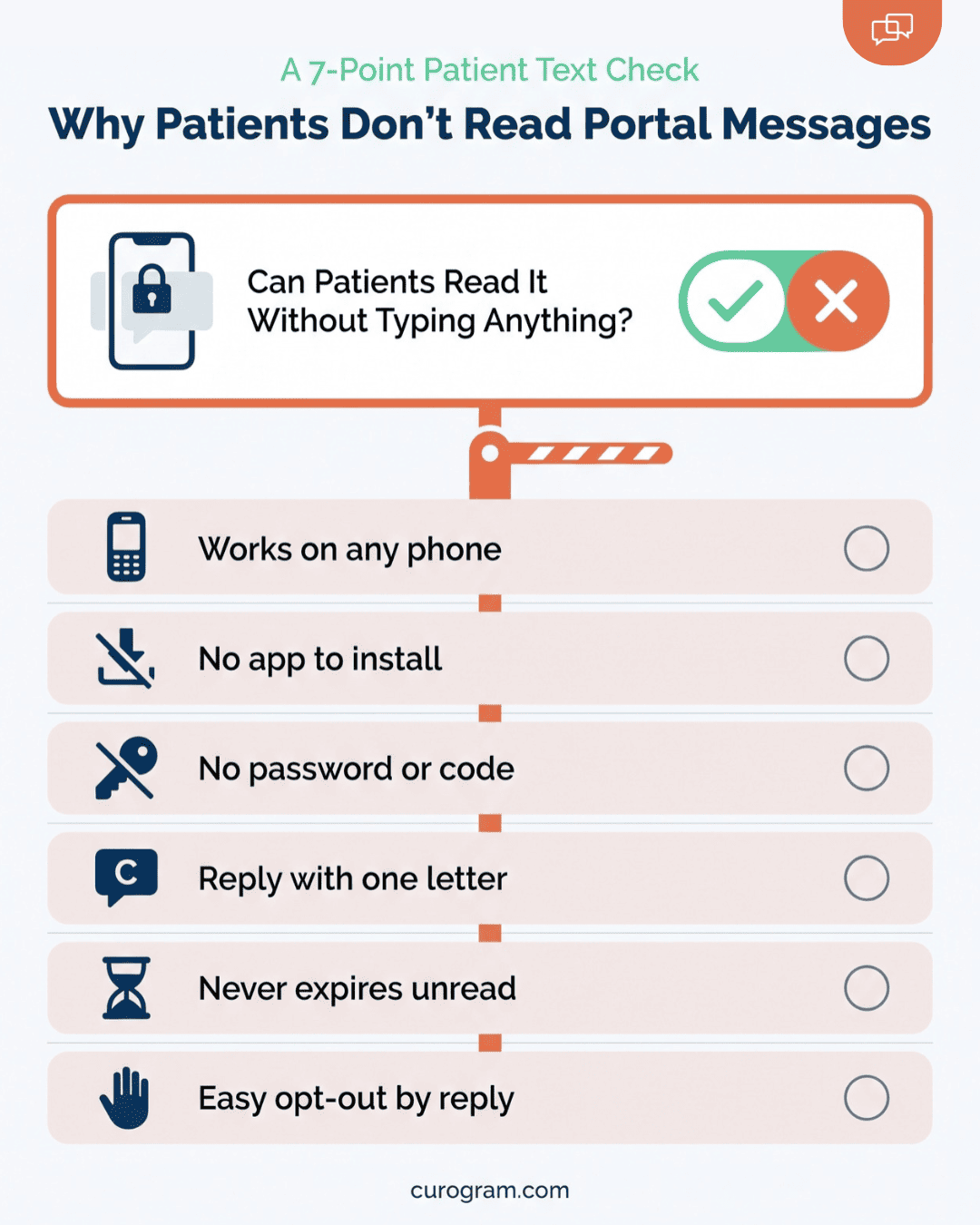
Curogram works as a Charm Patient Portal alternative for messaging. Patients who like checking labs and visit notes online keep the portal for that. What moves to text is the daily traffic: confirmations, reminders, refill updates, and quick questions.
Those go out as standard SMS from your practice’s number. The patient sees the text itself on the lock screen, the same way they’d see a note from a friend, with nothing to tap first.
This is no-login patient texting for medical practices that want patients to answer the first time. A reminder might read:
“Hi Maria, this is Riverside Family Health. You’re booked Tuesday, Nov 17 at 2 PM with Dr. Patel. Reply C to confirm or R to reschedule.”
That’s 26 words with the day, time, provider, and next step.
For patients who never wanted the mPHR app, Curogram also serves as a Charm mPHR app alternative. It runs on any phone that gets texts, flip phones included.
What Patients Do Inside One Thread
Most patient messages fall into a handful of jobs, and each one stays in a single thread:
- Confirming a visit by replying C, which marks the slot confirmed with no staff touch.
- Asking a pre-visit question such as “Do I need to fast before my labs?”
- Checking on a refill and getting a reply when it’s sent to the pharmacy.
- Sending a photo of an insurance card the morning of the visit.
- Replying STOP, which ends texts right away and logs the opt-out.
Curogram is HIPAA-compliant and signs a Business Associate Agreement with your practice. Patient consent and opt-outs are tracked by the platform, so your staff don’t keep a side list.
Routine logistics travel as plain text. Detailed clinical results still belong in the portal or a secure channel, and your team decides which messages go where.
How the CharmHealth Connection Gets Built
Curogram connects to CharmHealth through CharmHealth’s documented FHIR API. Your side of the work is small.
|
Who |
Does what |
|
Curogram team |
Sends a short setup questionnaire, the agreement, and builds the connection |
|
Your CharmHealth admin |
Authorizes access once under Settings > Account > API Keys |
|
Your patients |
Nothing |
Full integration takes 1 to 2 weeks. After that, appointments booked in CharmHealth drive the reminder schedule, and patient replies show up for your staff without anyone copying data by hand.
Nothing changes in how your schedulers book. They keep working in CharmHealth the way they do today. A new visit, a moved slot, or a cancellation updates the reminder plan on its own, so a patient who moved from Tuesday to Thursday never gets the old time.
Integrative Medicine and the Long Follow-Up
Integrative practices run on long care plans. A patient might start a supplement protocol, return in six weeks, then adjust diet and sleep over three months. The value lives in the check-ins between visits.
That’s why integrative medicine patient communication by text tends to stick. A note like “How’s the magnesium sitting with you this week?” gets a two-line answer from a text. Sent to a portal inbox, the same question waits for a login that may never happen. Six weeks later, the provider learns the patient stopped the protocol in week two.
Behavioral Health and the Silent Reply
Behavioral health patient texting without an app gives patients privacy in a form they already know. A text can be read and answered in a meeting, on a train, or in a waiting room without opening anything that looks medical.
Keep the wording neutral. “Reminder: your appointment with Jordan is Thursday at 4 PM. Reply C to confirm” names no service and no diagnosis. For a patient who’s on the edge of skipping, a reply that takes one letter is easier to send than a login.
Primary Care and the One-Letter Answer
Primary care patients mostly want the facts: day, time, provider, and what to bring. A direct text gives them all four in one line. For an annual physical, that might be “Thursday at 9 AM with Dr. Lin. Please come fasting.” Your scheduler gets back a single letter, and the slot is confirmed before anyone picks up a phone.

The Answered Text
Based on our internal data, Atlas Medical Center cut its no-show rate from 14.20% to 4.91% in three months using Curogram’s automated reminders and two-way texts. That result is 3X better than the industry average.
Across our client base, the pattern holds. Curogram clients average a confirmation rate above 75%. At Covina Arthritic Clinic, more than 1,100 appointments are confirmed each month through text replies, a job that used to mean staff calling down a list.
A Worked Example: One Reminder, Start to Finish
Take Dana, a 52-year-old patient at a CharmHealth practice using Curogram. She has a Tuesday 2 PM visit, and this is how one confirmation plays out.
- Saturday, 10 AM. CharmHealth shows the booked slot. Curogram sends: “Hi Dana, you’re set for Tuesday at 2 PM with Dr. Patel. Reply C to confirm or R to reschedule.”
- Saturday, 10:04 AM. Dana reads it in line at the grocery store and replies “C.” The visit is marked confirmed. Nobody on staff touches it.
- Saturday, 10:05 AM. Dana adds: “Should I bring my blood pressure log?” The question lands in the same thread for Monday.
- Monday, 8:40 AM. A medical assistant replies: “Yes, please bring it, plus any meds you take.” The exchange takes under a minute.
- Tuesday, 11 AM. A same-day reminder goes out with the address and parking note.
- Tuesday, 1:52 PM. Dana checks in with the log in hand.
Run the same week through the secured-message flow and step 2 looks very different. Dana gets a link in the grocery line, taps it, and sees a passcode screen. She means to come back to it. When she opens it again at 12:30 PM, the code from 10 AM has expired.
She doesn’t hit Resend. On Monday, your front desk sees an unconfirmed slot and adds Dana to the call list. Her blood pressure question never gets asked, so she arrives without the log, and the provider spends part of the visit rebuilding readings from memory.
What a Confirmed Visit is Worth
For a practice owner, the math is short. Every no-show you prevent is a visit you already had on the books.
|
Illustrative practice, 400 visits a month |
Before |
After |
|
No-show rate |
14.20% |
4.91% |
|
Missed visits per month |
57 |
20 |
|
Lost revenue at $200 per visit |
$11,400 |
$4,000 |
Both rates come from the Atlas Medical Center case. Visit volume and the $200 visit value are illustrative, so swap in your own numbers.
You don’t need the full Atlas result to break even. Preventing 3 no-shows a month at $200 brings back $600. Compare that to your monthly texting spend, including the CharmHealth Text/Voice Notifications add-on Curogram can replace.
Curogram Highlight: 2-Way HIPAA-Compliant Texting for CharmHealth
Curogram 2-Way HIPAA-Compliant Texting gives your CharmHealth practice a text line patients can read and answer without proving who they are first. Messages go out from your practice number as standard SMS. Replies come back into a shared inbox your whole front desk can work from.
A typical day for your staff looks like this:
- Automated reminders go out based on CharmHealth appointment data, and “C” replies confirm visits with no manual step.
- Patient questions, refill checks, and photo uploads land in one thread per patient, so nobody hunts through voicemail.
- STOP replies end texts on the spot and log the opt-out for your records.
- Staff can hand a thread to a nurse or biller without starting a new chat.
For patients, the experience is a normal text. They don’t download the Charm mPHR app, create a portal login, or wait for a passcode. That holds for a retiree with a flip phone and a college student who never checks email.
Compliance work stays on our side. We sign a Business Associate Agreement, track consent, and handle opt-outs inside the platform. Your team still decides what belongs in a text and what belongs in the portal, such as detailed lab results.
Setup runs through CharmHealth’s FHIR API. Our team handles the questionnaire, agreement, and build, and your admin authorizes access once under Settings > Account > API Keys. Most practices are live in 1 to 2 weeks.
Based on our internal data, clients average confirmation rates above 75%, and Atlas Medical Center cut no-shows from 14.20% to 4.91% in three months.
Conclusion: Meet Patients Where They Already Are
Your patients answer texts all day. They answer the pharmacy, the dentist, the school, and the guy delivering the couch. A link that asks for a code and a birth date is the one message in that stream they set aside for later, and later often means after the code expires.
CharmHealth’s portal still has a job. It holds records, labs, and visit notes for the patients who want to read them, and nothing about adding Curogram takes that away. Routine traffic belongs somewhere else. “Tuesday at 2, reply C” should take eight seconds to read and one letter to answer.
That’s the case we’ve built here, and the numbers back it. Atlas Medical Center went from 14.20% to 4.91% no-shows in three months, based on our internal data. Covina Arthritic Clinic confirms more than 1,100 visits a month by text.
A practice that respects its patients’ time shouldn’t ask them to prove who they are three times to read one routine sentence. Give them a text they can answer from the lock screen.
Book your CharmHealth integration demo. We’ll show you the patient’s view of a Curogram reminder next to your current secured-message flow, walk through the FHIR setup, and point out which CharmHealth add-ons Curogram can replace.