
6 min read

Why Your Staff Hates Asking for Reviews | Automate It for CharmHealth

Why Your Staff Hates Asking for Reviews | Automate It for CharmHealth
💡 Automating patient review requests in CharmHealth is the simplest way to grow your online reviews without adding stress to your team.

Instead of asking staff to bring up reviews at checkout, Curogram sends a friendly text message after the patient leaves. The request is triggered by the "Checked Out" status in CharmHealth, so nothing falls through the cracks.

This removes front desk sales pressure and lets your team focus on patient care. Patients receive a low-key message 30 minutes after their visit, when they're relaxed and more likely to respond.

The result is more reviews, happier staff, and a checkout workflow that feels natural for everyone involved.


A patient just finished a great visit with their provider. They're smiling, they feel heard, and they're ready to book their next appointment.

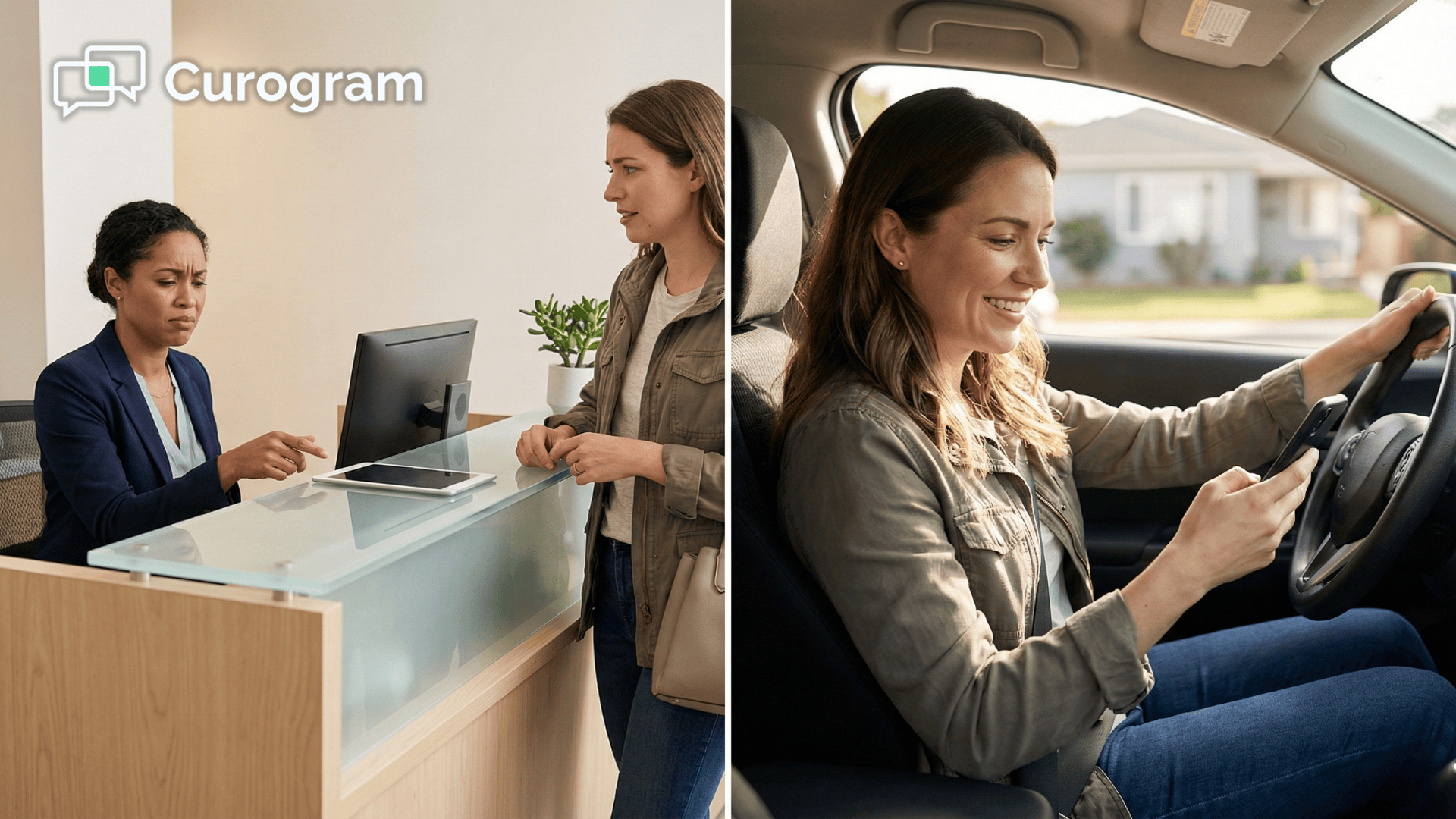
Then your receptionist has to pivot from warm goodbye to awkward pitch: "Would you mind leaving us a review?"

That single moment changes everything. The warmth fades. The patient feels put on the spot. Your staff member feels like a used-car salesperson instead of a healthcare professional. It's a lose-lose interaction that nobody asked for.

This is what we call "The Awkward Ask," and it happens every day in practices that rely on manual review collection.

Your team chose this career to help people, not to chase five-star ratings at the checkout counter. Yet many practice owners still expect their front desk to handle this uncomfortable task, visit after visit, with little training and no backup.

The good news is that automating patient review requests in CharmHealth solves this problem at the root.

With Curogram, review requests are sent by text after the patient leaves. No scripts, no pressure, no cringe-worthy moments at the front desk. The system does the asking so your people don't have to.

In this article, we'll walk you through why the manual approach backfires, how automatic feedback collection works behind the scenes, and what it means for your team's daily experience.

If you've been trying to stop asking patients for reviews manually and wondering if there's a better way, you're in the right place.

Let's dig into the real cost of forcing your staff to play marketer—and the smarter, kinder path forward.

Why Asking for Reviews Feels Like a Sales Pitch

Staff members at holistic, pediatric, and family practices choose healthcare because they want to care for people. They thrive on building trust, not closing deals. So when a practice owner tells the front desk to ask every patient for a review, it clashes with everything they signed up for.

The request itself feels transactional. It shifts the goodbye from "We're so glad you came in today" to "Can you do something for us?"

That subtle change creates real anxiety. Staff start to dread the end of each visit because they know the ask is coming.

It also puts patients in an uncomfortable position. Most people don't want to say no to someone standing right in front of them, so they nod along and promise to leave a review. But the moment they walk out the door, that promise evaporates.

The whole exchange felt forced, and forced interactions rarely lead to genuine feedback.

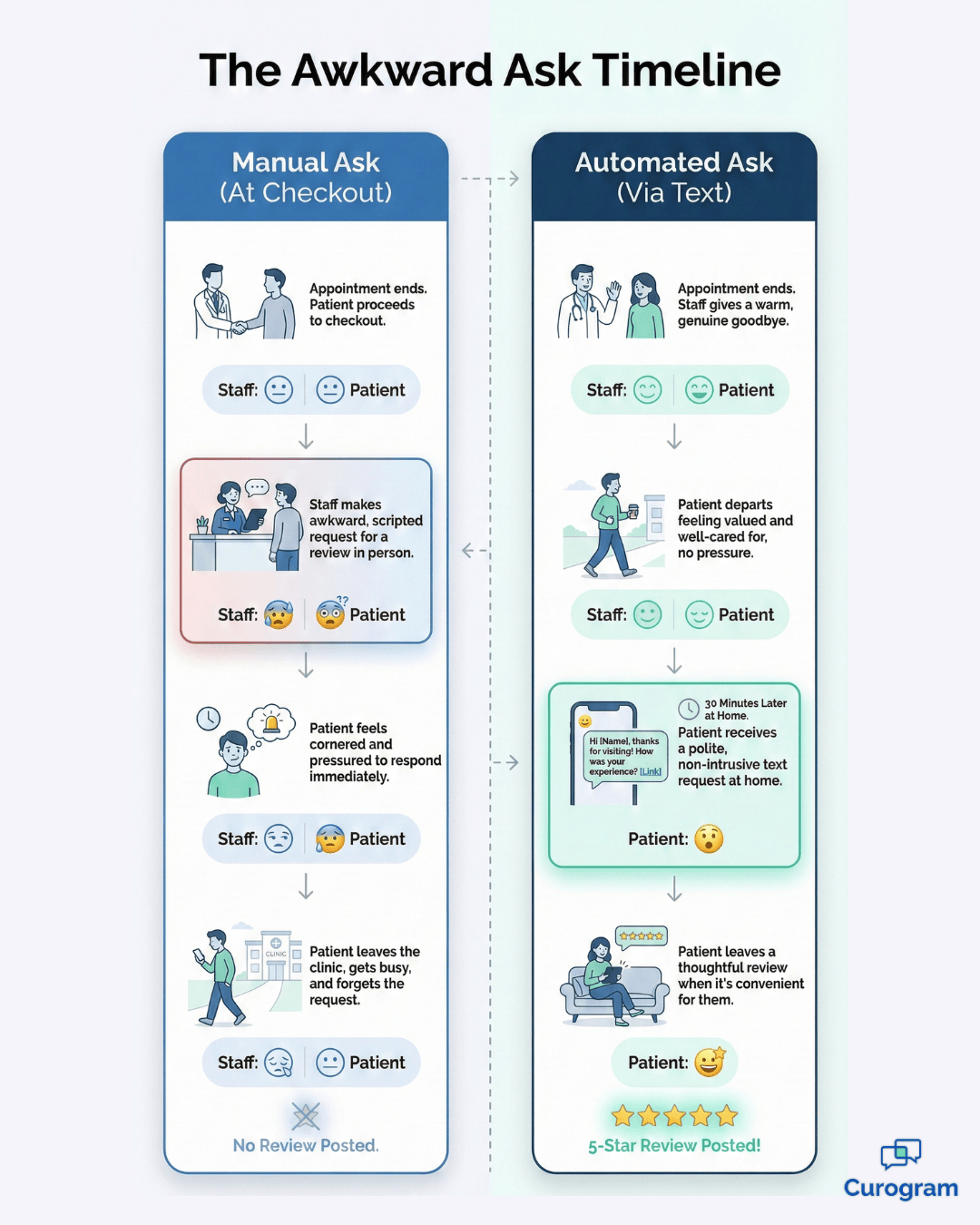
Manual vs automated patient review request timeline for CharmHealth practices

What Happens When Staff Start Skipping the Ask

Here's the pattern that plays out in most practices. Staff begin skipping the ask altogether. They tell themselves the patient seemed busy, or the timing didn't feel right. It's not laziness—it's self-preservation.

Nobody wants to feel like they're ruining a good patient interaction with a sales pitch.

Over time, this creates a cycle that's hard to break. The practice owner notices the low numbers and pushes harder. The staff feels more pressure and pulls back further. Trust between the team and leadership starts to erode, and the checkout experience suffers on both sides of the counter.

The fallout hits both sides. Practice owners see low and uneven review numbers month after month.

Meanwhile, staff feel the weight of that pressure and start to feel undervalued. They didn't come to work to remove front desk sales pressure from themselves—they came to help patients.

When the job description quietly expands to include marketing duties, morale drops fast.

How Curogram Sends the Request Without Your Staff Lifting a Finger

Curogram's approach is simple:

Separate the care from the ask. Your staff handles the human side of the visit.

The technology handles the review request. These two jobs never overlap, and that's the whole point.

The entire process runs through the CharmHealth checkout workflow, and it only takes a few clicks on your team's end. From there, Curogram does the rest.

There's no separate app to open, no extra login, and no new software to learn. It works inside the tools your staff already uses every day.

That simplicity is the key. The fewer steps your team has to remember, the more likely the system runs smoothly. Here's how the steps break down.

The Check Out Trigger, Step by Step

  • A staff member clicks "Check Out" in CharmHealth once the visit is complete. This status change is the only action your team needs to take.
  • Curogram detects the status change and starts a 30-minute timer. The delay gives the patient time to leave the office and settle in.
  • When the timer ends, the patient receives a polite, low-pressure text message inviting them to share their experience.

The timing matters more than you might think. By the time the text arrives, the patient is in their car or back at home.

They can respond at their own pace, in their own space. This is what makes automatic feedback collection through Curogram so effective.

Front desk staff warmly saying goodbye to a smiling patient at a medical practice

For practices that focus on wellness, integrative medicine, or pediatrics, this setup also protects the vibe you've worked hard to create. The patient's last memory of your office is a warm smile and a friendly wave—not a clipboard and a plea for stars.

The clinical relationship stays pure, and the review request happens quietly in the background.

Think of it as a silent partner handling one of the least enjoyable parts of running a modern practice. Your team stays in their comfort zone, your patients feel respected, and your review pipeline keeps moving. Everyone wins, and nobody has to rehearse a script before the next appointment ends.

More Reviews, Less Stress: What Happens When the System Takes Over

The biggest advantage of automation is coverage. A busy receptionist might forget to ask three out of every ten patients. On a hectic Monday, that number could climb even higher.

Curogram never forgets. Every patient who checks out gets a review request, every single time—that's 100% coverage without a single extra task on anyone's plate.

This shift does more than increase your review numbers. It changes the mood at your front desk.

When you take the marketing burden off your team, they can redirect that energy toward scheduling follow-ups, answering questions, and making patients feel welcome. Reducing staff anxiety around reviews has a ripple effect on the entire patient experience.

There's a staffing benefit here, too. Front desk turnover is a real problem in healthcare, and one of the top complaints from receptionists is being asked to do things outside their job description.

Taking review collection off their plate sends a clear message:

We value what you do, and we're not going to pile on extra duties that make your day harder.

Better Results Without the Burnout

The math tells the story. Review volume goes up because the system is consistent. Staff workload stays the same—or even goes down—because they're no longer juggling an awkward side task. And the quality of reviews tends to be higher, too.

Patients respond more thoughtfully to a calm text on their own time than to a rushed request in a crowded lobby.

In short, you get better results with less effort. That's not a marketing slogan. That's what happens when you stop relying on humans for a job that a system can do more reliably, every single day.

Practices that make this switch often notice the change within the first few weeks. The review count climbs steadily, the front desk feels lighter, and the whole team starts to see online reputation as something the practice manages together—without anyone feeling singled out.

Frequently Asked Questions for CharmHealth Users

Does it send a text to every single patient?

Not unless you want it to. You can set rules inside Curogram to control who receives a review request. For example, you can exclude patients with a "Sensitive" flag in CharmHealth or limit requests to once every six months per patient.

This gives you full control without adding manual steps.

What if the appointment went badly?

If your staff knows a visit was difficult, they can uncheck the "Send Review" option in the Curogram dashboard for that specific encounter. This prevents a review request from going out after a negative experience, giving your team a simple safety net.

Can we customize the message?

Yes. You can tailor the text to match your practice's voice. We recommend keeping it short and warm, something like: "Hi [Name], thanks for visiting [Practice Name]. We'd love your feedback!" Short messages tend to get the best response rates.

Keep Your Staff Focused on Care, Not Marketing

Your front desk team is the face of your practice. They're the first hello and the last goodbye. Every interaction they have shapes how patients feel about your office. So why would you turn that final touchpoint into a sales pitch?

Patients are happy to leave reviews. Study after study shows that most people will share feedback when you make it easy and ask at the right time.

The key is that "right time" almost never happens in the lobby, where patients feel watched. It happens later, through a simple text, when the patient is relaxed and reflective.

Curogram handles that moment for you. It plugs directly into CharmHealth so there's nothing new for your staff to learn and no extra steps in the checkout process.

The review request goes out automatically, and your team never has to bring it up. It's the kind of behind-the-scenes help that makes a real difference in day-to-day operations.

If you've been struggling with low review volume, the problem probably isn't your staff. It's the process. Manual asking is inconsistent, uncomfortable, and outdated. Automatic systems are reliable, invisible, and respectful of your team's time and role.

Reducing staff anxiety around review collection isn't just a nice-to-have—it's a smart business decision that improves retention and morale.

Ready to take the awkward ask off your team's plate for good? Watch the Demo to see how the "Check Out" trigger works in real time.


Mass Messaging for CharmHealth | Reactivate Patients & Fill Gaps

Mass Messaging for CharmHealth | Reactivate Patients & Fill Gaps

💡 Patient recall and mass messaging for CharmHealth lets medical practices reach dormant patients through text instead of email. By connecting...
Read More
Automated Google Reviews for eKyros Centers

Automated Google Reviews for eKyros Centers

💡 Automated Google reviews for eKyros centers help non-profit pregnancy clinics build a trusted online presence. Curogram integrates with eKyros to...

Read More
Google Review Automation for Elation Health | Curogram

Google Review Automation for Elation Health | Curogram

💡 Independent practices can boost growth through Google review automation for Elation Health by linking Curogram to their EMR. The system sends...

Read More