
9 min read
How to Text Elderly Patients: Practical Guide for Healthcare Providers
Jo Galvez
:
May 9, 2026
For the best results, set patient preferences at intake and offer a phone call as a backup option. A reliable patient texting system should support two-way messaging, easy opt-in, and HIPAA-compliant delivery. When done right, texting can cut no-shows, speed up confirmations, and improve care — for patients of any age.
Many practices assume older patients do not want texts. That assumption costs them time, money, and missed connections. Texting elderly patients does work — you just need to do it right.
This guide breaks down the real barriers older adults face with text messaging and gives you practical, proven ways to get around them.
You will also learn how to write messages that are easy to read, which message types work best, and how to build a patient texting system that fits a mixed-age practice.
Whether you work in primary care, internal medicine, or geriatrics, this is a guide you can use today.
Why Texting Elderly Patients Can Work — When Done Right
It is easy to assume that older adults and text messaging do not mix. But the data tells a different story.
Smartphone Adoption Among Adults 65+
Smartphone use among older adults has grown fast over the past decade. According to a study by Pew Research, around 61% of adults aged 65 and older in the U.S. now own a smartphone.
That number rises even higher for adults in the 65–74 range. This means most of your older patients already carry a device that can receive text messages.
The Shift That Changed Everything
Older adults started adopting smartphones in larger numbers after the COVID-19 pandemic. Many used video calls and texting to stay in touch with family. That shift built a baseline of comfort with mobile communication that did not exist before.
What The Numbers Mean For Your Practice
Even if a portion of your older patients do not use smartphones, a basic mobile phone can still receive SMS messages.
This means patient text messaging can reach a much wider audience than most practices think. The gap is not about technology — it is about how you communicate.
It Is About Approach, Not Technology Resistance
Most older patients are not opposed to receiving texts. What they resist is confusion. Texts that are unclear, full of jargon, or require complex responses will get ignored — by patients of any age. The key is to design messages that feel easy and natural to act on.
Designing For Clarity
Older adults often deal with vision changes, slower reading speed, or less familiarity with digital shortcuts. When a message respects those differences — short sentences, plain words, clear next steps — it gets read and acted on.
Building Trust Through Consistency
Patients trust messages that clearly come from their provider. Always include your practice name in every text. Over time, patients learn to expect and respond to your messages, and engagement improves.
Common Barriers to Texting Older Patients (and How to Overcome Them)
Even with high smartphone adoption, some hurdles exist when texting older patients. The good news is that each one has a practical fix.
Four Key Barriers and Their Solutions
Below is a breakdown of the most common obstacles and what you can do about them.
|
Barrier |
Why It Happens |
Practical Solution |
|---|---|---|
|
Small text on phone screens |
Default font sizes on phones can be hard to read for older adults with vision challenges. |
Keep messages short so patients don't need to scroll. Instruct patients to increase font size in phone settings during intake. |
|
Unfamiliarity with two-way texting |
Some older patients have only sent texts to family, not businesses, and may not know they can reply. |
Include a clear response prompt in every message. For example: "Reply YES to confirm." Offer a phone number as an alternative. |
|
Privacy concerns |
Older adults often worry that health-related texts could be seen by others or intercepted. |
Use a HIPAA compliant texting platform. Reassure patients during intake that their information is protected. |
|
Lack of smartphones in some demographics |
Some older patients, especially in rural areas or lower-income brackets, may only have basic cell phones. |
Standard SMS works on all phones. For patients without any mobile device, default to a phone call reminder. |
The Opt-In Conversation Matters
One of the best ways to remove friction is to have a simple opt-in conversation at intake. Ask each patient how they prefer to be contacted. When patients choose text, they are already on board. This small step can make a big difference in response rates.
Train Your Front Desk Staff
Your front desk team plays a key role. If they can explain what kinds of texts patients will receive and how to reply, patients feel more prepared. That preparation builds confidence and reduces confusion later.
Best Practices for Texting Elderly Patients
The foundation of good patient text messaging is simplicity. These core practices apply whether you are texting a 70-year-old or a 30-year-old — but they matter even more for older adults.
Keep Messages Short and Focused
Aim for messages under 160 characters where possible. Long texts get overwhelming fast. One message should do one thing — confirm an appointment, share a reminder, or request a response. Do not try to pack in extra information.
The 160-Character Rule
Standard SMS splits messages longer than 160 characters into multiple parts. Older patients may not know the messages are connected, and the split can cause confusion. Staying within one clean message is always better.
One Action Per Text
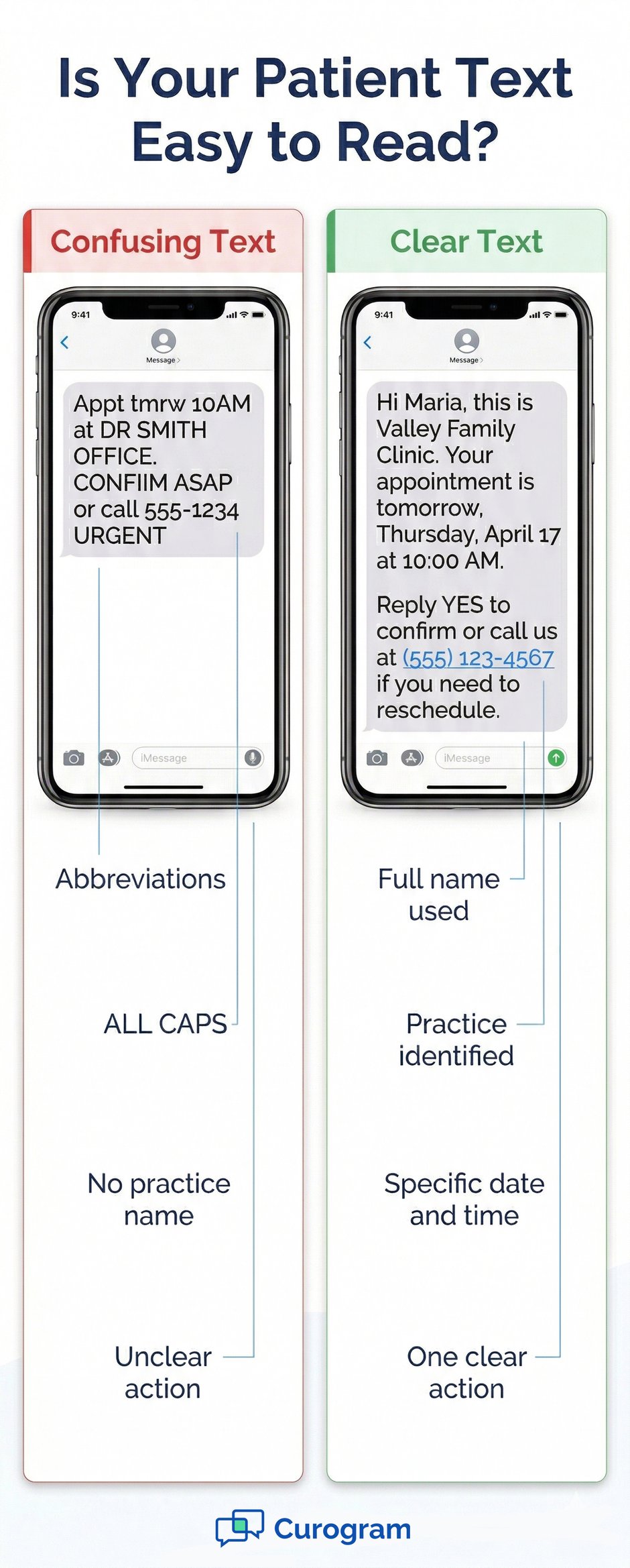
If you need the patient to do something, ask for one thing only. "Reply YES to confirm your appointment" is clear. "Reply YES to confirm, or call us if you need to reschedule, or visit our portal to check your records" is too much.
Use Plain Language Throughout
Avoid medical terms, abbreviations, and acronyms. Words like "appt" or "Rx" may be familiar to you but confusing to many older patients. Write out full words and complete sentences. Plain language is not dumbing things down — it is communicating with respect.
Always Identify Your Practice
Every text should start or end with your practice name. "Hi, this is Valley Family Clinic" is all it takes. Older patients who receive texts from an unknown number may ignore or delete the message. A clear sender identity builds trust.
Include A Backup Contact Option
Always give patients a way to call you. Add a phone number to your messages so patients who need help can reach a real person. This is especially important for older adults who may not be comfortable replying by text.
How to Write Text Messages That Are Easy for Older Patients to Read
Good message design is as important as good content. Here are specific writing tips that make texts easier for older patients to read and act on.
Writing Rules That Improve Readability
Use Complete Words, Not Abbreviations
Write "appointment", not "appt." Write "doctor", not "Dr." (unless it is before a name). Abbreviations save characters but cost clarity. For older patients who are less used to digital shorthand, full words are always safer.
Avoid ALL CAPS
All-caps text is harder to read than mixed-case text. It can also feel like shouting, which may cause anxiety or confusion. Stick to standard sentence case for a friendly, calm tone.
Use Numbers for Times
Write "2:00 PM" instead of "this afternoon." Write "10:30 AM" instead of "late morning." Vague time words are open to interpretation. Specific numbers leave no room for misunderstanding.
Include A Clear Response Prompt
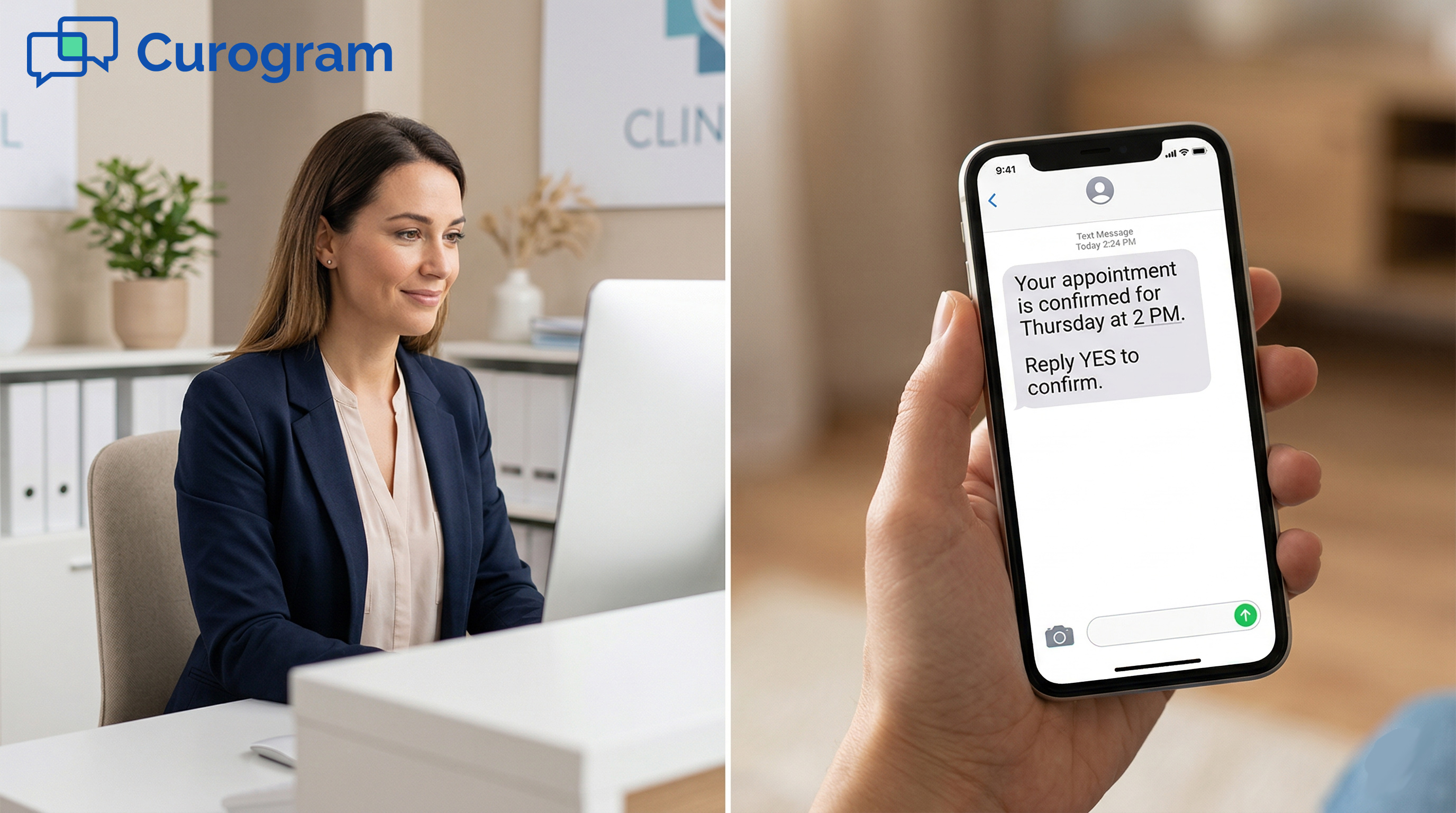
End action-required messages with a simple, clear prompt. "Reply YES to confirm" or "Reply CANCEL to reschedule" tells patients exactly what to do. This reduces confusion and speeds up your response rate.
Format For Quick Reading
Use short sentences. Put the most important detail first. Lead with the date and time, then the practice name, then the action. Patients should be able to understand the message in one quick read.
Which Messages Work Best for Elderly Patient Communication
Not every type of message works equally well for older patients. Focus on message types that are simple, timely, and require minimal effort to respond to.
Top Use Cases for Elderly Patient Texting
Based on our internal data, these message types consistently drive the highest engagement across all age groups, including older patients.
Appointment Reminders
Appointment reminders are the most effective use case for patient text messaging, especially for older adults who may have multiple providers and appointments to track. A simple reminder 48 hours and again 24 hours before the visit works well for most practices.
Example: "Hi [Patient Name], this is [Practice Name]. You have an appointment on Thursday, April 17, at 10:00 AM. Reply YES to confirm or call us at [Phone Number] if you need to reschedule."
Medication Reminders
Older patients managing multiple medications benefit from regular, gentle reminders. Keep these short and specific. Avoid clinical language.
Example: "Hi [Patient Name], this is a reminder from [Practice Name] to take your blood pressure medication today. Questions? Call us at [Phone Number]."
Other High-Value Message Types
Follow-Up Instructions
After a procedure or visit, a text with one or two key follow-up steps can improve care and reduce unnecessary calls to your office. Keep it to one action or one reminder. Link to a portal or call number for more details.
Billing Alerts
A brief billing notification is a low-effort message for patients and a time-saver for your staff. Keep the message factual and direct, and always include your phone number in case patients have questions.
|
Message Type |
Best Timing |
Example Prompt |
|---|---|---|
|
Appointment reminder |
48 hrs + 24 hrs before visit |
Reply YES to confirm or call us to reschedule. |
|
Medication reminder |
Daily or as prescribed |
Remember to take your medication today. |
|
Follow-up instructions |
Same day as visit or procedure |
Rest today and call us if you have concerns. |
|
Billing alert |
After insurance processing |
A balance is due. Call us or visit [link]. |
How to Set Up a Patient Texting System for a Mixed-Age Practice
A strong patient texting system should work for every patient, from 25 to 85. Here is how to configure your setup to serve a mixed-age practice well.
Capture Preferences at Intake
The first step is simple: ask. When a new patient registers, include a communication preference question. Do they prefer text, phone call, or email? Record that preference in your system and honor it every time.
Build The Opt-In Into Your Intake Form
Your patient intake form should include a clear, short opt-in for text messaging. Something like: "May we send you appointment reminders and health updates by text? [ ] Yes [ ] No."
Simple language removes confusion and makes consent easy to give.
Set Fallback Rules For Non-Responders
If a patient does not respond to a text within a set timeframe, your system should automatically trigger a phone call. This is especially important for older patients who may miss or ignore a text. A good patient texting service will let you configure these fallback rules with ease.
Use a HIPAA-Compliant Platform Built for Healthcare
Not all texting tools are built for medical use. You need a platform designed for HIPAA compliance, two-way patient chat, and easy setup. Curogram's patient texting software does exactly that.
Based on our internal data, practices using Curogram's automated reminders achieve an average appointment confirmation rate of over 75%. That kind of result is possible only when your platform is reliable, compliant, and easy for patients to use — regardless of age.
If you want to learn more about how to structure your messages for staff and providers, check out our guide on Patient Text Messaging: Best Practices for Doctors and Front Desk Staff. For compliance questions, our HIPAA Compliant Texting for Medical Practices: The Complete Guide covers everything you need to know. And to bring no-show rates down, take a look at our tips on Appointment Reminder Text Messages: How to Cut No-Shows.
Configure Message Templates For Age-Specific Needs
Most patient texting apps let you create and save message templates. Build a set specifically for older patients — shorter, simpler, and with a phone number at the end. When your team sends a text, they can select the right template in seconds.
Review Response Rates By Age Group
After a few weeks, check your data. Are older patients confirming appointments at the same rate as younger ones? If not, adjust your templates or timing. Continuous review is how a good patient texting service becomes a great one.

Conclusion
Texting elderly patients is not a stretch — it is a missed opportunity when practices do not try. Most older adults already have a phone that can receive texts. The real job is to make those messages easy to read and easy to act on.
The practices that do this well share a few things in common. They ask patients how they want to be reached. They keep messages short and clear.
They always include a backup phone number. And they use a patient texting app that is built for healthcare, not duct-taped together from consumer tools.
The impact is real. Based on our internal research, automated reminders through Curogram helped Atlas Medical Center cut its no-show rate from 14.20% to 4.91% in just three months.
That is 3 times better than the industry average. Practices using Curogram's platform confirm over 1,100 appointments per month on average. Those are not just numbers — they are real patients getting the care they need and real revenue recovered for your practice.
Older patients are not a difficult group to reach. They are a group that has often been overlooked. When you design your communication with their needs in mind, you will likely find they are some of your most responsive patients.
A reliable patient texting system gives you the tools to do that — and to do it at scale, without adding hours to your team's day.
The goal is not to replace the personal touch your practice provides. The goal is to make sure patients never miss an appointment, a follow-up, or a message that matters to their health.
Start simple. Ask patients what they prefer. Set up your templates. Test your messages, and adjust as you go.
See How Curogram Makes Patient Texting Easy for Every Age Group — Book a Demo.
Frequently Asked Questions
Keep it short and use plain, complete words. State your practice name, the key detail (like date and time), and one clear action such as "Reply YES to confirm." Avoid abbreviations, all-caps, and medical jargon. Always include a phone number in case the patient needs to call instead of replying.
The best time to ask is at intake. Add a simple opt-in question to your registration form that lets patients choose text, phone, or email. Keep the language clear and brief. When patients feel they have a choice, they are far more likely to agree.
The most common reasons are unclear messages, an unfamiliar sender number, or simply missing the text. Using a consistent practice name in every message helps patients recognize who is contacting them. If a patient does not respond, a good patient texting system should trigger a fallback phone call automatically.
A dedicated patient texting app lets you send messages at the right time, in the right format, and to the right patients. You can set up templates for older patients, configure fallback phone calls, and track who confirms and who does not. It removes the guesswork and saves your staff hours every week.
Standard consumer texting apps are not built to protect medical information. A HIPAA-compliant platform encrypts messages and controls who can access them. This protects your patients and shields your practice from legal risk. For older patients who are especially concerned about privacy, using a secure platform also helps build trust.