
 Mira Gwehn Revilla
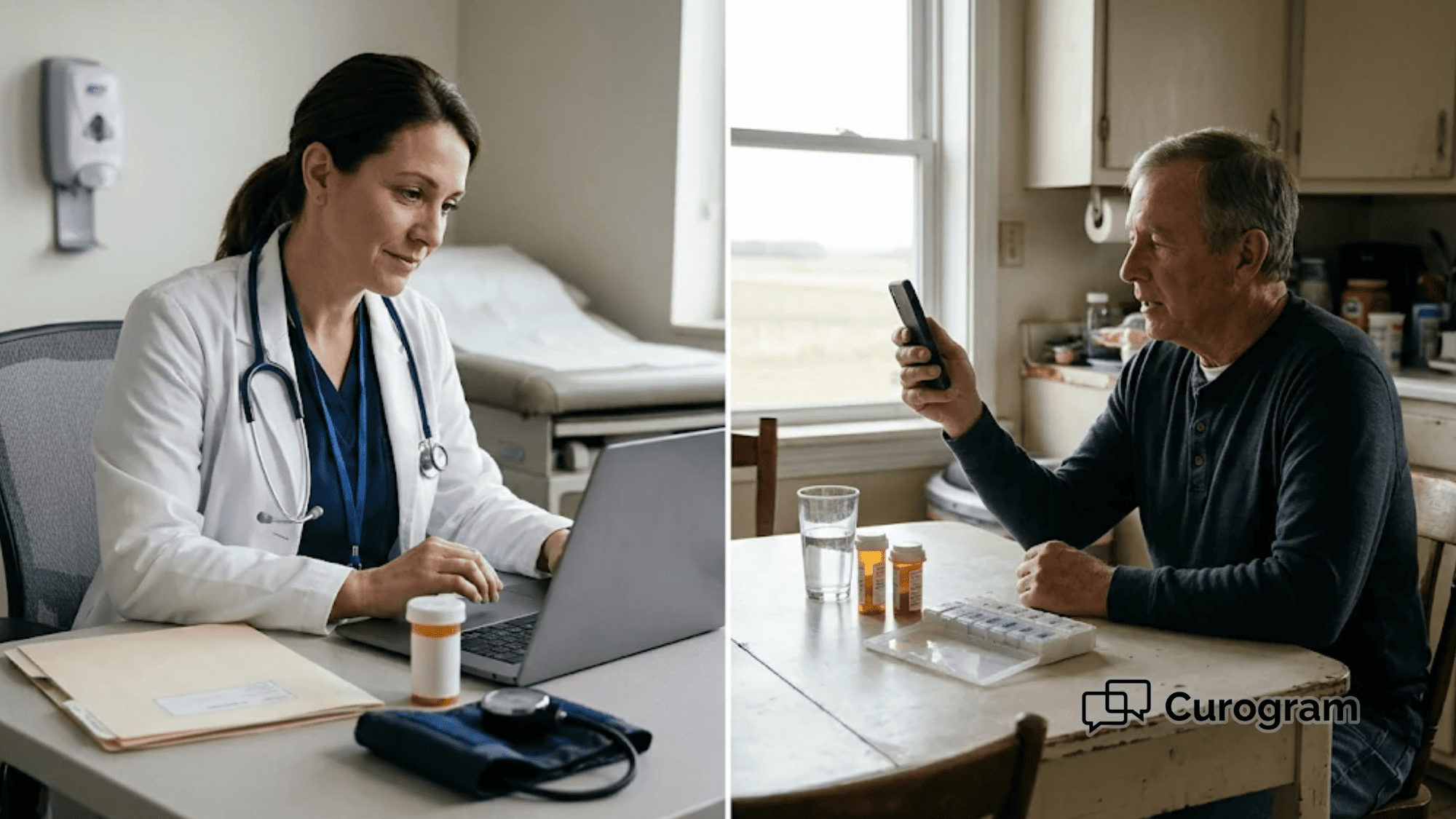
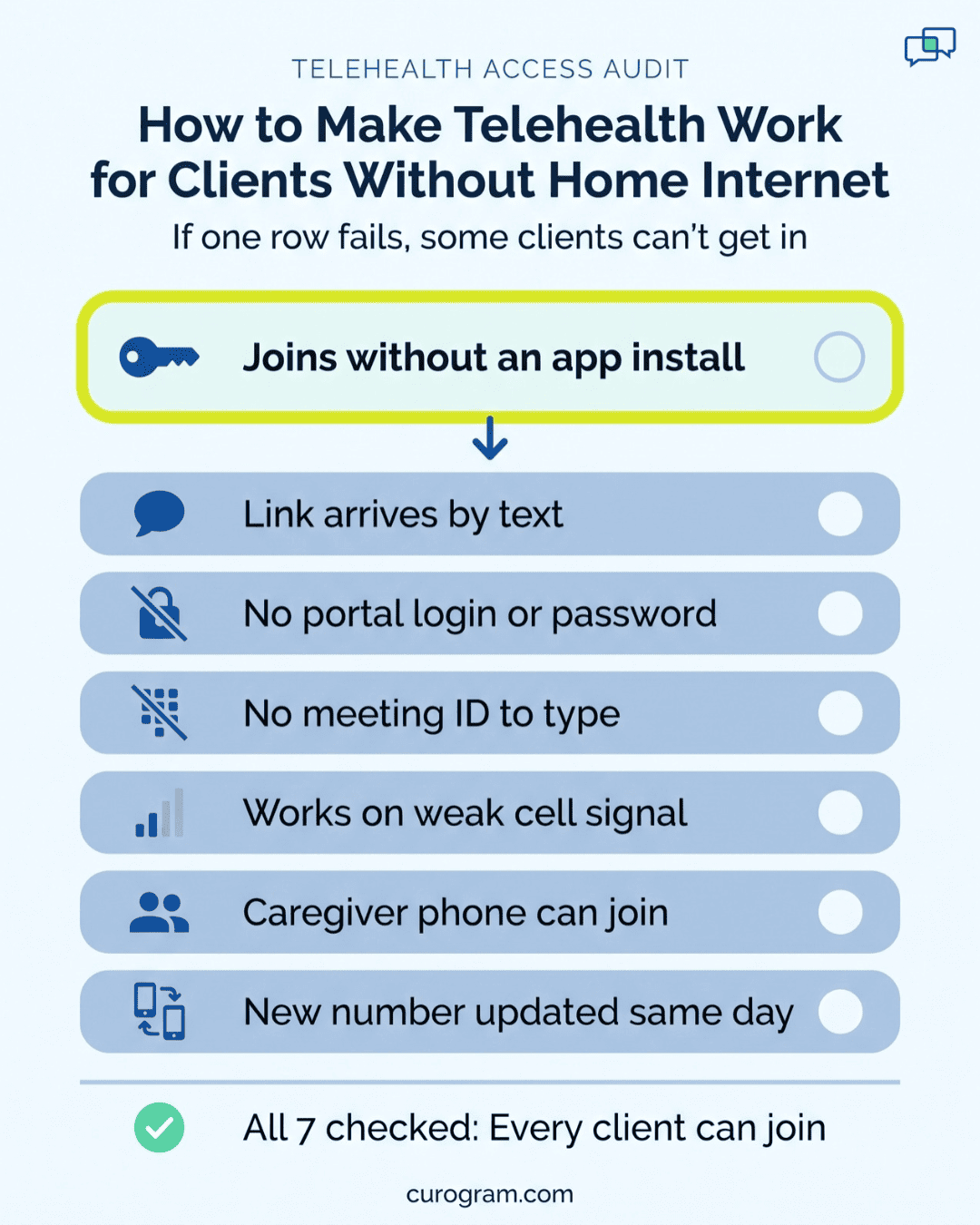
- There’s no portal login, no app install, and no meeting ID to type in.
- The invite, the reminder, and the join link all land in the same HIPAA-compliant text thread as the client’s visit confirmations.
- Providers keep documenting in Welligent, which stays the clinical record.
- It’s built for the clients a long join flow loses first: rural clients on weak signal, I/DD consumers and their caregivers, foster youth, and people in early recovery.
- Based on our internal data, Curogram clients confirm visits at an average rate above 75%.
Most missed video sessions in behavioral health get logged as a client problem. Staff mark “did not attend” in the chart, and the next note calls the client hard to engage.
In a lot of those cases, the client tried. They got stuck somewhere between the reminder and the video room, and nobody on your team ever saw where.
That gap has a shape. It asks for a portal account, an app store login, a meeting ID, and enough signal to finish a large download.
Each step is easy for a staff member at a desk with office Wi-Fi. For a client on one bar of rural LTE, or a young man on his third phone number this year, each step is a new place to give up.
We think the join flow in behavioral health is a care access issue, and it should take one tap. Clients most likely to fail a five-step join are the same clients with the most riding on each session.
A woman two weeks into a new antidepressant needs her med check. An adult with an intellectual disability can’t see his coordinator if nobody can drive him in. A 16-year-old in foster care has a phone but no email address for a portal invite.
Welligent’s built-in telehealth works well from the provider’s chair. Notes, schedules, and program records all live where clinicians expect them. The weak spot sits on the client’s end, before anyone reaches the video room, and that’s where the fix belongs: in the text thread clients already read and answer.
The Download Barrier: Your Telehealth Works Well From the Provider’s Chair
Your organization didn’t add telehealth on a whim. Teams moved to video so they could keep seeing clients who can’t come in: people without cars, people two counties away, people whose anxiety makes a waiting room hard.
On the provider side, it works. A clinician opens the session from the schedule, sees the client, and writes the note in Welligent.
The trouble starts with what the client has to bring. Most join flows assume four things: steady broadband, a working app store account, an active portal login, and the know-how to connect them in the right order.
That’s the same portal wall many clinics already fight with intake forms and test results. Now it stands in front of the video room too.
Staff rarely see this wall, because staff never join from the client’s side. The flow gets tested on an office laptop, it works, and the problem stays invisible until the no-show report.
Every failed join also lands on your front desk. A client calls because the app won’t open, and someone has to walk them through an app store password reset by phone while two other lines ring.
That call can eat most of the session window. It often ends with a missed visit anyway, plus a callback to reschedule.
One Client’s Failed Join, Step by Step
One missed session can unfold like this. The steps below are an illustrative example built from common join failures, not a single client’s record.
|
Step |
What the client does |
Where it breaks |
|
1 |
Waits for a reminder |
It went to a portal she never activated |
|
2 |
Gets the link from a cousin who forwards an email |
The link asks her to install an app |
|
3 |
Starts the download on one bar of rural LTE |
It stalls at 80% and fails |
|
4 |
Calls the clinic for help |
She sits on hold while the session window runs out |
|
5 |
Gives up |
Her chart gets a no-show code and a “non-adherent” note |
Who Drops Off First
Join failures don’t spread evenly across a caseload. They pile up where connection is weakest, and that’s the telehealth digital divide behavioral health leaders keep running into.
Rural broadband is getting better. The FCC’s August 2026 broadband report found the share of rural Americans without 100/20 Mbps fixed service fell by more than 44% over two years. Still, a line on a coverage map doesn’t mean a strong signal in a client’s kitchen or a bill she can pay each month.
Phones fill the gap for many people. Pew Research Center’s 2025 survey found 16% of U.S. adults are “smartphone-only” internet users, with no home broadband at all. Among adults earning under $30,000, 13% own a cellphone that isn’t a smartphone.
Those are the households community programs serve. When the join flow needs an app store and fast data, these clients drop off first: the rural client who misses a med check, the I/DD consumer who goes unseen between rides, and the step-down client who loses the thread during a program move.
Clients the Flow Turned Away
A senior services client in her 70s uses her smartphone for calls and texts. She has never set up an app store password and doesn’t want to start now.
Then there’s a mother whose adult son has Down syndrome. Her choice each month is a two-hour round trip to the clinic or a video platform she can’t get working. Most months, she drives. Some months, she can’t, and the visit doesn’t happen.
A residential SUD graduate wanted his first outpatient session. He’d already made accounts for probation, housing, and food assistance. One more username and password was the step where he stopped.
A 16-year-old in a new foster placement has a phone but no email address of her own. Her portal invite went to an inbox at her last placement, and nobody noticed until she’d missed two sessions.
Each of these clients wanted the session. Each hit a step they couldn’t clear, and your organization could have removed every one of those steps.
The One-Tap Session: The Organization Carries the Complexity
A good join flow puts the hard parts on your side. Your staff deal with scheduling, links, consent, and reminders. The client’s whole job is one tap.
We think of Curogram’s role here as a virtual access center assistant. It sends the invite, follows up with the reminder, and delivers the link, all inside a text thread the client already trusts. Nobody has to explain an app or reset a password over the phone.
That design choice is about dignity as much as convenience. A client in early recovery shouldn’t have to prove tech skills to keep a session. A foster parent shouldn’t need to track down a caseworker to activate a portal.
What the Client Actually Receives
The text itself is short and plain. A typical one might read:
“Hi Dana, this is Valley Counseling. Your video visit is today at 2:00 PM. Tap here to join when it’s time: [link]. Reply to this text if you need a new time.”
There are no treatment details, program names, or diagnoses in that message. That matters for privacy, and it matters more for SUD programs covered by 42 CFR Part 2.
When Dana taps, the session opens in her phone’s browser. There’s nothing to install, register, or remember. It works on any smartphone that can open a web page, including older Android models with little free storage.
The invite, reminder, and join link all sit in the same thread as her past appointment confirmations. She doesn’t have to dig through email or wonder which app the clinic uses this month. It’s a no download video visit; clients tap the link they already have.
Timing is up to your team. A common setup sends a confirmation request two days out, the join link on the morning of the visit, and a short nudge 15 minutes before start time. Each message uses short words and one clear action, which helps clients who read at a low level or use a screen reader.
How It Sits Next to Welligent
We want to be clear about the setup. Curogram works alongside Welligent as a practical workflow integration. Welligent has no public API, so we don’t claim a live, two-way data sync between the systems.
Day to day, the split looks like this:
- Providers document every session in Welligent, just as they do now.
- Welligent stays the clinical record and the home for program management.
- Curogram handles what the client sees: invites, confirmations, reminders, and the one-tap link.
This pathway is already in use. Curogram’s published guides on Welligent mass messaging and Welligent automated appointment reminders show the same client-facing setup working for other kinds of outreach. Video adds one more message type to a channel your clients already answer.
Matching the Flow to the Caseload
Different groups gain different things from a one-tap join.
Rural outpatient clients can keep monthly medication checks without relying on a broadband-heavy portal. For rural clients, video session by text link means one tap on whatever signal they have.
For I/DD consumers, the change is about rides. I/DD telehealth transportation barriers often decide whether a coordinator check-in happens at all. A text link lets a consumer see his coordinator between day program sessions without a caregiver arranging transport.
Foster families get session links without anyone activating a portal first. That matters when a child moves homes and the email on file belongs to the last placement.
During a program transition, care continuity depends on keeping a working contact. A client stepping down from residential to IOP may change counselors, buildings, and schedules in the same week. The one thing that usually follows them is their phone number.
Organizations that use CaredFor for alumni community can keep it. CaredFor builds app-based peer support after treatment, and Curogram covers day-of session access by text. Many programs will want both.
The Continued Care: What the Numbers Show Across Specialties
Our case data comes from medical practices, not behavioral health programs. It still tests the same idea: when the message reaches the client, attendance follows.
|
Clinic |
Result (based on our internal data) |
|
Atlas Medical Center |
No-show rate cut from 14.20% to 4.91% in three months |
|
Covina Arthritic Clinic |
More than 1,100 appointments confirmed by text each month |
|
Curogram clients overall |
Average appointment confirmation rate above 75% |
Portal alerts only reach clients who activated an account. A text reaches anyone with a phone number on file, which is often the only contact info a community program has that stays current.
Worked Example: A Step-Down Client’s First Two Sessions
Marcus is an illustrative example, a 34-year-old leaving a 28-day residential SUD program for IOP.
- Discharge day. Staff confirm his cell number in Welligent and record his consent to receive texts. His old email bounces, so the portal is never set up.
- Two days before session one. Marcus gets a text with the date and time. He replies “yes” in the thread, and staff see the confirmation.
- Morning of the session. A reminder arrives with the join link. The message names the clinic, not the program.
- Session time. Marcus taps the link on his prepaid Android. The video opens in the browser. His counselor documents the visit in Welligent.
- Two days later. His phone breaks. He texts from a new prepaid number. Staff update the number, and the next link goes to the new phone.
- Session two. He taps and joins. No account recovery and no new download.
In a portal-based flow, step 5 is where clients like Marcus tend to vanish. A lost phone means a lost login, and the reset path runs through an email he can’t reach. With text, staff fix one field and the next session stays on track.
Curogram Highlight: Easy Telemedicine
Easy Telemedicine lets your staff send a HIPAA-compliant video session link by text, and lets clients join with one tap in their phone’s browser. There’s no app for the client to download and no portal account to create.
The session lives inside the same two-way text thread Curogram uses for confirmations and reminders. A client who confirms by text on Monday finds Wednesday’s join link right below that reply. If they can’t do video that day, they can text back in the same thread to ask for a new time.
For your team, the setup stays simple:
- Providers keep running their schedule and notes in Welligent.
- Front desk and program staff send invites and reminders from Curogram, alone or in bulk.
- Staff can update a client’s number in seconds when a phone changes, and the next link goes to the right place.
Security covers the whole flow. Curogram is HIPAA-compliant and SOC 2 Type II certified, signs Business Associate Agreements, and tracks TCPA consent and opt-outs on its own. Message templates keep treatment details out of the text, which helps programs handling 42 CFR Part 2 records.
Easy Telemedicine also connects to Curogram’s automated reminders, so the same confirmation habit that gets clients to the front desk gets them to the video link on time. Based on our internal data, Curogram clients confirm appointments at an average rate above 75%.
Conclusion: Access is the First Clinical Intervention
For the clients behavioral health exists to serve, a video session only counts if they can get into it. Curogram makes that step one tap on a text, next to the Welligent telehealth your providers already use.
Welligent holds your clinical notes and program records. Curogram handles how clients get to the session. Your hardest-to-reach caseloads should get the easiest way in, and right now many of them get the hardest.
Start with your own data. Pull your virtual no-show list and sort it by ZIP code, program, and age. Then ask a plain question about each name: was this client ever sent a session link they could actually open?
If the answer bothers you, it’s worth seeing the alternative in action. Schedule a demo with Curogram and watch a session open with one tap on a basic smartphone.