
8 min read

Eliminate Manual Confirmation Calls in Osmind Clinics | SMS Automation

Eliminate Manual Confirmation Calls in Osmind Clinics | SMS Automation
💡 The Osmind infusion suite scheduling automated SMS confirmation workflow is solved by Curogram.      

Osmind manages clinical bookings, while Curogram layers automated text confirmations on top, giving coordinators a real-time dashboard of who is confirmed, pending, or cancelled.

This closes the "scheduling blindspot" most ketamine, TMS, and Spravato clinics face. With 75%+ confirmation rates and over 1,100 confirmations per month at one clinic, staff stop chasing patients by phone.

The result: fuller infusion chairs, faster waitlist backfills, and recovered revenue every single day.


Your Osmind schedule says tomorrow is fully booked. Eight infusion patients across four chairs. The app reminders went out automatically. So everything should be fine, right?

Here is the uncomfortable truth. You have no idea who is actually showing up.

That is the daily gamble in interventional psychiatry.

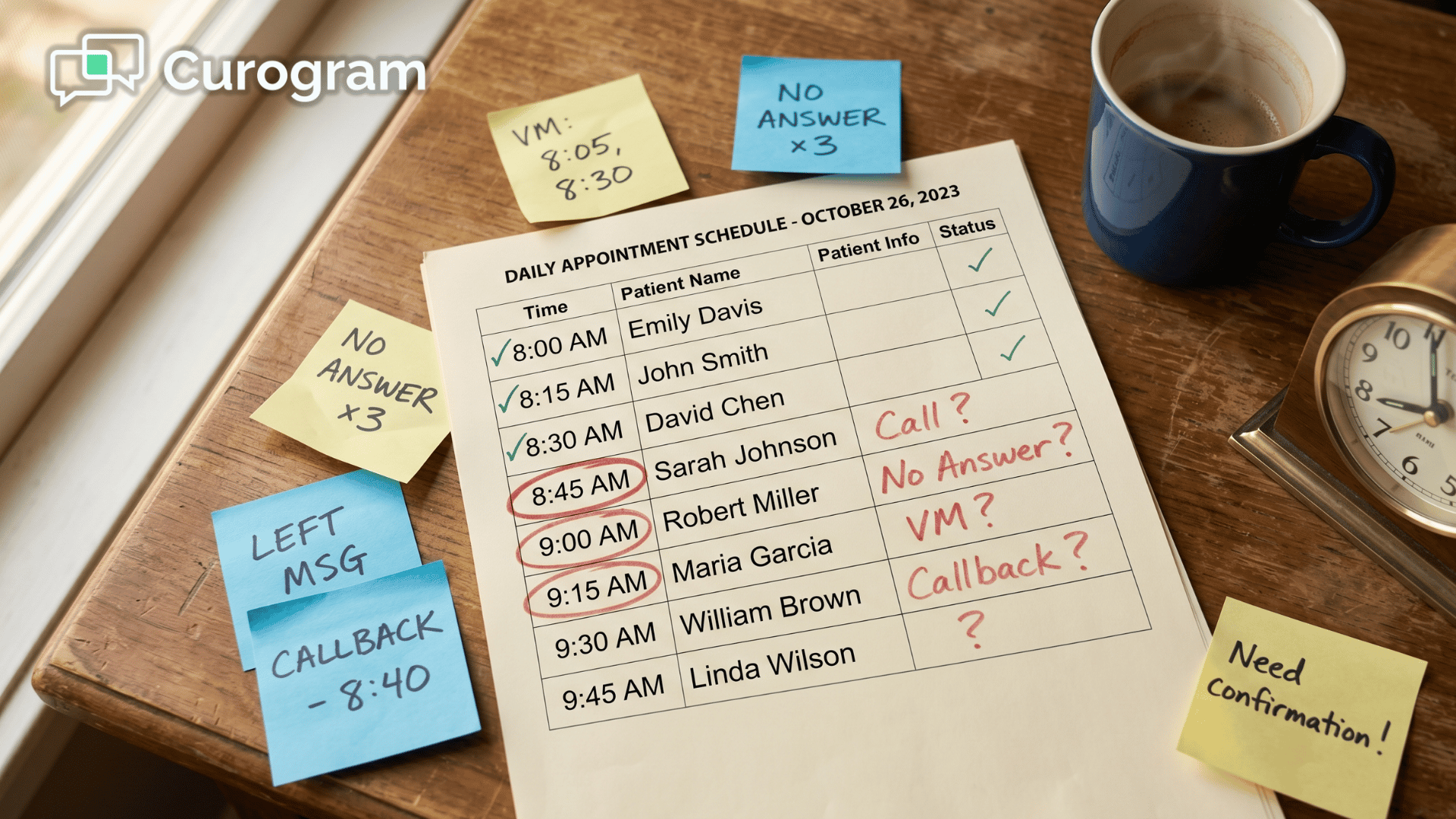
The coordinator sees a tidy list of appointments inside Osmind, but she cannot tell which patients saw the reminder, which ignored it, and which already decided to skip without telling anyone. The schedule looks confident. The reality is a coin flip.

Now picture what happens at 10 AM. Two chairs sit empty. The nursing staff is prepped. The medication is drawn. The room is ready. And $800 to $1,200 in revenue just walked out the door because no one had a way to know in advance.

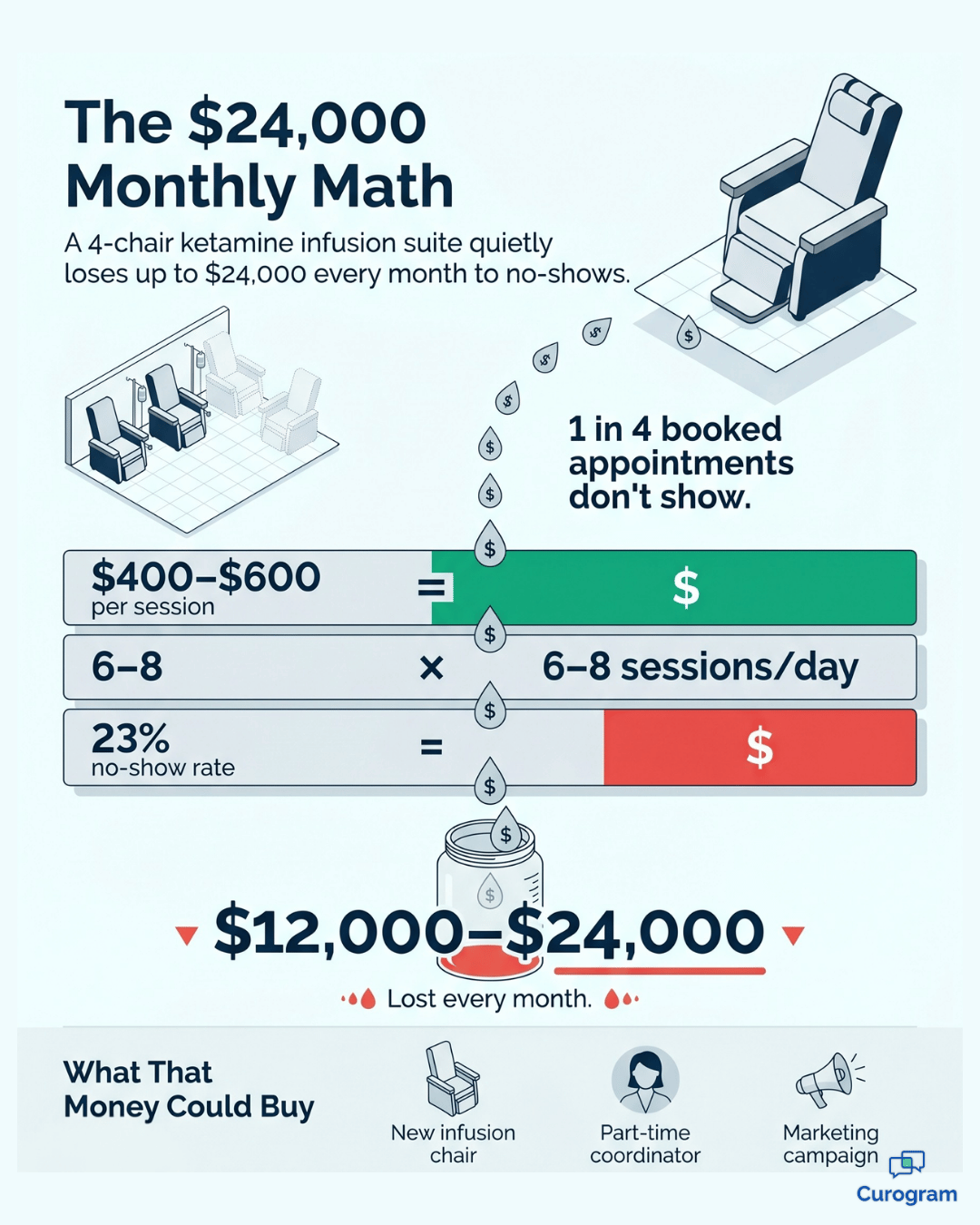
Multiply that across a month. You are looking at $12,000 to $24,000 in preventable losses, and that is before counting the staff hours burned chasing no-shows after the fact.

This is the gap Osmind was never built to close. It is excellent at clinical scheduling, protocol tracking, and provider assignments. It was not designed to be a confirmation engine that actually generates verifiable patient replies.

The app notifications go out into a void, and your coordinator is left guessing.

That is why so many ketamine clinic scheduling management Osmind confirmations workflows still rely on manual phone calls. It is also why those workflows are quietly draining your suite.

The fix is not more phone calls. The fix is automation that produces real, trackable responses from patients, all routed into one dashboard your staff can act on. Let us walk through exactly how that works.

The Hidden Cost of Not Knowing Who Is Coming Tomorrow

Osmind is a strong clinical platform. It tracks treatment protocols, provider assignments, room allocation, and safety monitoring requirements with precision. For the clinical side of your practice, it does its job well.

But scheduling is not just clinical. It is operational.

Osmind records the appointment and pushes app-based reminders, but it does not generate outbound SMS confirmations with verifiable patient replies. There is no two-way data loop. The coordinator sees a full schedule and hopes it holds.

That hope is what creates the scheduling blindspot.

What the Blindspot Actually Looks Like

Walk through a typical Tuesday afternoon. The Osmind schedule shows eight infusion patients for Wednesday. The app reminders are queued. The coordinator looks at the list and has zero idea which patients actually opened the reminder, let alone confirmed they will show.

Did the 2 PM patient, who no-showed last week, even see the message? No way to tell. She could call all eight to verify, but that is 30 to 45 minutes of phone time, assuming everyone picks up. Most will not.

So she does what every coordinator does. She waits. And tomorrow she finds out the hard way.

The Real Dollar Cost of Empty Chairs

An infusion chair is a fixed-cost asset. The room, the equipment, the nursing staff are paid whether the chair is full or empty. So utilization is not just an operational metric. It is the single biggest revenue lever in your practice.

$400–$600

Average value of a single infusion session in a typical ketamine or Spravato suite. Every empty chair at this rate is pure revenue loss.

That number sets the baseline. Now consider how often that loss actually happens without a confirmation system in place.

The industry no-show rate for outpatient specialty practices without active SMS confirmations hovers around 23%, which means nearly 1 in 4 booked appointments quietly disappears.

This means that on a fully booked schedule, you could still be bleeding the price of a new car every month. And that is before counting the wasted staff prep time, the discarded medication, and the cancelled waitlist patients who could have filled those chairs.

The Human Cost Behind the Numbers

The coordinator running your infusion suite is already juggling a lot. Infusion prep. Safety protocols. Medication ordering. Insurance verification. Now layer on the expectation that she will manually chase confirmations because the system will not..

$12,000–$24,000

Monthly revenue lost by a typical 4-chair infusion suite running 6 to 8 sessions per day at industry no-show rates. That is up to $288,000 per year quietly walking out the door.

She knows a simple text would solve this. She has seen other practices do it. But Osmind does not offer it natively, and using personal phones to text patients is a clear HIPAA violation.

So she calls. Every day. Or she does not, and tomorrow becomes another guessing game.

Why Phone Calls and App Reminders Keep Failing You

Most practices try to patch the blindspot with two tools:

More phone calls or louder app notifications.

Both fall short, and the reasons are worth understanding before you replace them.

Where Each Channel Breaks Down

Each of the usual fixes has a specific failure point:

  • App notifications: passive, no reply required, easily swiped away
  • Phone calls: active but burn 2 to 4 hours daily and only reach about a third of patients first try
  • Email reminders: open rates below 25%, far behind the 95%+ open rate of SMS within three minutes

The pattern is clear. You need a channel patients actually respond to, and a system that captures those responses automatically. Without both, you are just sending messages into the void.

Infographic showing how no-shows cost ketamine infusion suites $24,000 monthly

How Curogram Locks In Tomorrow's Schedule 

This is where Curogram steps in as the confirmation layer your Osmind scheduling has been missing. Think of it as a schedule lock for your infusion suite.

Automated SMS sequences go out at the intervals you set. Patients reply directly to confirm, reschedule, or cancel. Every response feeds into a single real-time dashboard that color-codes the status of every upcoming appointment.

The coordinator no longer hopes. She knows.

The Real-Time Confirmation Dashboard

The heart of the workflow is the Osmind practice manager scheduling dashboard view inside Curogram. One screen. Every upcoming appointment.

Three clear statuses.

  • Green for confirmed
  • Yellow for pending or no response yet
  • Red for rescheduled or cancelled

Automated reminders go out without anyone lifting a finger. Patient replies update the dashboard the moment they hit send. Your coordinator's job shifts from chasing every patient to managing exceptions, which is a fundamentally different and far more efficient role.

She is no longer a call center operator. She is a schedule optimizer.

Built for the Specifics of Interventional Psychiatry

Reminder messages in Curogram are fully customizable by appointment type. That matters because a ketamine reminder is not a TMS reminder, and a TMS reminder is not a Spravato reminder.

Each protocol carries its own pre-treatment details:

  • Ketamine: fasting windows, ride arrangements, medication holds
  • TMS: session counts (e.g., "Session 14 of 36 tomorrow at 10 AM")
  • Spravato: monitoring expectations and the two-hour observation window

Each template fires automatically at the right time, with the right details, based on the appointment type your staff assigns in the system.

How the Parallel Workflow Actually Runs

Here is the part to be straightforward about. Because Osmind does not currently offer a public API for third-party scheduling sync, staff enter appointments into both Osmind for clinical purposes and into Curogram for confirmation automation.

It sounds like double entry. In practice, it replaces something far more painful.

The daily time spent on appointment confirmations drops from 2 to 4 hours of manual phone work down to just 15 to 20 minutes of dashboard entry. That is up to 3.5 hours of coordinator time recovered every single day, starting from day one.

That is automated appointment confirmation interventional psychiatry staff hours your team gets back from day one. Most coordinators say schedule entry quickly becomes the natural first step of their morning, and it keeps shrinking as they build the habit.

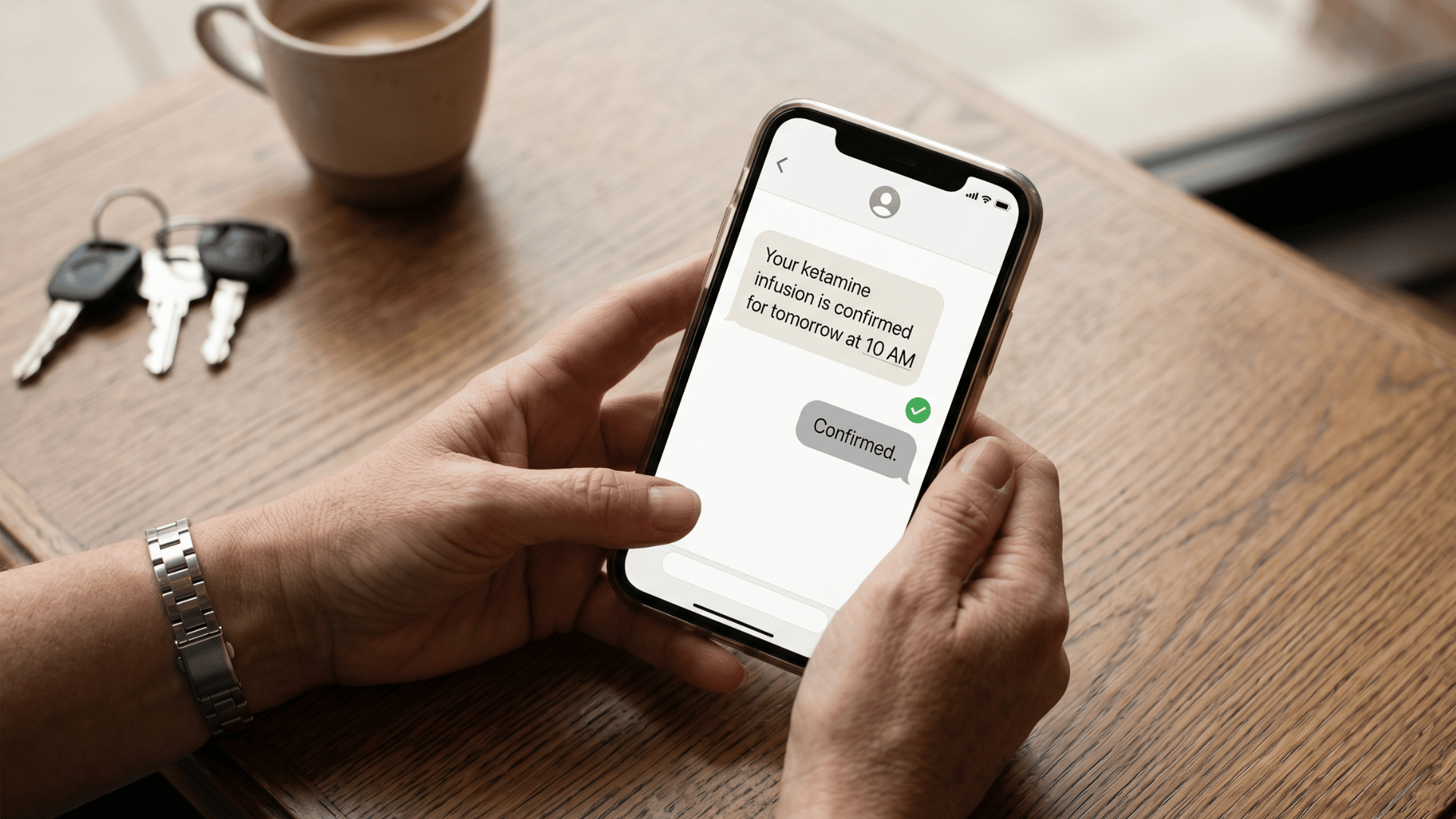
Patient confirming ketamine infusion appointment via SMS text message on smartphone

Why This Maps Perfectly to Infusion Suite Economics

Every empty chair is pure loss. Every backfilled chair is recovered revenue at almost zero marginal cost. That is what makes infusion chair utilization optimization SMS reminders such a high-leverage move.

When you can see at 4 PM today exactly which of tomorrow's eight chairs are confirmed, you have time to act.

You can offer the unconfirmed slots to your waitlist. You can flag patterns and reach out to chronically unreliable patients. You can run the suite at near-full capacity instead of 77%.

That is the difference between hoping and managing.

What an Optimized Infusion Suite Actually Looks Like

The proof of any system is what changes in the day-to-day. Here is what Curogram delivers when it is running on top of your Osmind practice.

The Numbers That Back It Up

Covina Arthritic Clinic confirms over 1,100 appointments per month through Curogram's automated system, without staff making a single confirmation call.

For an Osmind practice running 30 to 40 weekly infusion and TMS sessions, that level of automation means your coordinator knows tomorrow's suite status before she clocks out today.

1,100+ Average monthly appointments confirmed through Curogram's automated system at one specialty clinic, with zero staff confirmation calls.

Combined with Curogram's average appointment confirmation rate of more than 75% across clients, the scheduling blindspot effectively disappears. That is roughly 3 in every 4 patients verifying attendance before your staff lifts a finger.

A Real Day on the Optimized Suite

Here is what 4 PM on a typical day looks like once the system is in place.

The coordinator checks the dashboard. Seven of tomorrow's eight infusion patients are green, meaning confirmed. One patient has not responded to two automated texts. The system has already flagged it.

She sends a manual follow-up through Curogram:

"Hi Sarah, we haven't heard from you about tomorrow's 10 AM infusion. Can you confirm or let us know if you need to reschedule?"

Four minutes later, Sarah replies:

"Sorry, need to move to Thursday."

The coordinator pulls up the waitlist and texts the top-priority patient:

"A 10 AM slot opened tomorrow. Would you like it?"

Two minutes later, confirmed.

Eight chairs full. Six minutes of total work. Zero phone calls. That is the optimized suite.

From Reactive to Proactive Scheduling

The bigger shift is not the dashboard. It is the change in how your coordinator spends her time.

She is no longer reacting to no-shows after the fact. She is shaping tomorrow's revenue today. Waitlist patients get offered open slots while there is still time to fill them. Chronically unreliable patients get flagged for extra outreach. Every chair runs closer to 100% utilization.

This is what scheduling looks like when the data is real.

Know What Tomorrow Holds Before You Leave Today

Curogram's automated SMS confirmations close the gap Osmind was never built to fill. You get real-time visibility into your infusion suite, automation that does the chasing for you, and a coordinator who can finally manage exceptions instead of calling through her lunch break.

Osmind is for your clinical scheduling, with treatment assignments, protocols, and provider allocation. Curogram is for their commitment, with the automated confirmation that turns a booked slot into a verified one.

The shift is not dramatic. It is just clear.

Phone time drops from hours to minutes. Empty chairs drop from a daily surprise to a rare exception. Recovered revenue stops being something you talk about and starts showing up on your reports.

Here is what to do next. Schedule a personalized demo built around your Osmind practice. Bring your real schedule, your real chair counts, and your real no-show rate.

We will walk through exactly how the Osmind infusion suite scheduling automated SMS confirmation workflow integrates with your day-to-day operations, what your dashboard would look like, and what your team can stop doing by next Monday.

No obligation. No disruption. Just a clear picture of what your suite could look like running at full capacity.

If your practice loses even one infusion session per week to a preventable no-show, the math is already on your side. The only question is how long that empty chair keeps costing you.

Schedule a Demo today. Know your tomorrow before you leave today, and let your infusion suite final


Frequently Asked Questions

Can Curogram's reminders include pre-treatment instructions specific to ketamine infusions?

Yes, and this is one of the most common customizations practices set up first. Reminder messages are fully editable. You can include fasting requirements, hydration instructions, ride arrangement reminders, medication hold instructions, and any other pre-treatment detail your protocol calls for.

Does the coordinator need to manually enter appointments into Curogram?

Because Osmind does not currently offer a public API for third-party scheduling sync, your staff manages the appointment list in Curogram alongside Osmind. This takes about 15 to 20 minutes of daily schedule entry, replacing 2 to 4 hours of manual phone confirmations.

What happens when a patient doesn't respond to the automated reminders?

Curogram supports multi-touch sequences. If a patient does not respond to the first reminder, automatic follow-ups go out at the intervals you configure. If they still have not responded after all automated touches, the dashboard flags them as pending.

Is Curogram HIPAA-compliant for sending infusion appointment reminders?

Yes. Curogram is a fully HIPAA-compliant patient texting platform, which is the reason practices use it instead of personal cell phones or generic SMS tools. All messages, replies, and patient data are secured end-to-end, and your team operates from a business-grade platform rather than personal devices.

How long does it take to set up Curogram with our Osmind practice?

Most practices are fully operational within a few days, not weeks. Onboarding includes setting up your reminder templates by appointment type, configuring your multi-touch sequences, training your coordinator on the dashboard, and walking through the daily entry workflow.


Cloud 9 Ortho No-Show Prevention | Cut Rates from 15% to <5%

Cloud 9 Ortho No-Show Prevention | Cut Rates from 15% to <5%

💡 Cloud 9 orthodontic no-show prevention, powered by Curogram, gives coordinators real-time visibility into confirmed, unconfirmed, cancelled, or...

Read More
Automate Appointment Confirmations for Modmed | No More Manual Calls

Automate Appointment Confirmations for Modmed | No More Manual Calls

💡 Modmed front desk staff lose 2+ hours a day calling patients to confirm appointments because Klara sends reminders but rarely captures clean...

Read More
Confirm Your NextGen Appointment | One Text, Five Seconds

Confirm Your NextGen Appointment | One Text, Five Seconds

💡 When a NextGen patient receives an appointment reminder, confirming it usually means calling the office or logging into the patient portal. Both...

Read More