
 Mira Gwehn Revilla
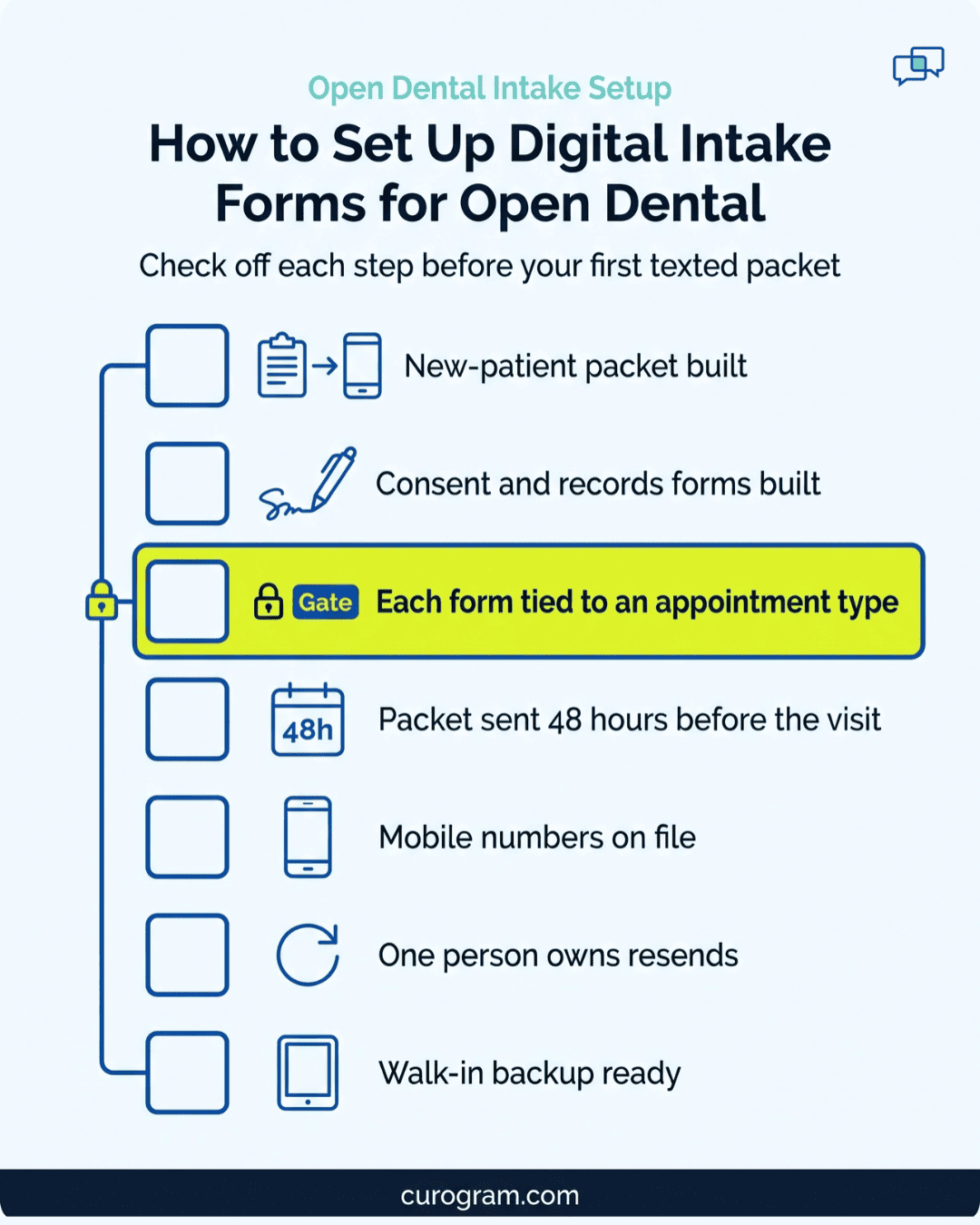
- Send the new-patient packet as a secure link in the same thread as the appointment reminder, about 48 hours ahead.
- Match each packet to an appointment type, such as new patient, recall health history update, or oral surgery consent.
- Resend the link with one click to anyone who hasn’t finished by the day before.
- At check-in, confirm the typed allergies, medications, and insurance, then file the form to the patient record.
- Keep a paper copy or lobby tablet for same-day walk-ins only.
Open Dental’s free Web Forms don’t land in your chart on their own. Each one sits on Open Dental’s server until someone at your desk clicks Retrieve New Forms, opens it, and imports the allergies and medications by hand. It’s easy to try it once, stall in the Sheets setup, and go back to paper.
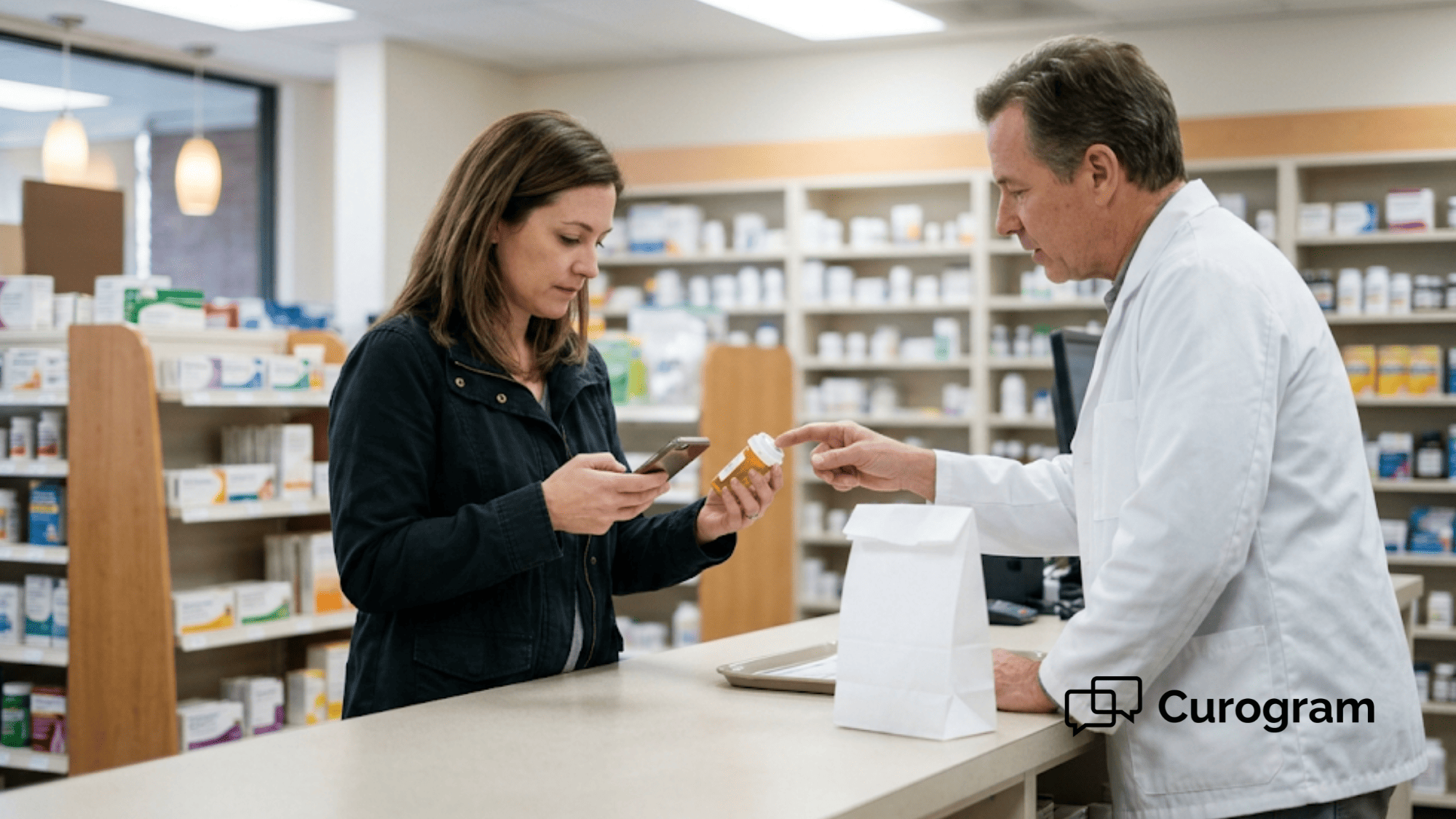
So the morning runs on what we call the Transcription Shift. A new patient takes a clipboard at the window. Ten minutes later, your coordinator is squinting at a cursive drug name and typing it into the medical history. Two more patients are waiting to check in, and line one is ringing.
Our view: new-patient paperwork belongs in the text thread your patients already answer, and it should be done two days before they walk in. Check-in then shrinks to a short review of typed, signed answers.
That shift matters most for the office manager and front desk coordinator who own the first hour of the day. It’s also the cheapest fix most Open Dental offices have left. You don’t change your practice software, retrain your hygienists, or buy tablets. You change when and where the packet gets filled in.
Pediatric offices feel it fast, since parents finish forms at the kitchen table after bedtime. Oral surgery and ortho teams feel it on consult days, when a missing signed consent can push a sedation case. General dental front desks feel it every Monday.
Below, we break down where the clipboard minutes go in a typical Open Dental office. Then we walk one new patient from booking to seated, step by step, with the time each step takes.
The Transcription Shift: What Open Dental Gets Right
Open Dental puts the schedule, the chart, and the ledger in one place for a low monthly fee. Its published support rate starts at $199 per location per month for the first year and drops to $129 after that. For a small general practice, that’s hard to beat.
Intake is the soft spot. Open Dental gives you three ways to collect a new-patient packet, and each one leaves work at the front desk.
|
Option |
Where the patient fills it in |
What staff still do |
|
Paper packet |
Lobby clipboard |
Read handwriting, key every field |
|
Web Forms (free) |
Patient’s own device, via a link you build |
Click Retrieve, review, import each form by hand |
|
eClipboard (about $45/month per location) |
Office tablet, or eClipboard Web |
Manage devices, run the eConnector |
Web Forms are built on Open Dental’s Sheets system. Each sheet needs first name, last name, and birthdate fields before it will work online. Web Forms can’t ask follow-up questions based on an answer, can’t prefill what you already know, and can’t be used for consent forms at all.
Why the Built-in Options Stall
Web Forms submissions don’t flow into the chart. They wait on Open Dental’s HQ server until your desk downloads them, and each Sheets-based form has to be reviewed and imported field by field. Somebody has to remember to click Retrieve, usually between phone calls.
eClipboard costs extra. As a standalone add-on it runs about $45 per location per month, and OCR for insurance cards is another $20 if you don’t have the full eServices bundle.
Its newer eForms are easier for patients to use. The catch is timing: if the patient only sees the form when she reaches the lobby tablet, your desk still waits on her to finish.
Both options also need the eConnector running on a Windows machine in your office. That’s one more thing for an office manager to babysit.
A New-Patient Morning, Minute by Minute
On paper, the first hour runs like this. The times are an example. Your office will have its own version.
- 7:50. Someone prints the day’s new-patient packets and clips them to boards.
- 7:55. The 8:00 new patient arrives and gets a clipboard, a pen, and five pages.
- 8:05. She’s still on page three. Her 8:00 hygiene slot is now five minutes short.
- 8:15. Your coordinator reads her medication list, guesses at “lisinopril” in cursive, and types the health history into the chart.
- 8:20. The hygienist re-asks half the medical questions, because two answers weren’t readable.
By 8:20, three people are standing at the window. One wants to pay, one is checking in, and one is asking about a referral. Nobody has been greeted.
Where the Minutes Go
Count it for your own office. In the example above, the packet costs about 10 minutes of patient writing time and another 5 to 10 minutes of staff typing time. Call it 10 to 20 minutes per new patient, all of it stacked into the busiest part of the morning.
Late seating has a dollar cost too. If a new-patient exam and cleaning carries $200 to $400 in production (an illustrative range; check your own fee schedule), every slot that starts 15 minutes late squeezes the work your hygienist can finish.
Typing also adds risk. Three fields matter most on a dental health history:
- Allergies, such as latex, penicillin, or lidocaine
- Blood thinners like warfarin or apixaban, which change bleeding plans for extractions
- Premedication needs, such as antibiotics before treatment for some joint or heart patients
These are the health history transcription errors dental charts can’t absorb. A misread drug name doesn’t look wrong on screen. It just sits there, typed and trusted, until someone catches it chairside.
Who Feels It First
Your front office coordinator feels it first. She can’t look up and greet the next patient because she’s halfway through a list of eight medications, and losing her place means starting over.
Your office manager feels it next. She may already pay for eClipboard and still see a waiting room full of people holding pens, because the link never went out before the visit.
Then there’s the Thursday that breaks the desk. Two new patients walk in at 10:00, a specialist’s office calls for records, and a parent at the window needs a school excuse note. Every one of those tasks waits on the same two people, and the clipboards win because the patients are standing right there.
One Text Replaces the Clipboard
Curogram’s Secure Online Forms move the packet into the text thread your patients already use for reminders. When the appointment reminder goes out, the form link rides along in the same message thread. Patients tap it, fill it in on their own phones, sign with a finger, and submit.
A typical send plan for a new patient looks like this:
- At booking: a welcome text with the new-patient packet link
- 48 hours out: the reminder, with the link again if the packet isn’t done
- 24 hours out: a one-click resend from the desk to anyone still open
Paper has no version of that last step. Nobody can chase a form that hasn’t been handed out yet. With a link, your coordinator sees who hasn’t finished and sends a nudge in two seconds, from the same screen she uses for confirmations.
The welcome text can be short and plain:
Hi Dana, this is Maple Grove Dental. Your new-patient forms are ready here: [secure link]. They take about 10 minutes. Reply to this text with any questions.
Maple Grove is a made-up example. Use your own office name and the time your packet really takes.
Patients don’t download an app or create a portal account. If they can open a text, they can complete the packet.
Building the Packet Once
Your team builds each form in Curogram’s form builder. You drag in the fields you want: name, birthdate, insurance, allergies, medications, medical conditions, signatures. There’s no Sheets layout to learn and no consultant to hire.
Most offices end up with three to five forms:
- A new-patient packet with demographics, insurance, and full health history
- Recall health history update for existing patients due for a cleaning
- HIPAA acknowledgment and financial policy
- A procedure consent, such as extraction or sedation
- A records release for referrals
You attach each form to the appointment types that need it. A “New Patient Adult” booking gets the full packet. A six-month recall gets the shorter update. An oral surgery consult gets the consent and the release.
After that, the right form goes out with the right appointment without anyone picking it. Your coordinator stops deciding which papers to print each morning.
How It Sits Next to Open Dental
Nothing about Open Dental changes. Your schedule, chart, perio charting, and ledger stay where they are, and your team keeps working in them all day.
What changes is the check-in step. Completed forms arrive typed, signed, and readable. At the desk, staff open the submission, confirm the key answers with the patient, and file it into the patient record. That’s a review of clean text, which takes far less time than decoding handwriting.
One technical detail matters for Open Dental offices. Every Open Dental eService runs through the eConnector, a Windows service installed on a computer in your office. If that machine is off, asleep, or mid-update, your eServices stall. Curogram runs in the cloud, so form links still go out and come back when the office server is down.
Fit by Specialty
Pediatric dental offices see the clearest gain. A parent at the window with a toddler on one hip can’t fill out four pages well. The same parent at home, after bedtime, can, and the packet comes back complete with both guardians’ details and the child’s medication list.
Oral surgery and orthodontic offices care most about consents and records. Open Dental’s Web Forms can’t carry consent forms, which leaves many surgical offices printing them. With consents sent ahead, the patient signs before consult day, the referral records release is back on file, and the desk starts a sedation morning with a full chart.
General practices get the broad win. A dental front desk intake workflow built on texted packets means the 8:00 new patient walks in already done, and the lobby clipboards turn into a backup for walk-ins.
The Front Desk That Reviews Instead of Retypes
Once patients learn your office texts, they answer. Based on our internal data, Covina Arthritic Clinic, a small-staff rheumatology practice, confirms more than 1,100 appointments per month by text through Curogram. Across our clients, the average confirmation rate is above 75%.
Covina is a rheumatology clinic, and its figure counts confirmations only. The pattern still carries over to dental intake. Patients who reply to reminders from your office will open a form link sent in that same thread, because it comes from a number they already trust.
One New Patient, Booking to Seated
This is the full workflow for one patient at a general practice. Call her Dana, booked for a new-patient exam and cleaning on Thursday at 8:00.
- Monday, 2:10 p.m. Your scheduler books Dana in Open Dental as “New Patient Adult.” Curogram picks up the appointment and sends a welcome text with the new-patient packet link.
- Monday night. Dana opens the link on her couch. She takes her pill bottles out of the cabinet and types in apixaban and metformin, spelled right, because she’s reading the labels.
- Tuesday, 8:00 a.m. The 48-hour reminder goes out. Dana’s packet is done, so she only sees the reminder and taps to confirm.
- Wednesday, 9:00 a.m. Your coordinator checks who hasn’t finished. Two new patients are still open. She hits resend on both.
- Wednesday, 4:30 p.m. Your morning huddle sheet shows a complete health history for Dana. The hygienist spots the blood thinner a full day before the visit.
- Thursday, 7:55 a.m. Dana checks in. Your coordinator reads back her allergies and insurance carrier, and Dana nods. Total time at the window is about 30 seconds.
- Thursday, 8:00 a.m. Dana is seated on time, and the coordinator files the signed packet into her record.
What the Desk Gets Back
This table uses illustrative times from the example earlier in this article. Plug in your own numbers.
|
Step per new patient |
Clipboard intake |
Texted packet |
|
Patient writing time in lobby |
10 min |
0 min |
|
Staff reading and typing |
5 to 10 min |
0 min |
|
Check-in review |
1 to 2 min |
About 30 sec |
|
Hygienist re-asking questions |
2 to 3 min |
Rare |
At five new patients a week, the clipboard column adds up to 90 minutes or more of lobby and desk time, most of it before 10:00 a.m.
Where It Breaks, and What to Do
Texted packets need three things in place, and offices that skip one see gaps.
-
The appointment type has to be right at booking. If your scheduler books a new patient as a generic “Exam,” the full packet won’t attach. A two-minute talk at the morning huddle about booking codes fixes most of this.
-
The patient needs a mobile number on file. Older patients sometimes give only a landline. For them, the desk can email the link or keep a paper packet ready.
-
Same-day bookings leave no lead time. A patient booked at 9:00 for a 10:30 emergency visit gets the link right away and fills it in from the lobby on her own phone. Your desk still skips the typing, even when the timing is tight.
Curogram Highlight: Secure Online Forms for Open Dental Offices
Secure Online Forms from Curogram send your intake packets by text, collect signatures on the patient’s phone, and return typed answers your desk can review in seconds. It’s new patient packet automation for dental offices that doesn’t ask you to change your practice software.
Day to day, your team works with:
- A form builder for packets, health history updates, consents, and records releases, with no Sheets framework to learn
- Packets matched to appointment types, so the right form goes out with each booking
- One-click resend for anyone who hasn’t finished
- Form links sent in the same thread as reminders, so patients see one familiar number
- A shared inbox where patients can text questions about the paperwork and get a fast answer
Curogram is HIPAA-compliant and SOC 2 Type II certified, and it works under a Business Associate Agreement with your practice. Forms travel through secure links, and each send and completion is logged.
Because Curogram runs in the cloud, form delivery doesn’t depend on the eConnector service on your office server. For a paperless dental front office, that means the packet still goes out on the morning your server needs a restart.
Conclusion: Give the Morning Back to the Desk
For most Open Dental front offices, the fastest workflow fix is moving new-patient paperwork out of the lobby. Your patients already answer your reminder texts. Put the packet in that thread, and it comes back finished before they arrive.
Open Dental is where your chart, schedule, and ledger live. The form session belongs at the patient’s kitchen table, where the pill bottles and insurance card are within reach. Your front desk then spends the first hour of the day greeting people and seating them on time.
Start with one number. Count the minutes your desk spent this week reading handwriting and typing health histories. Then compare that time with what you pay for tablets or add-ons that still leave patients filling out forms in the lobby. If you want to reduce dental check-in time, that gap is where to look.
When you’re ready to see it with your own setup, book a 20-minute demo with our team. Bring your schedule and your current intake packet. We’ll map your new-patient workflow from booking to seated, live, and show you which forms to send with which appointment types.