
Fill Schedule Gaps in Prime Clinical | Revenue on Demand
 Jo Galvez : Feb 13, 2026, 9:00:01 AM
Don't let empty slots kill your profitability. Curogram's broadcast texting to fill schedule gaps and drive seasonal revenue for Prime Clinical...
It’s 6:45 in the morning, and the sky is overcast. Your phone buzzes with notifications. The doctor has the flu. And worse, a storm just knocked out power across your whole zip code.
Your first thought is the schedule. You have 40 patients set to walk through the door today. But your Lytec server sits in a dark office with no power. You cannot pull up a single phone number.
Every minute that ticks by is another patient getting dressed, grabbing their keys, and driving to a clinic that will not open.
This is the nightmare that plays out in medical offices more often than most people think. And the old fix, calling each patient one by one, just does not hold up when time is short and stress is high.
The staff burns through an hour or more on the phone. Some patients never pick up. Others show up anyway because no one reached them in time.
Crisis communication for Lytec medical offices does not have to look like this. There is a smarter path, one that takes seconds instead of hours and works from any device with a web browser.
Curogram acts as a cloud layer on top of your Lytec system. It syncs your schedule data so it lives online, safe from local outages.
That means you can log in from your couch, your car, or your phone and send a single mass text to every patient on the day's list.
No phone trees. No guesswork. No angry patients at a locked front door.
In this guide, you will learn why server-based systems leave you exposed during closures and how a cloud backup keeps you in control. Lastly, you can see what steps you can take right now to build a plan that holds up when things fall apart. Let's get into it.
Every medical office has a plan until the plan falls apart. The phone tree might look great on paper, but it crumbles the moment you need it most.
When a crisis hits, speed is the only thing that matters. And the old way of doing things is far too slow.
Closures rarely come with a warning. A burst pipe floods the lobby at dawn. The doctor wakes up with a fever. A power outage turns the whole block dark. Staff learn about it the same way patients should – fast – but that is not what happens.
In many offices, someone has to physically drive in just to access the system. The schedule, the phone numbers, and the notes all live on a local server inside the building.
If that building has no power or is not safe to enter, that data is locked away. Staff waste time and put themselves at risk just to get a list of names.
This is the core flaw with on-premise setups. Your data only works when your building works. On a good day, that is fine. On a bad day, it is a wall between you and your patients.
Even if the staff gets the list, the real pain starts. Dialing 30 or 40 patients by hand takes well over an hour. Some calls go to voicemail. Some ring out. Some patients are already in the car.
Meanwhile, the front desk phone is ringing with people asking if the office is open. It is pure chaos.
Mass texting for doctor sick days or closures would cut this time from an hour to a few seconds. But without a cloud-based tool, that option does not exist for most Lytec users. The old method drains staff energy right when they need it most.
The deeper issue is not just about phones. It is about access. When your data lives only on a server in a closet at the office, that server has a single point of failure. If it goes down, everything goes with it.
Without access to Lytec, staff cannot see who is booked for the day. They do not know which patients need urgent follow-ups versus routine visits. They cannot sort by time slot or provider.
They are flying blind. And flying blind during an office closure means patients fall through the cracks.
Notifying patients of a power outage should take seconds. Instead, it becomes a guessing game.
Staff try to recall names from memory or check old printouts that may be weeks out of date. None of this is reliable. None of it scales.
When patients show up to a dark office, the damage is not just a wasted trip. It chips away at their trust. They start to wonder if the practice has its act together.
Some will leave a bad review. Others will quietly switch to a new provider who seems more organized.
This is why Lytec emergency alerts matter so much. The issue is not just about one bad morning. It is about the long tail of lost trust that follows a botched closure.
Every patient who drives through a storm only to find a locked door walks away with a story, and not the kind you want them to tell their friends.
The fix for the phone tree panic is not a better phone tree. It is a different system altogether. When your data lives in the cloud, a local outage stops being a data blackout. Your schedule, your contacts, and your tools are still right there, ready to go.
Curogram works by syncing your Lytec schedule to the cloud in real time. This means that even when the office server is down, a current copy of your day's appointments lives online. Staff can reach it from any device with a browser.
The moment you learn about a closure, you open the Curogram app on your phone or log in on a laptop at home. You see the full list of patients for the day, sorted by time.
No drive to the office. No digging through paper files. Just clean, current data at your fingertips.
This is what makes it a true patient notification system for office closures. It does not depend on your building, your local network, or your power grid. It depends on the internet, and your phone already has that.
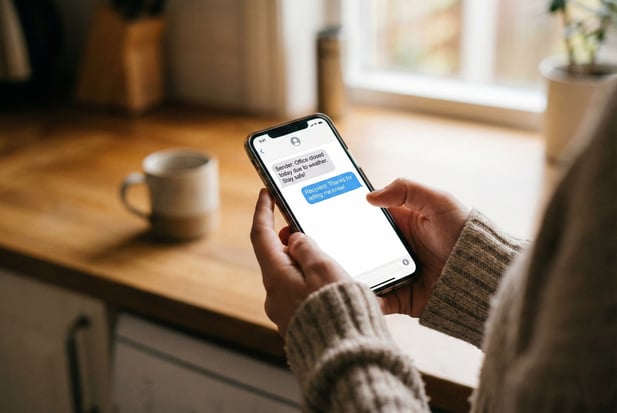
From that same screen, you select the day's patients and type one message. Something simple works best. For example, you might write: "Due to the weather, our office is closed today. We will reach out to reschedule your visit."
Hit send, and every patient gets the text in seconds.
There is no batch of calls. No missed voicemails. No question about who was told and who was not. The whole list is covered.
You get a clear record showing who received the message and when. That kind of proof matters when you need to follow up.
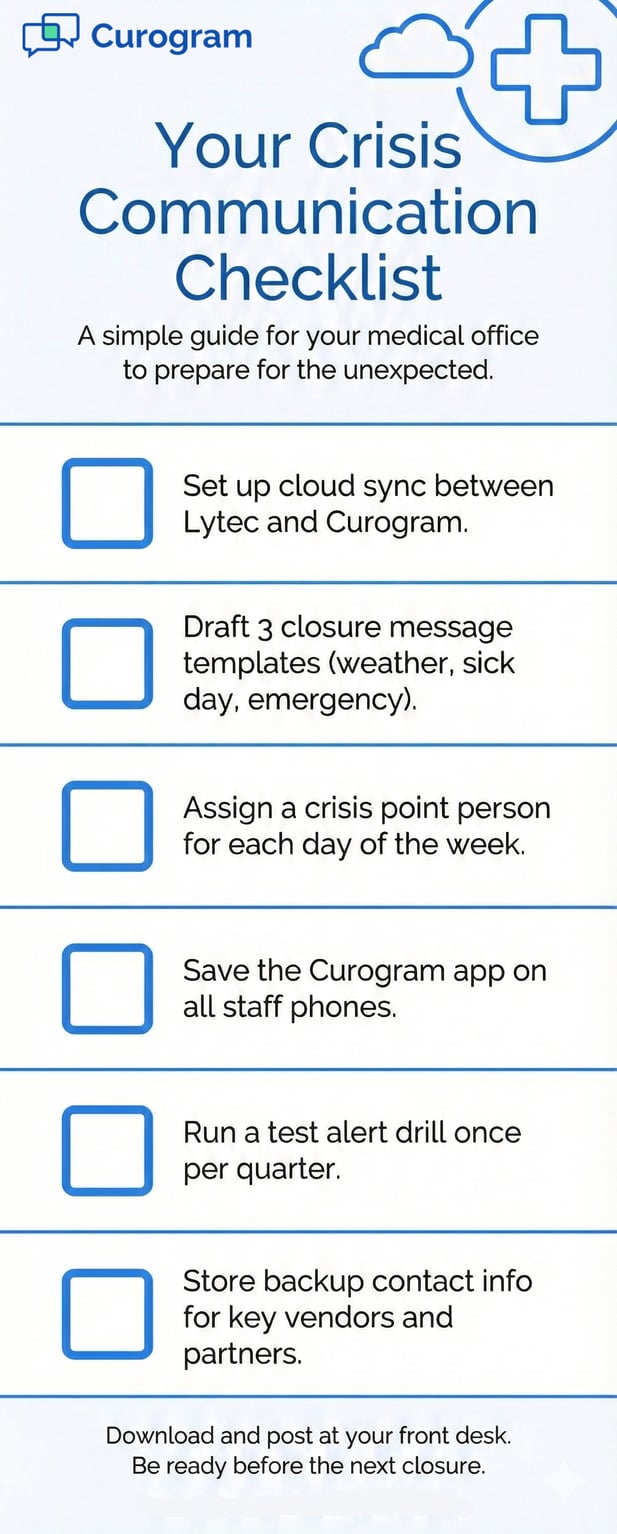
Knowing the tool exists is one thing. Knowing how to use it under pressure is another. A clear plan keeps things calm when stress runs high.
Here is the flow:
The whole thing takes under two minutes.
You can also save a draft message ahead of time. That way, you are not writing copy at 6 AM while half asleep. Just pick the pre-written template, review it, and fire it off.
After the blast goes out, patients will reply. Some will say thank you. Others will ask when they can get back on the schedule.
Curogram's two-way texting feature lets you manage those replies in one place. You do not need to check five voicemail boxes or three email inboxes.
This is also where medical office disaster recovery starts to take shape. You are not just putting out a fire. You are setting up the next step, getting patients back on the books, all from the same tool. The transition from crisis mode to recovery mode happens without switching platforms.
The point of a good crisis plan is not just to survive the morning. It is to come out the other side with your team intact and your patients still on board.
When closures are handled well, the whole practice benefits.
The single worst outcome of a botched closure is a patient who shows up to a locked door. They drove through bad roads, cleared their schedule, and maybe even took time off work. And no one told them. That kind of experience is hard to undo.
Mass texting hits every patient on the list. Text open rates sit above 95%, far higher than email or voicemail.
When you send that closure alert, you can feel sure that almost every single person will see it within minutes. That is the kind of reach a phone tree could never match.
Compare that to manual calls. Even with two staff members dialing nonstop, you might reach 60% of patients in the first hour.
The rest are missed calls and voicemails that may not get heard until after they have already left the house. Mass texting closes that gap and wipes out the risk of frustrated arrivals.
When patients get a clear, timely text about a closure, most of them feel respected. You showed them that their time matters. You kept them safe. That small act of care builds more trust than a dozen marketing emails ever could.
Some offices even see reviews that mention the heads-up. Patients write things like: "They texted me before I even left the house. Great office."
It may seem small, but in a world where online reviews drive new bookings, every good impression counts.
Closures are stressful for everyone, not just patients. Staff carry the weight of a crisis morning. How your practice handles that stress says a lot about how it will hold up long term.
When the front desk team knows they can send one text and handle the whole day's list, the pressure drops. There is no scramble. No guilt about missed calls. No awkward talks with angry patients who drove 30 minutes for nothing. Staff go from feeling helpless to feeling in charge.
That shift matters more than most office managers realize. Burned-out staff quit. Calm, capable staff stay.
The tool you use during a crisis shapes how your team feels about working at your practice every other day of the year.
Here is something most offices overlook. A well-handled closure is a chance to show your strength.
Patients notice when the office still runs smoothly even if things go wrong. It sends a message. This practice has it together.
You can even use the event in your next patient newsletter or social post. A short note like, "Last week's snow day closed our doors but not our communication," shows people you take their care seriously. It turns a bad day into a story that works in your favor.

Even with a solid plan in place, you probably have a few questions about how this works in practice. Below are the most common things offices ask before getting started.
Yes. The Curogram app works on any smartphone. When you send a message, the patient sees your office number, not your personal one. Your privacy stays intact while you manage the crisis from wherever you are.
Staff do not need to be at the office to do their job during a closure. They can handle the full alert process from home, a coffee shop, or even from bed at 6 AM.
The patient has no idea the message came from a personal phone. It all looks and feels like the office sent it.
Some offices have tried buying a separate work phone for each staff member. That gets expensive fast.
With Curogram, you skip that cost entirely. One app on a personal device does the work without exposing your number.
Yes. You can include a self-scheduling link in the mass text. Patients tap the link, pick a new date and time, and book themselves. This cuts out the flood of phone calls that usually hits the morning after a closure.
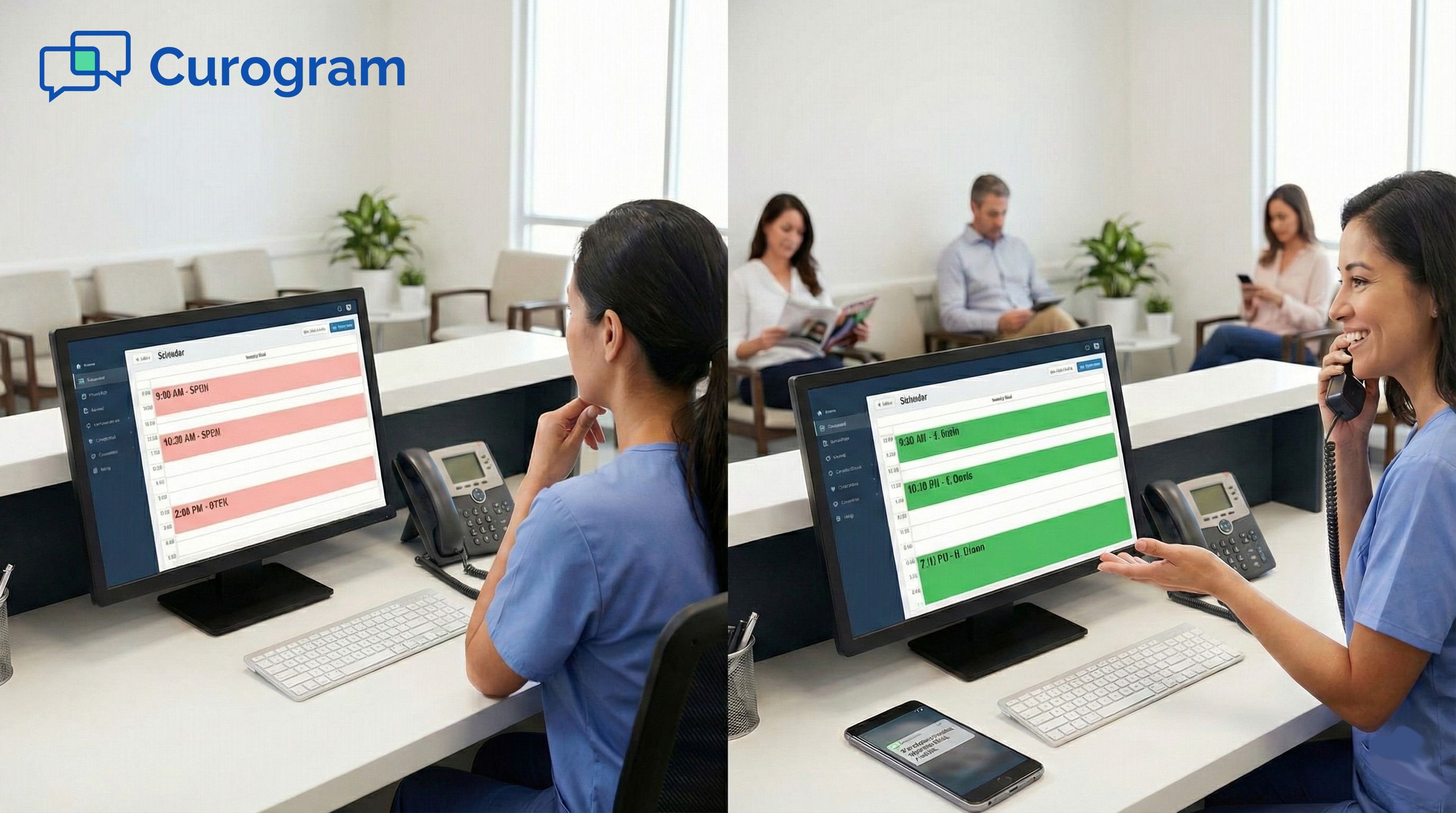
Instead of staff spending the whole next day on the phone, most patients will have already rebooked by the time the office reopens, be it in person or with a virtual consult. It keeps the schedule full and lowers the amount of lost revenue from the closed day.
Studies show that a large share of patients prefer to book online rather than call. Giving them a link in the closure text respects that preference. It is faster for them and easier for your front desk.
Yes. Unlike a personal email or standard text from your phone, Curogram is fully encrypted and SOC2 Type II compliant.
Every message is secure. That matters when you are sending health-related alerts to a full day's schedule.
In a crisis, it is easy to cut corners. Someone grabs a personal phone and starts texting patients from iMessage or WhatsApp.
That may feel fast, but it is a compliance risk. Curogram gives you the same speed with none of the risk.
Every message sent through Curogram is logged. You have a clear record of what was sent, when it went out, and who received it.
If you ever face questions about how a closure was handled, that log is your proof that patients were told in time.
No one can predict when a pipe will burst or when a storm will shut down the roads. But you can predict how your office will respond. And that response is the difference between a rough morning and a full-blown mess.
It is tempting to think that a binder on the shelf with a phone tree is enough. But real crises do not wait for you to flip through a printout. They hit fast, hard, and at the worst time.
The window to reach patients before they leave home is small. Most people head out 30 to 60 minutes before their visit.
If the closure happens early, you have maybe an hour at best. Manual calls cannot cover 40 patients in that window. The math just does not work.
A mass text, on the other hand, goes out in seconds. Every patient gets the same clear message at the same time. No one is first in line, no one is last. It is fast, fair, and clean.
The beauty of cloud-based crisis communication for Lytec medical offices is that the plan stays the same, no matter what caused the closure.
Sick doctor? Same steps. Power outage? Same steps. Broken water main? Same steps. You do not need five different playbooks. You need one tool that works in all of them.
This also makes training simple. New staff learn the process in minutes. There is no complex chain of command or confusing list of who calls whom.
Everyone knows the drill. Open the app, select the patients, and send the message.
The worst time to set up a crisis plan is during the crisis. The best time is right now, while the lights are on and the schedule is running like normal.
Setting up Curogram takes minutes, not months. Once it syncs with your Lytec system, it starts pulling schedule data to the cloud right away.
Draft a few closure message templates now. Save them so they are ready to go the moment you need them.
You can even run a test. Pick a slow afternoon, send a test alert to your own team, and walk through the steps. That five-minute drill could save you hours of chaos on the day it matters most.
Relying on phone trees and paper lists in 2026 is a choice. It’s one that puts your patients, your staff, and your reputation at risk every single time the unexpected shows up.
You deserve a system that works when your office does not. Curogram gives you that cloud backup layer so you are never locked out of your own schedule.
It takes less time to set up than one round of manual phone calls. And when the next storm rolls in, you will be glad you did.
Schedule a Demo to see how Curogram acts as your emergency backup system.
 Jo Galvez : Feb 13, 2026, 9:00:01 AM
Don't let empty slots kill your profitability. Curogram's broadcast texting to fill schedule gaps and drive seasonal revenue for Prime Clinical...
 Jo Galvez : Jan 27, 2026, 8:00:02 AM
Reach your entire panel in seconds. Curogram’s broadcast messaging for Elation Health ensures a 98% open rate for health alerts and patient updates.
 Jo Galvez : Jan 28, 2026, 8:00:00 PM
Manage clinic logistics with ease. Learn how Curogram’s practice updates for Elation Health clinics automate mass alerts for closures and new...