

6 min read

Secure Online Intake Forms for CharmHealth

Secure Online Intake Forms for CharmHealth
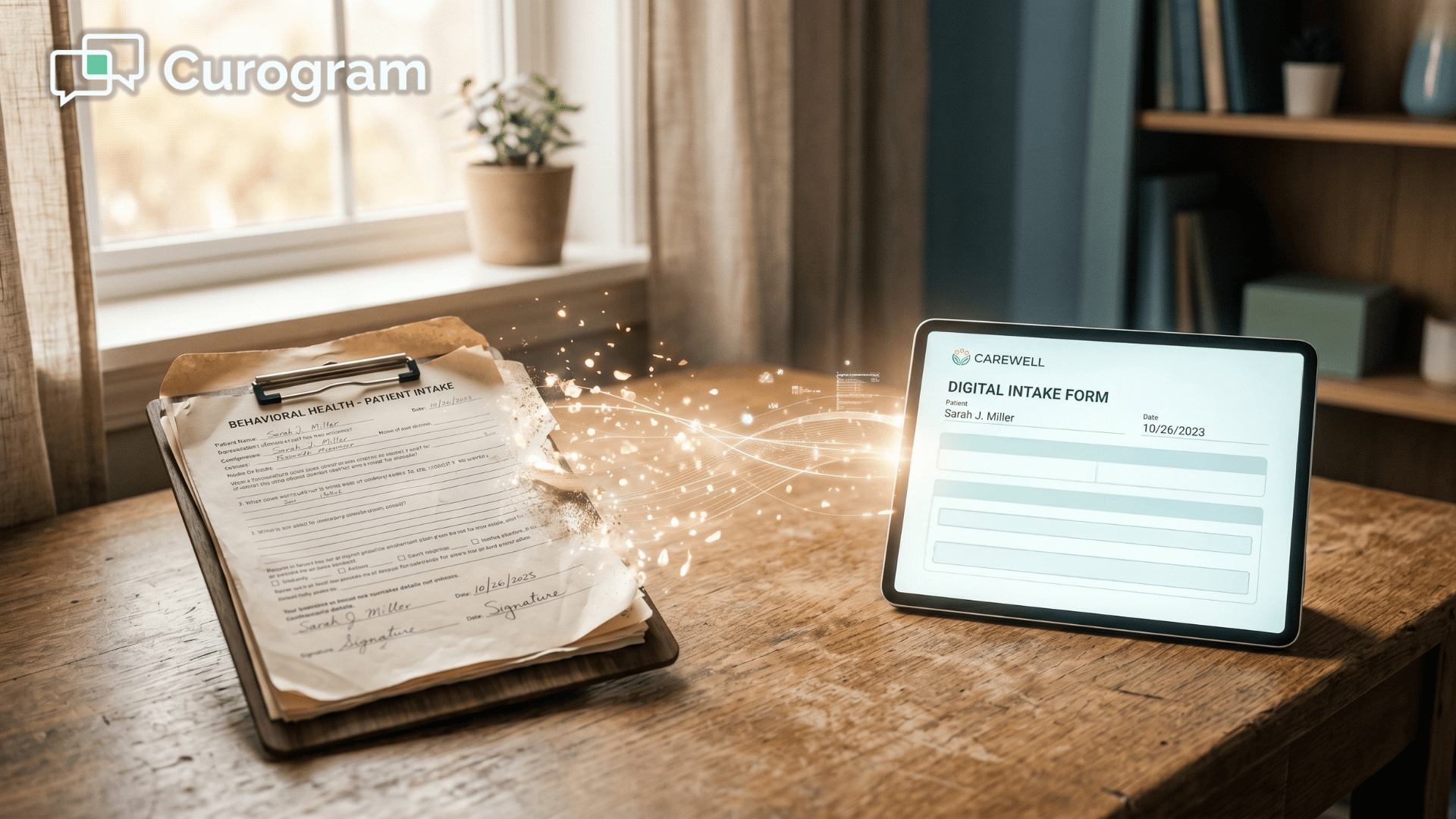
💡 Secure online intake forms for CharmHealth EHR practices let patients complete paperwork on their own phone before a visit — no portal login, no kiosk, no clipboard.

Curogram sends each form as a text link, and the answers write back into CharmHealth as structured data instead of a PDF someone re-uploads.      

The usual villain is the paperwork pile-up: glitchy portal forms patients abandon and staff re-key by hand. Curogram fixes that by meeting patients in the text thread they already read.   

Text messages see roughly 98% open rates versus single-digit portal use, so intake actually gets finished before the patient arrives.


Your front desk hands a new patient a clipboard. Again. The practice already pays for digital intake, yet the waiting room still runs on pens and paper.

Here is the gap. CharmHealth gives you Pre-Screening Forms, survey forms, and a check-in kiosk. They are capable tools, but they all sit behind a portal login or an office device that patients do not love.

So a patient gets the invite, hits a slow screen, and quits. They fill out paper in the lobby instead. Then a staff member scans, downloads, and re-uploads it by hand — sometimes up to 19 pages for a single person.

That is the quiet tax on your day. It sounds small. It is not.

This is where secure online intake forms for CharmHealth EHR practices change the math. Instead of waiting on a portal that patients ignore, the form goes straight to the one place they always check: their text thread. Curogram meets them there, on any phone, with no login to fumble.

Think about how your patients actually behave.

They skip portal emails for days, yet they read a text within seconds of it landing.

So the fix is not a better portal. The fix is a form that travels to the phone and quietly files itself once the patient is done.

In this guide, you will see why paper keeps piling up, even at practices that call themselves paperless. You will see how a text-first form gets finished before the visit. And you will see what happens to your wait times, your chart quality, and your staff hours once that busywork finally disappears.

The goal is simple: less chasing, less re-typing, and a chart that is ready before the patient walks in.

Let us start with the real villain — the pile-up hiding behind your portal.

The Pile-Up Hiding Behind Your Portal

CharmHealth digital intake forms exist. The kiosk exists. On paper, you are covered. In practice, the work leaks out in small, repeated ways.

Here is what the pile-up actually looks like:

  • The login wall. A patient gets a portal invite, forgets the password, and gives up before question one.
  • The glitchy screen. Reviewers call portal intake clunky on a phone, so people quit halfway.
  • The paper fallback. Whatever does not get done online gets done on a clipboard in your lobby.
  • The double-touch. Staff scan, download, and re-upload every paper form — sometimes up to 19 pages per patient.
  • The chase. A front desk already fielding 80+ calls a day now hunts for missing answers at check-in.

None of these feel huge on their own. Stacked across a full schedule, they add up to incomplete charts, longer waits, and a team buried in re-typing.

That steady leak is the abandonment of CharmHealth portal forms in action, and it is exactly the kind of busywork the EHR was supposed to remove in the first place.

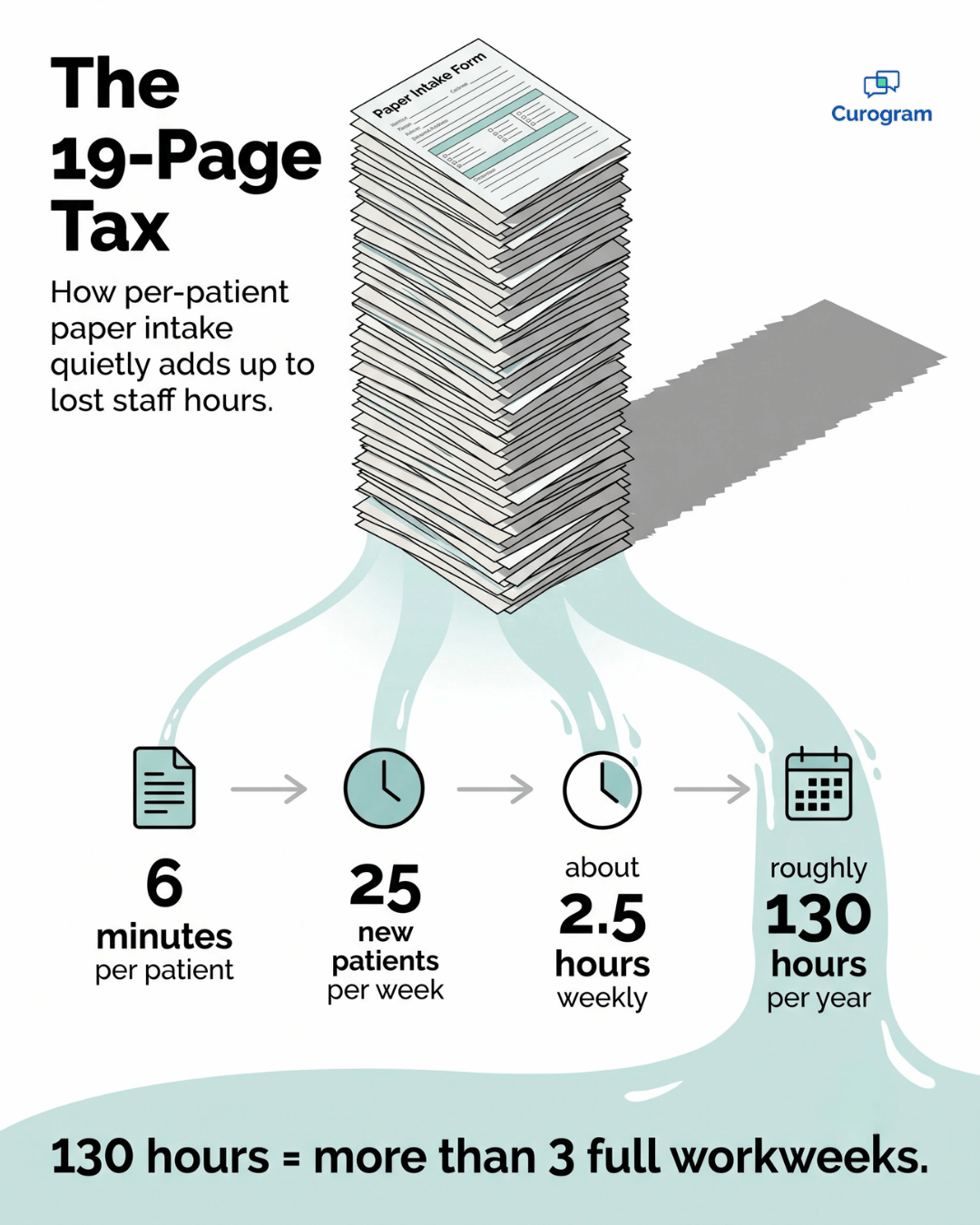
Infographic showing paper intake forms turning into saved staff hours for CharmHealth practices

Send the Form Where Patients Actually Read

Curogram works like an intake concierge. It hands each patient a text link to their forms, then files the finished answers for you — no login, no app, and no kiosk required.

That makes it a practical alternative to CharmHealth Pre-Screening Forms for the patients who never make it through the portal, since they reach the same chart along a far easier path. Line the two routes up side by side and the difference is hard to miss.

  1. Delivery. The portal emails an invite to a login screen, while Curogram drops a text link straight into the thread patients already read.
  2. Device. Portal forms feel best on a desktop and turn clunky on a phone, but the Curogram form is built for any phone with no app to install.
  3. Access. The portal asks for a password most patients have forgotten, where the text link opens with a single tap and no login.
  4. When a patient stalls. The portal route quietly falls back to paper in your lobby, while Curogram sends a gentle nudge in the same thread to finish.
  5. After they submit. Portal paper means staff scan, download, and re-upload, whereas the texted answers write back on their own.

One path leans on the patient remembering a login, while the other simply meets them where they already are.

What happens after a patient hits submit

Here is the part that saves your team.

When a patient finishes, the answers write back into CharmHealth as structured data through its API — not a flat PDF someone has to re-attach.

This is real paperless intake for CharmHealth, where SMS-based patient intake for CharmHealth lands in the chart on its own.

It also pairs naturally with two-way HIPAA texting, since the form arrives in the same secure thread you already use to reach patients.

For intake-heavy fields like integrative and behavioral health, that matters even more. Long histories and detailed questionnaires are easier to finish at home, on the couch, than in a noisy lobby. Patients simply finish more on their phone than they ever did in the portal.

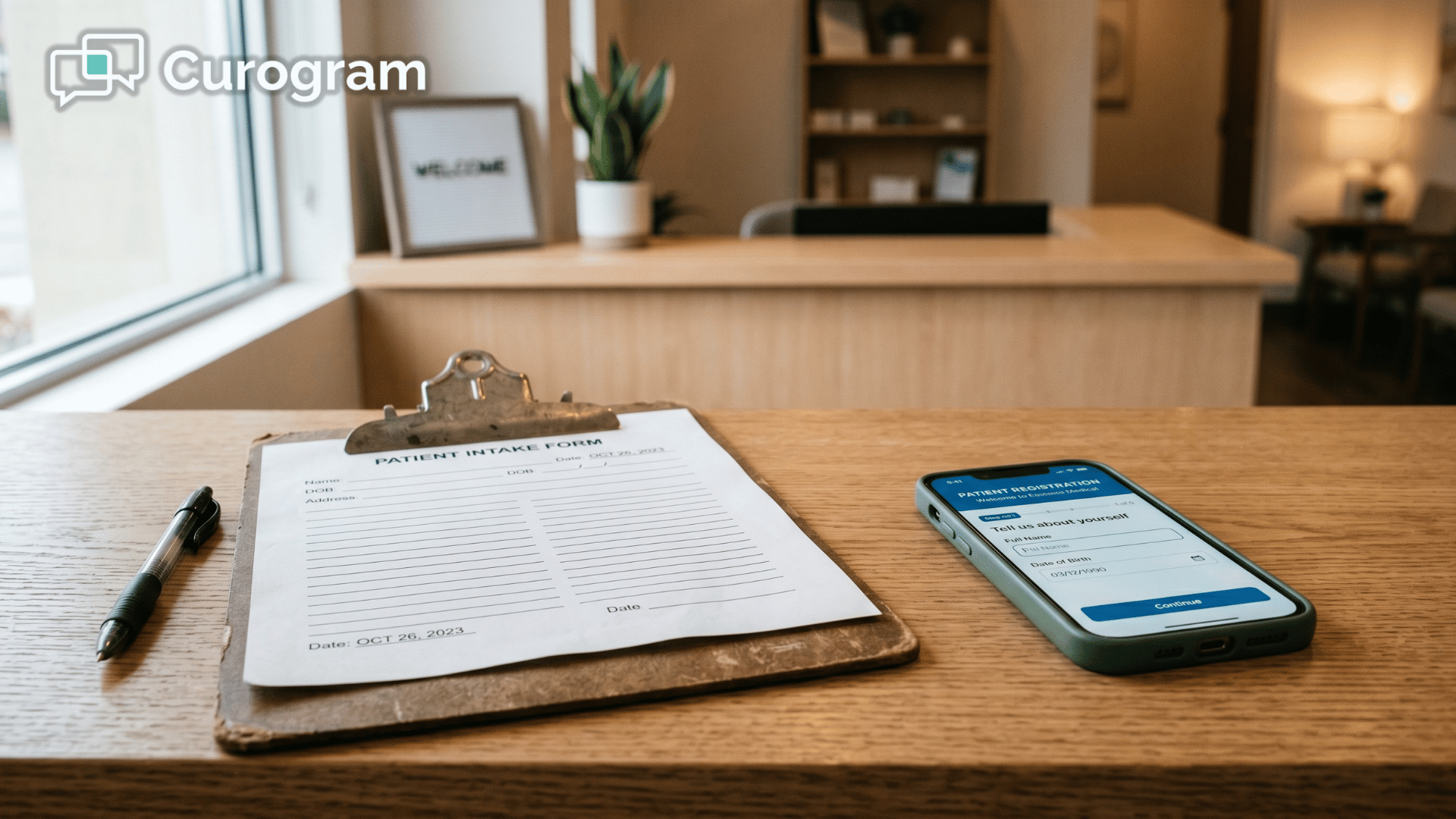
Patient warmly welcomed at a clinic reception after completing intake forms before the visit

The Payoff: A Chart That's Ready Before the Door Opens

The numbers behind this shift are easy to feel in your everyday workflow.

~98%

Open rate for text messages, versus single-digit engagement for portal links.


Up to 19 pages

The manual paperwork your staff handle per patient today.

What does 98% really mean for you?

It means intake actually gets opened instead of buried under unread portal emails, because the form reaches the patient in a channel they already check every day.

And trimming that 19-page handle does real math when you picture one staffer spending six minutes scanning and re-uploading each patient's paperwork.

At 25 new patients a week, that is 2.5 hours weekly — about 130 hours a year on re-typing alone.

For your team, that is more than three full workweeks handed back — time that goes straight to patients instead of PDFs.

This is the pre-filled visit, where three things change at once:

  • The patient walks in already done, with no clipboard waiting.
  • The chart is complete before the appointment even starts.
  • Wait times shrink because nobody is finishing forms at the counter.

It works alongside the electronic patient forms across healthcare you already trust, simply making sure they get finished before the visit instead of piling up after it.

Making the Switch Without the Disruption

You might wonder whether moving to a text-first system is worth the change. These are the worries practices raise most often, so let us settle them before the demo.

Will older or less tech-savvy patients use it?

Most of them will, because there is nothing new to learn — they simply tap a link and answer on the same phone they already use for everyday texts.

For anyone who would rather not, your CharmHealth kiosk and paper still sit right there as a backup.

Is this a heavy lift for our front desk?

Not really, since the change is mostly about where the form lives, with the same intake you already use getting delivered by text instead of buried inside a portal nobody opens. Your team sends less, chases less, and re-types nothing.

What if a patient starts but does not finish?

They get an automatic reminder in the same thread, so half-done forms stop slipping through the cracks. The chart keeps filling in quietly while your staff focus on the people standing in front of them.

Put Intake in the Thread and Get Your Hours Back

Let us bring it back to the clipboard.

Every form a patient abandons in the portal becomes a slower visit and another round of manual re-entry for your staff. That is the real cost — not the software itself, but the hours quietly lost to chasing and re-typing.

CharmHealth still holds your record, and it should, because it is your system of truth. The missing piece was never storage. It was getting patients to actually fill the chart in.

That is the whole idea behind secure online intake forms for CharmHealth EHR practices. The form meets patients in the text thread they already read, they finish it on any phone with no login, and the answers write back into the chart on their own.

Nothing about how CharmHealth stores the record has to change. You simply close the stubborn gap between "form sent" and "form done."

Think about what that frees up across a busy week: no more scanning, no more re-uploading, and no more front-desk scramble at the check-in counter. Just a complete chart that is ready and waiting before the patient even sits down.

The math tends to favor you, too, because removing paper and manual handling usually frees enough staff hours over the course of a year to more than offset the platform itself.

It sounds simple. And here, it actually is.

If you want to see it work, the fastest way is to watch one live. Schedule a Demo and we will show a real form going out by text and writing back into CharmHealth in real time, so you can watch the answers land in the chart yourself.


Frequently Asked Questions

Are texted intake forms HIPAA-compliant?

Yes. Curogram's forms are HIPAA-compliant under a signed BAA on SOC 2-certified infrastructure, with encryption and access controls built in. Patients get the convenience of their own phone while the data stays protected. You can review the federal rules for healthcare communications in the HHS HIPAA guidance.

Will the finished form write back into CharmHealth, or save as a PDF we re-upload?

It writes back as structured data through CharmHealth's API. The information populates the chart instead of landing as a PDF someone has to download and re-attach. No double-touching, no manual filing.

Do patients need the portal or an app, and what about our existing kiosk?

Neither. Patients complete forms by tapping a text link, with nothing to install. CharmHealth's Pre-Screening Forms and kiosk still work for anyone who prefers them, so Curogram coexists with your setup rather than replacing the EHR.

How long does it take a patient to finish a texted form?

Most patients finish in a few minutes, because the form is built for a phone screen. There is no password to recover and no app to download, so they move straight from the text link to the questions.

What happens to patients who do not respond right away?

They get a gentle automated reminder in the same thread, so the form does not get forgotten. That follow-up is the quiet difference between an abandoned portal invite and a completed chart at check-in.


Automate Intake Forms for Netsmart | Staff Guide

Automate Intake Forms for Netsmart | Staff Guide

💡 Netsmart intake form automation means texting secure form links to consumers before their appointments instead of handing them paper packets. ...

Read More
TherapyNotes Online Intake Forms: Send Clients Secure Forms via Text

TherapyNotes Online Intake Forms: Send Clients Secure Forms via Text

💡 TherapyNotes secure online intake forms behavioral health practices use are often still paper-based or stuck inside a portal login. The result is...

Read More
Tebra Patient Intake by Text: No Portal, No App, Done in 2 Minutes

Tebra Patient Intake by Text: No Portal, No App, Done in 2 Minutes

💡 Tebra patient intake forms sent by text message let patients complete forms on their phone before a visit — no portal, no app, no login needed.

Read More