
1 min read
Cut CollaborateMD No-Shows, Fill Empty Slots
 Jo Galvez : Jul 3, 2026, 10:00:00 AM
💡Practices on CollaborateMD reduce no-shows with two-way text reminders that confirm who is coming. CollaborateMD sends the reminder, but that...
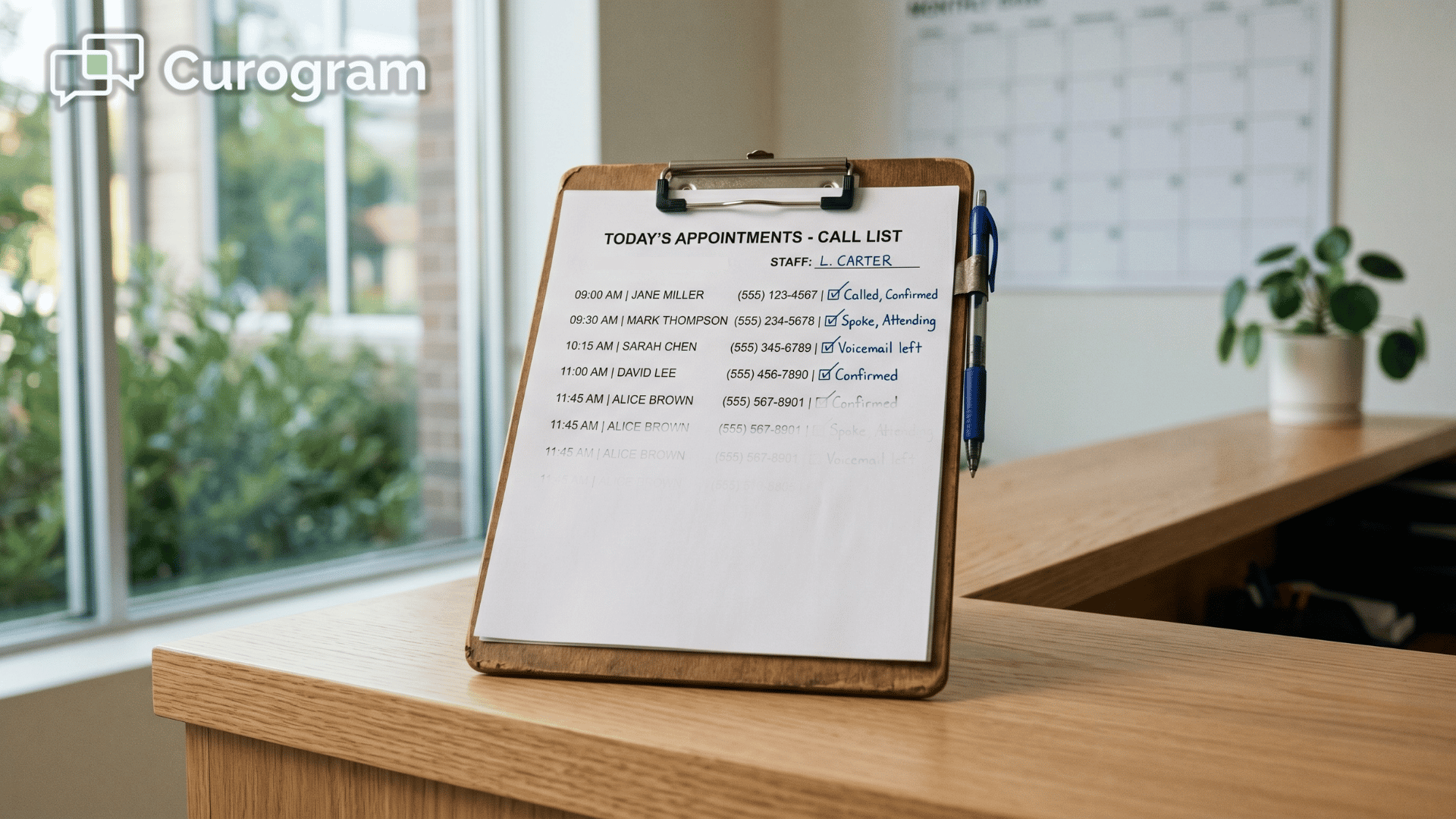
Your front desk has a list. It's the same list every morning — the names of every patient who hasn't confirmed tomorrow's visit.
So someone picks up the phone and starts dialing. Voicemail. Voicemail. A quick "yes, I'll be there." Then a manual note in the schedule, and on to the next name.
By the time the list is finished, the first hour of the day is gone — and the waiting room is filling up.
Here's the frustrating part: most of those patients aren't ignoring you.
They would happily confirm if it were easy. They just won't answer an unknown number or sit through a voicemail prompt.
So your team ends up doing the work the schedule should be doing on its own. You can see the bigger picture in our complete guide to automated reminders and confirmations for CharmHealth practices, but the issue is simple.
CharmHealth holds your calendar beautifully, and the problem was never the calendar itself. The real problem is that confirmations live inside patients' replies, not inside the schedule, so somebody has to carry each answer from the phone to the chart by hand.
It sounds like a small task. It absolutely isn't. Multiply a few minutes per patient across 80 or 100 unconfirmed visits, and you've built a part-time job nobody ever applied for.
There's a better way to handle this, and it doesn't mean replacing anything you already use. You simply let text replies update the schedule for you. That's the whole idea behind automated appointment confirmation write-back for CharmHealth schedules — the reminder goes out, the patient taps a reply, and the calendar changes itself.
This guide covers how that works, what the old way is costing you, and what changes when your schedule starts confirming itself.
Let's begin with the villain everyone already knows.
The barrier is easy to miss because nothing looks broken. CharmHealth keeps the calendar exactly as it should. The friction is that confirmations sit inside patients' replies, not inside the schedule, so your staff bridge that gap by hand.
Watch how the morning actually goes. The front desk pulls the unconfirmed list, calls down it, leaves voicemails, and marks the few people who pick up. Tomorrow, they do it all again.
There's a ceiling on this, too. CharmHealth's Text/Voice add-on caps you at 250 messages and charges $0.08 for every message past that.
So your reminder volume is limited, and your confirmed-appointment volume is limited by how many calls a fixed headcount can make in a morning.
Here's what that quietly costs a busy office. The math below uses round sample numbers, but the shape will look familiar.
| What you're really paying | The everyday math |
|---|---|
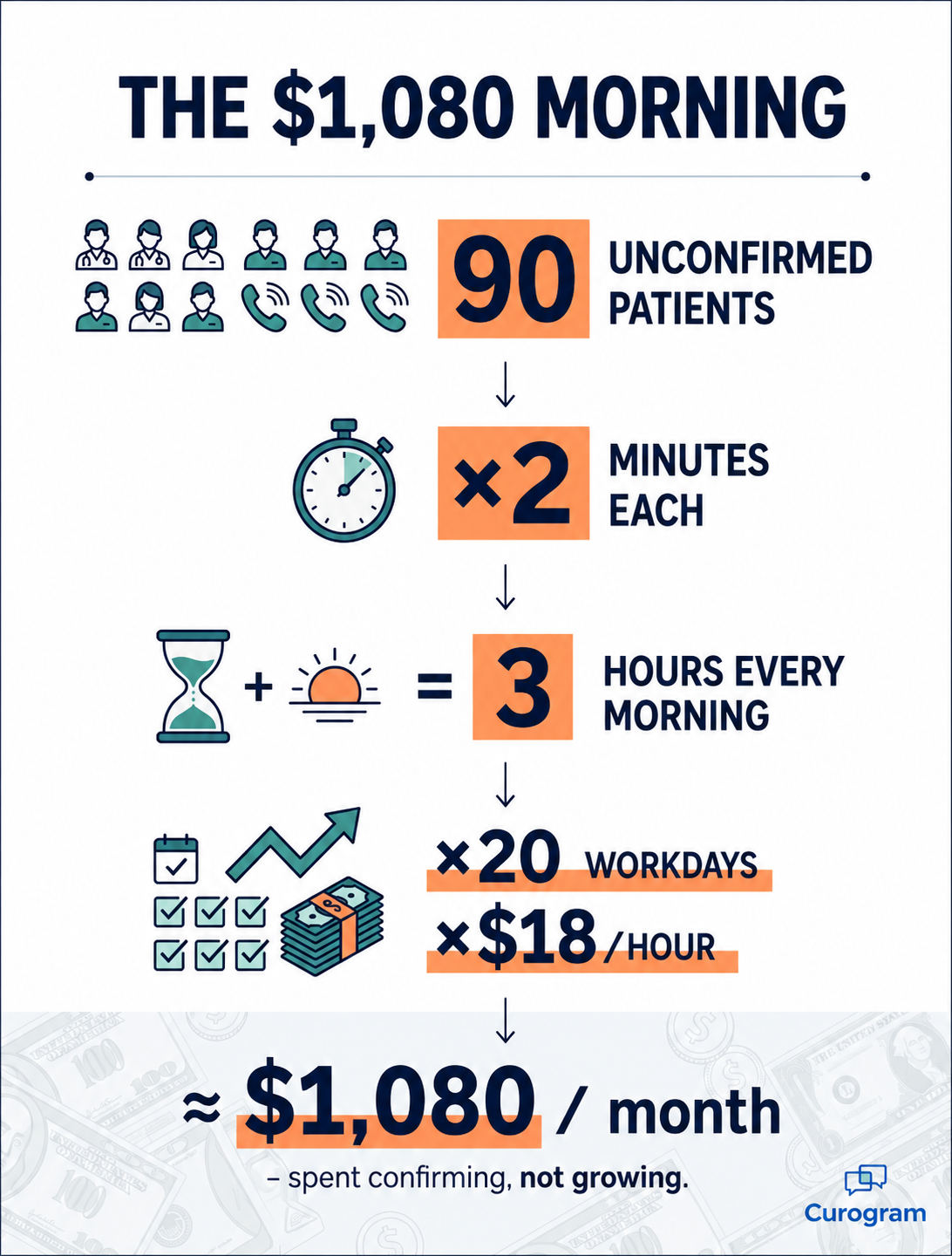
| Time on the phone | ~90 unconfirmed patients × 2 minutes ≈ 3 hours every morning |
| Monthly staff cost | ~3 hours/day × 20 workdays × $18/hour ≈ $1,080/month, just to confirm |
| Message limit | 250-message cap on the CharmHealth Text/Voice add-on |
| Overage fees | $0.08 per message past the cap, month after month |
This means roughly $1,080 a month buys you confirmation calls and nothing else — no new patients, no extra revenue, just a task that resets at sunrise. (For wider context, MGMA's front-desk staffing benchmarks show how heavy this kind of manual scheduling work runs across practices.)
For your team, the real cost is capacity. The number of appointments you can lock in is capped by how many calls staff can make, not by how many patients actually want to come in.
When you reduce confirmation calls CharmHealth front desks make every morning, you don't just save time — you lift that ceiling.
Once the problem is clear, the fix is almost boring in how direct it is.
Curogram acts as the confirmation engine:
It turns every patient reply into a schedule update with no staff in the loop.
Here's the full loop, start to finish.
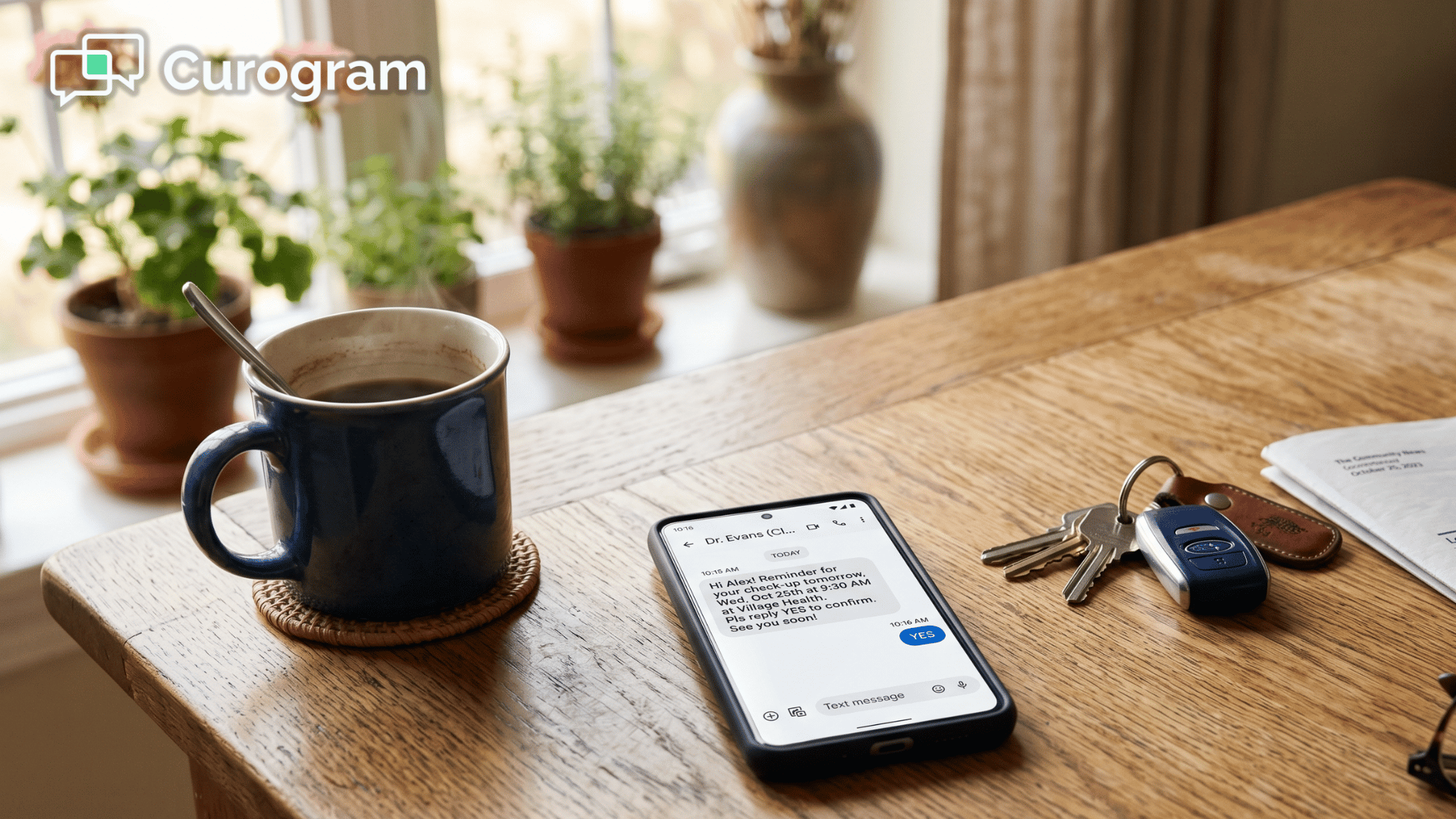
The feature doing the heavy lifting is Smart Reminders with two-way confirmation and real-time CharmHealth schedule write-back. Confirm, reschedule, and cancel responses all post directly to the chart, so the automatic appointment status CharmHealth displays is always current.
.png?width=1920&height=1080&name=automated%20appointment%20reminders%20for%20CharmHealth%20practices%20without%20add-on%20limits%20-%20inline%20(1).png)
With that loop in place, three chunks of daily busywork simply vanish:
That last point matters more than it sounds. Because the texting tool and the calendar talk to each other directly, there's no double-touching and no drift between systems.
This is the real-time calendar sync CharmHealth practices rely on to keep a single, trusted version of the day.
For a front desk supporting anywhere from one to twenty providers, that's a direct lift to capacity. The headcount ceiling on volume comes off, because confirmations no longer depend on someone holding a phone.

Patients reply to texts far more readily than they answer calls — it's worth understanding why patients confirm by text when they ignore email — and every one of those replies now updates the schedule for you.
In short, this is how you eliminate manual confirmation calls without changing how CharmHealth runs the calendar.
Numbers make the shift easier to picture, so here's what one comparable specialty clinic saw after automating confirmations.
1,100+ — confirmed appointments a month, the new normal for the front desk
3.5× — its previous baseline, reached with the exact same team
0 — extra staff hired to get there
98% — of text reminders opened, usually within minutes of sending
Read together, those figures describe a single change: the calendar became current without anyone updating it. That's the self-confirming schedule. The front desk stopped being an outbound caller and became an in-clinic coordinator instead.
The downstream effects are where it pays off. Because confirmations land continuously, same-day gaps surface early enough to actually fill them.
A morning that used to open with a call list now opens with a confirmed day, which becomes the backbone of a calmer CharmHealth front desk no-show workflow.
For your team, this means the energy that went into chasing replies goes into the patients in the building. The schedule maintains itself, the day starts settled, and growth stops being capped by how many calls one person can squeeze in before lunch.
You already run a system that manages your calendar well, and CharmHealth handles that job. The piece that's been missing isn't a new calendar — it's a simple, reliable way to keep the calendar you already have accurate without anyone touching it.
That's the whole shift in one sentence. CharmHealth keeps holding the schedule while Curogram keeps it true in real time, so reminders go out, patients reply, and the answers post themselves to the calendar. Your front desk stops acting like a call center and goes back to being a front desk.
Think for a moment about what that reclaimed first hour becomes.
Instead of dialing down a list of names, your team greets arriving patients, fills same-day gaps, and helps the people who are in the building. The repetitive work that used to eat the whole morning simply isn't there anymore.
It's the difference between a morning spent reacting and one spent caring for the patients in front of you.
And the money tends to follow that change. The comparable specialty clinic reached more than 1,100 confirmed visits a month — roughly 3.5× its old baseline — without hiring a single new person.
Recovered no-shows usually cover the cost of the platform within the first month, so it often pays for itself before your team has fully settled in.
You don't have to change how your office works, and you don't have to leave CharmHealth behind. You simply let the schedule handle the one part it always should have: confirming itself.
Schedule a Demo, and we'll walk your front desk through real-time write-back on your own schedule. We'll show a live patient reply posting straight into a CharmHealth appointment — confirmed, rescheduled, or canceled — while you watch it happen.
1 min read
Jo Galvez : Jul 3, 2026, 10:00:00 AM
💡Practices on CollaborateMD reduce no-shows with two-way text reminders that confirm who is coming. CollaborateMD sends the reminder, but that...

1 min read
Jo Galvez : Jun 25, 2026, 2:00:00 PM
💡Appointment reminders Azalea Health patients can confirm by text turn a one-way alert into a real exchange. The patient simply replies to confirm...
1 min read
 Aubreigh Lee Daculug : Jun 27, 2026, 3:00:00 PM
💡 Two-way text appointment confirmations for CharmHealth patients work because patients read texts and skip email. A reminder arrives as a normal...