
 Joshua Inciso
Curogram Integrates With MD System
 Carylee Gali : 2/8/22, 6:13 AM
Curogram integrates with MD Systems easily allowing your team to communicate with patients efficiently and offer HIPAA-compliant telemedicine...
A patient at a CareCloud practice replies to her reminder at 9 p.m.: "Can I move Thursday to Friday?" She can't call; the office closed at five. By morning, she's left a voicemail too, and someone has to match the two messages before anyone calls her back.
CareCloud runs the schedule, the chart, and the billing. Curogram adds two-way texting from the office's main number and reminders that send confirmations back. It also adds group texts, forms, and video visit links.
This guide covers what CareCloud does and what the link to Curogram syncs. It also covers setup time and the features that fit a CareCloud office. Sync details come from Curogram's integration sheet as of October 2026.
Our view: start with reminders. On CareCloud, confirmations and cancellations sync back to the schedule, so the front desk sees the payoff on day one.
A text waits until the patient is free, and the reply waits until staff is free. Patients use texts for quick questions and schedule changes for that reason.
CareCloud, Inc. sells EHR, practice management, revenue cycle, and patient experience tools. Its 2025 annual report names talkEHR as its EHR. It also lists video visits, remote monitoring, and its cirrusAI tools, and about 45,000 providers at the end of 2025.
Its patient experience tools include secure messaging and reminders. Curogram works alongside them and adds two-way texting from the number patients already call.
Almost every patient can get a text. 98% of U.S. adults own a cellphone, per Pew Research's 2026 fact sheet.
When texts come from the office's main line, patients recognize them and reply. A patient who texts "running 10 min late" saves a call that would have tied up the front desk.
HIPAA lets practices text patients when they use reasonable safeguards. The texting vendor must sign a business associate agreement.
Curogram sends messages that contain PHI as encrypted links, so results and forms stay off the lock screen. Reminders should list only the date, time, and place.
Once the integration is live, four workflows change for a CareCloud front desk.
Patients reply to a reminder to ask for a new time, and staff answer from a shared inbox. The old slot opens up for the waitlist while the patient is still on the thread.
Practices can reach patients in their own language, since Curogram syncs patient language from CareCloud.
Patients can fill out intake forms on their phones before the visit and send a photo of their insurance card by text. Nobody hands out a clipboard at the window.
Know one limit before you plan around it. Finished forms and card photos don't write back to CareCloud today, so staff file them in the chart.
A snow day or a provider out sick used to mean a morning of calls. With group texting, staff filter the synced schedule and send one message to every affected patient.
Behavioral health clinics on InSync use mass texting for patient notices. Offices on Allscripts PM run mass texting from their practice management system. On CareCloud, the same works for anyone with a visit booked.
Staff can message each other inside Curogram, so a question about a patient's paperwork doesn't go to a personal phone. The conversation stays next to the patient's text thread.
Every practice that sees patients remotely needs a short list of tools. These are the ones Curogram covers on top of CareCloud's chart and schedule:
CareCloud keeps the clinical record and the claim. Curogram handles getting patients to the visit and keeping them informed.
Pick the order based on where your phones hurt most. An office that spends its mornings on reminder calls should start there. One that loses hours to rescheduling should turn on two-way texting first.
Setup usually takes one day, per Curogram's integration sheet.
The link runs through CareCloud's public API, so no one has to touch an office server. Your office gives Curogram a CareCloud user ID and password, and that's all.
This is what the link does as of October 2026.
|
Data |
Direction |
Status |
|---|---|---|
|
Appointments |
CareCloud to Curogram |
Syncs automatically |
|
Confirmed and canceled statuses |
Curogram to CareCloud |
Written back |
|
Patient language |
CareCloud to Curogram |
Syncs |
|
Completed intake forms |
Curogram to CareCloud |
Not written back |
|
Insurance card and ID images |
Curogram to CareCloud |
Not written back |
|
Full patient list (patients with no upcoming visit) |
CareCloud to Curogram |
Not synced |
That last row matters for recalls. Group texts reach patients with booked visits right away. For outreach to patients with no visit on the books, plan the list during setup.
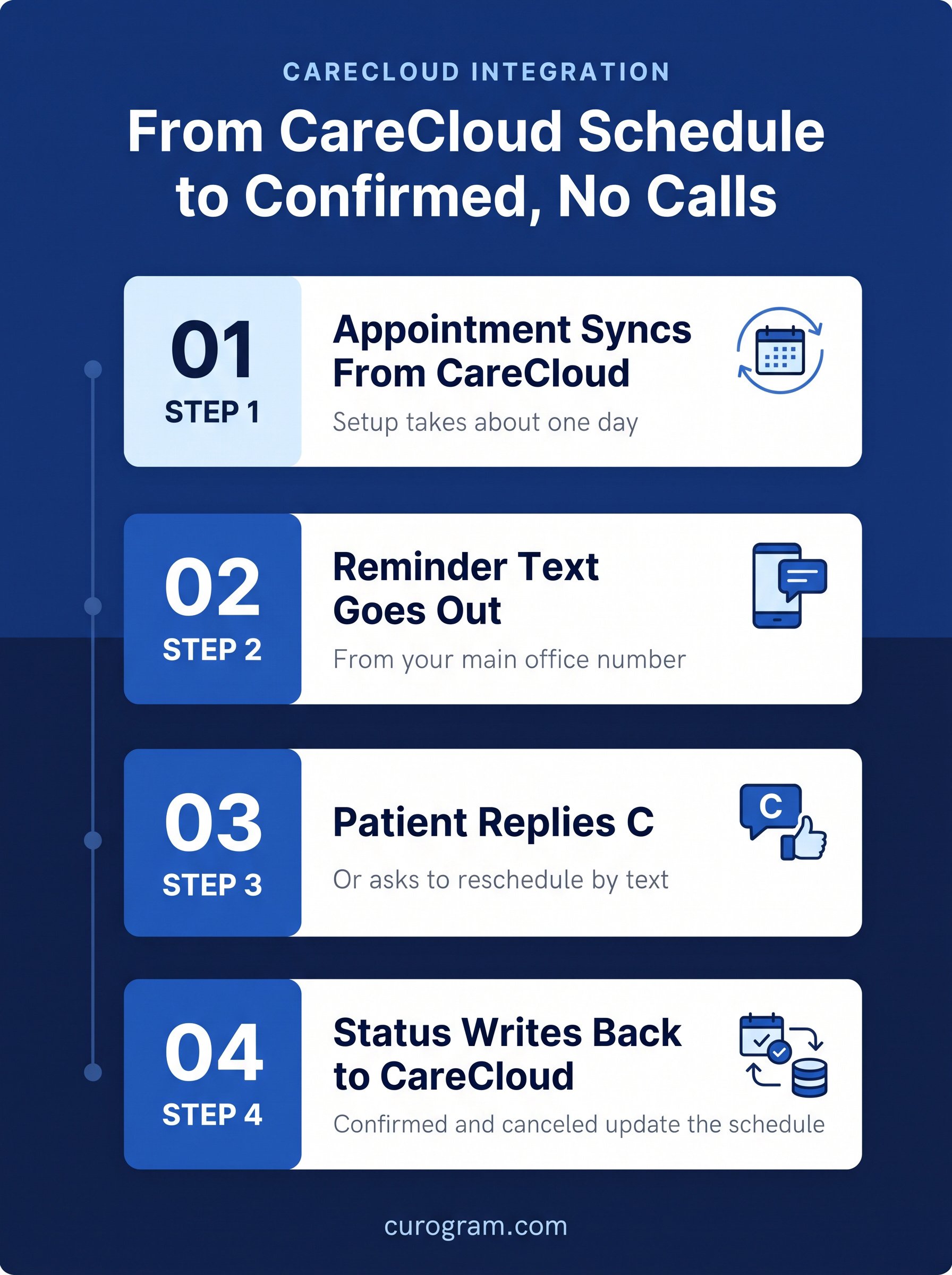
Day one is setup: the office shares its login, and appointments start to sync. Reminders can go live the same week, once staff pick the timing and wording.
By the end of week one, confirmations should be landing in CareCloud without a call. Group texts and forms can wait until the front desk is used to the shared inbox. Treat this timeline as a suggested plan.
A connected texting tool saves time because the schedule and the messages stay in step.
Reminders go out from the CareCloud schedule with no one making calls. When a patient replies "C," the appointment shows as confirmed in CareCloud, so nobody updates it by hand.
Cancellations by text write back too. The front desk sees the open slot in CareCloud as soon as the patient cancels, which leaves time to offer it to the waitlist.
Confirmed schedules have fewer gaps. With automated reminders, Atlas Medical Center cut its no-show rate from 14.20% to 4.91% in three months. That result comes from Curogram client data from clinical settings.
Video visits from a text link fill short follow-up slots without an exam room. A 10-minute medication check by video frees a room for a patient who needs one.
Staff time comes back too. Every confirmation that arrives by text is one less call on the morning list, and that time goes to patients at the window.
Three features carry most of the load for a CareCloud practice that sees patients both in person and by video.
Patients confirm, cancel, or ask to reschedule by replying to a text. Confirmations and cancellations write back to CareCloud, and staff book new times from the same thread.
Appointment reminders go out on a set schedule, such as two days and two hours before a visit. They can be set by visit type, language, or location. Patients can opt out in any reasonable way under 2025 texting rules, and practices have 10 business days to honor it.
Patients join a video visit by tapping a secure link sent by text or email. Nothing to download, and it works on a phone, tablet, or computer.
Reminders can carry the link, so staff don't paste it in by hand. Visits support secure video, audio, chat, and screen sharing.
Curogram Highlight: Group Texts From Your CareCloud ScheduleCurogram's Mass Text Messaging sends one message to hundreds or thousands of patients at once. Practices use it for closures, provider absences, and seasonal services like flu shots. Promo texts stay apart from office notices. Delivery reports show which texts got through. Patients read them in their normal texting app, with no download. Curogram works alongside CareCloud, which keeps your chart and billing. It's HIPAA-compliant and SOC 2 Type II certified. |

CareCloud handles the chart, schedule, and billing. Curogram connects in about a day and adds two-way texting, reminders, group texts, forms, and video visit links.
Confirmations and cancellations sync back to CareCloud. Forms and card images don't sync yet, so set a routine for filing them. Start with reminders and rescheduling by text, since both pay off as soon as the sync is live.
Want to see Curogram running on a CareCloud schedule? Book a demo with Curogram and we'll walk through reminders, two-way texting, and group texts.
 Carylee Gali : 2/8/22, 6:13 AM
Curogram integrates with MD Systems easily allowing your team to communicate with patients efficiently and offer HIPAA-compliant telemedicine...
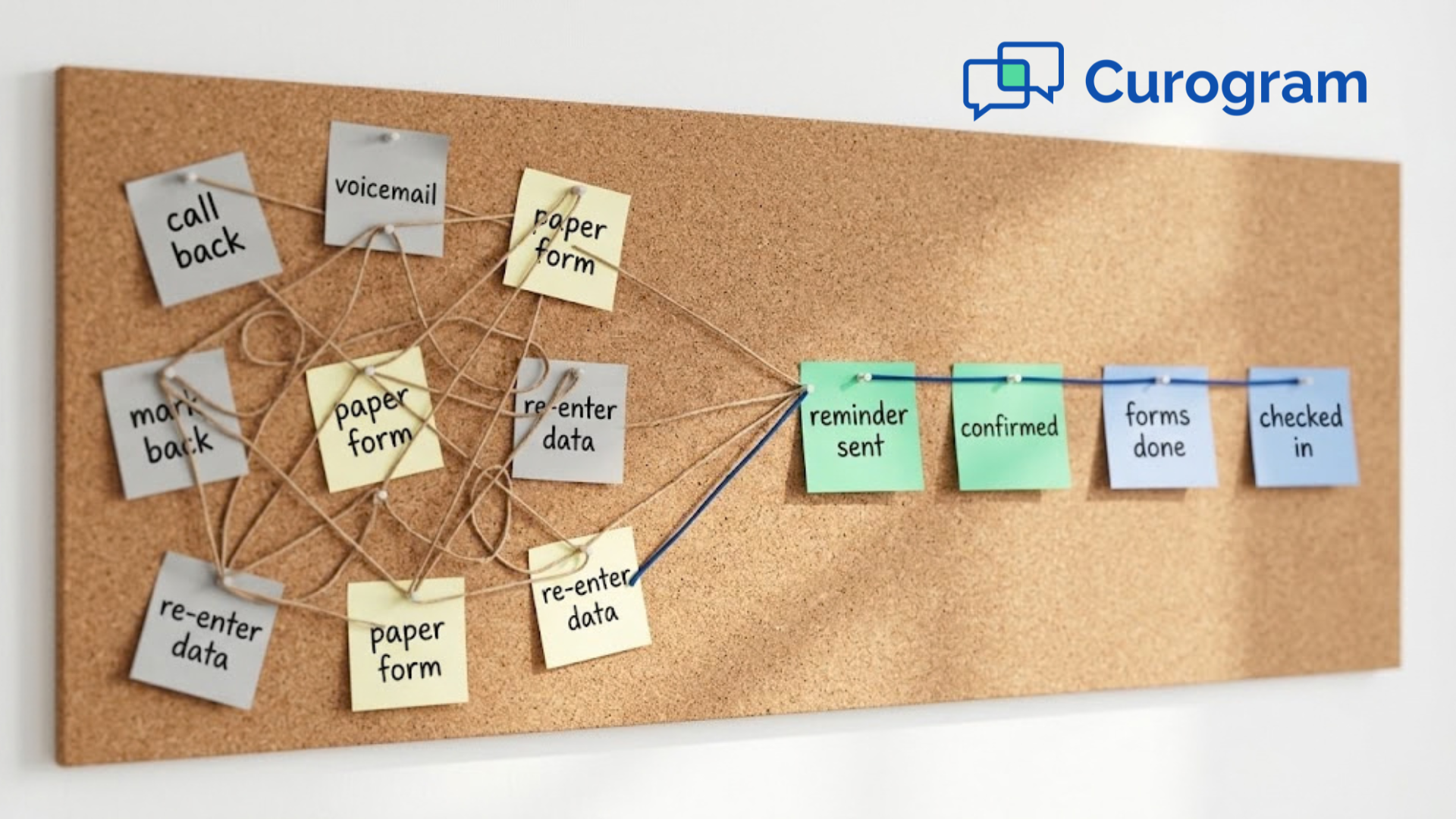
Learn about the actual EMR integration success story of a small practice. This is how one clinic fixed its workflow and boosted patient satisfaction.

Curogram integrates easily with AdvanceMD and other electronic health records programs to enhance patient engagement and boost your bottom line.