
 Aubreigh Lee Daculug

Can we hide the nature of the appointment in the text?
Yes. Curogram offers fully customizable templates, so you control exactly how reminders are written. You can keep messages general (e.g., “You have an appointment with [Center Name]”) or include only the date and time without mentioning the purpose.
You can also create different templates for different appointment types. This flexibility helps ensure patient privacy and safety remain the priority.
What if a patient replies with a question instead of "Y"?
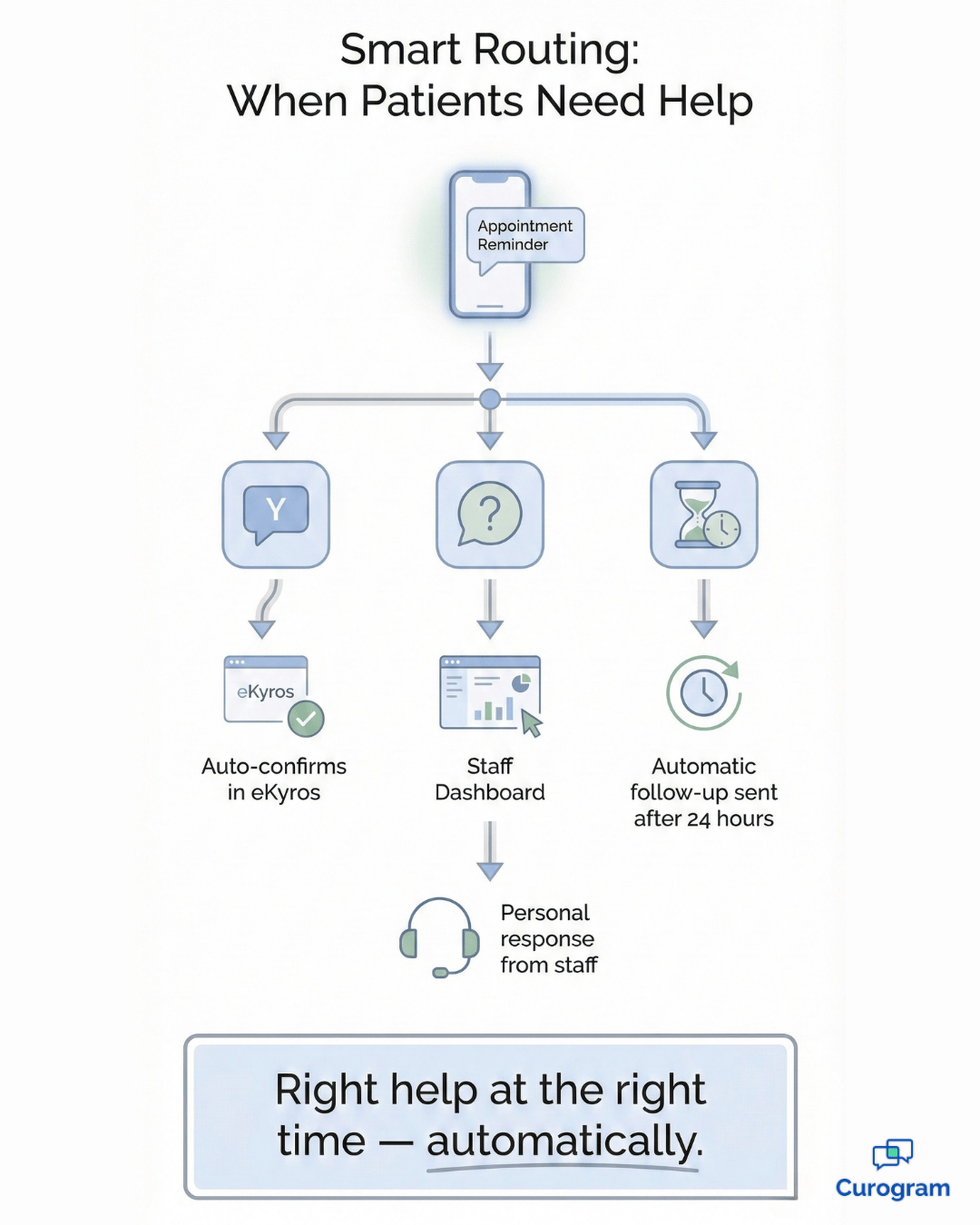
If a patient sends anything other than a confirmation, the message automatically routes to your 2-way texting dashboard. Staff are alerted and can respond directly within the thread. Whether the patient needs directions, clarification, or reassurance, a real person handles the response.
Automation manages confirmations, but genuine questions always receive personal attention.
Does this work for virtual appointments too?
Yes. Virtual appointments can include a secure telehealth link directly in the reminder text. Patients confirm the same way, and their response updates in eKyros automatically.
On appointment day, they click the link in their message to join. This keeps telehealth visits just as organized as in-person appointments.
How does the eKyros integration actually work?
Curogram connects to eKyros user login and is usually live in about 1 day. After a simple setup by your administrator, the system reads your schedule, sends reminders based on your preferences, and updates confirmation statuses in real time.
What about patients who don’t text?
Most patients are comfortable using text for appointments, but for those who don’t respond, your team can flag them for phone-call reminders instead. This approach combines automation efficiency with personalized outreach when needed.